ESAB Cutting Systems
CROSSBOW Page 99
4.21.2 【F5】COORDS (Set Coordinates)
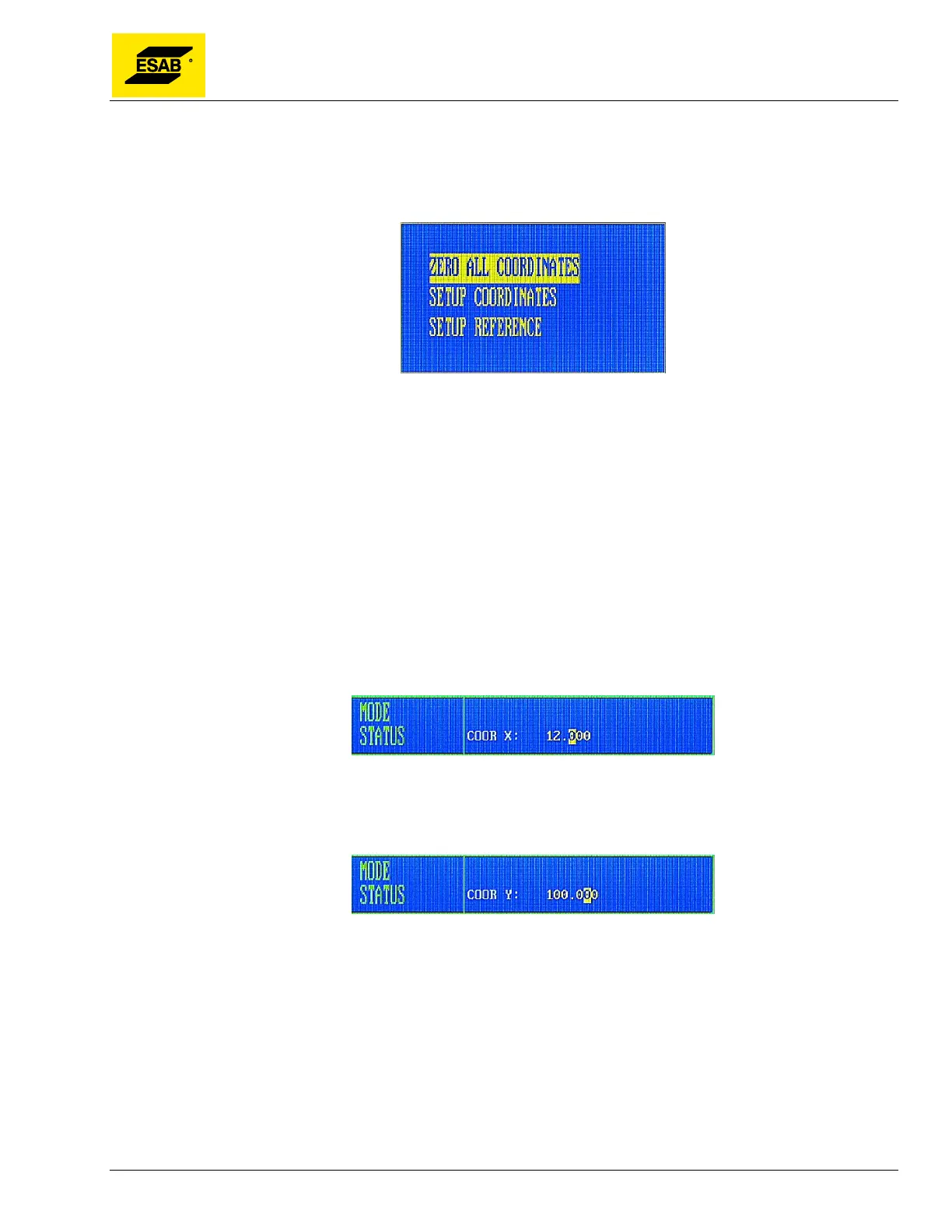
This function is used to set the axes coordinates to desired values. Pressing 【F5】 will activate the
dialog shown below.
Figure 75: Setup Coordinates Dialog
Use the Up【↑】and Down【↓】keys to highlight the desired option, then press the 【ENTER】 key to
execute the desired operation. The three options are explained below:
1) ZERO ALL COORDINATES
Clears the settings of all X/Y coordinates. The X and Y value of both Machine Coordinates and
Program Coordinates are set to zero at the current machine position.
2) SETUP COORDINATES
This option allows the user to manually enter new values for the Program Coordinates. When selected,
an input field appears in the Mode/Status area, prompting the user to enter a value for the X axis
Program Coordinate.
Figure 76: Entering the X Program Coordinate
After this value is entered, another input field appears in the Mode/Status area, prompting the user to
enter a value for the Y axis Program Coordinate.
Figure 77: Entering the Y Program Coordinate
When the【ENTER】key is pressed, the values that were entered will appear as the new Program
Coordinates.
3) SETUP REFERENCE
Clears the settings of the Program Coordinates. The X and Y values for Program Coordinates are set
to zero at the current machine position.



 To Next Page