ESAB Cutting Systems
CROSSBOW Page 82
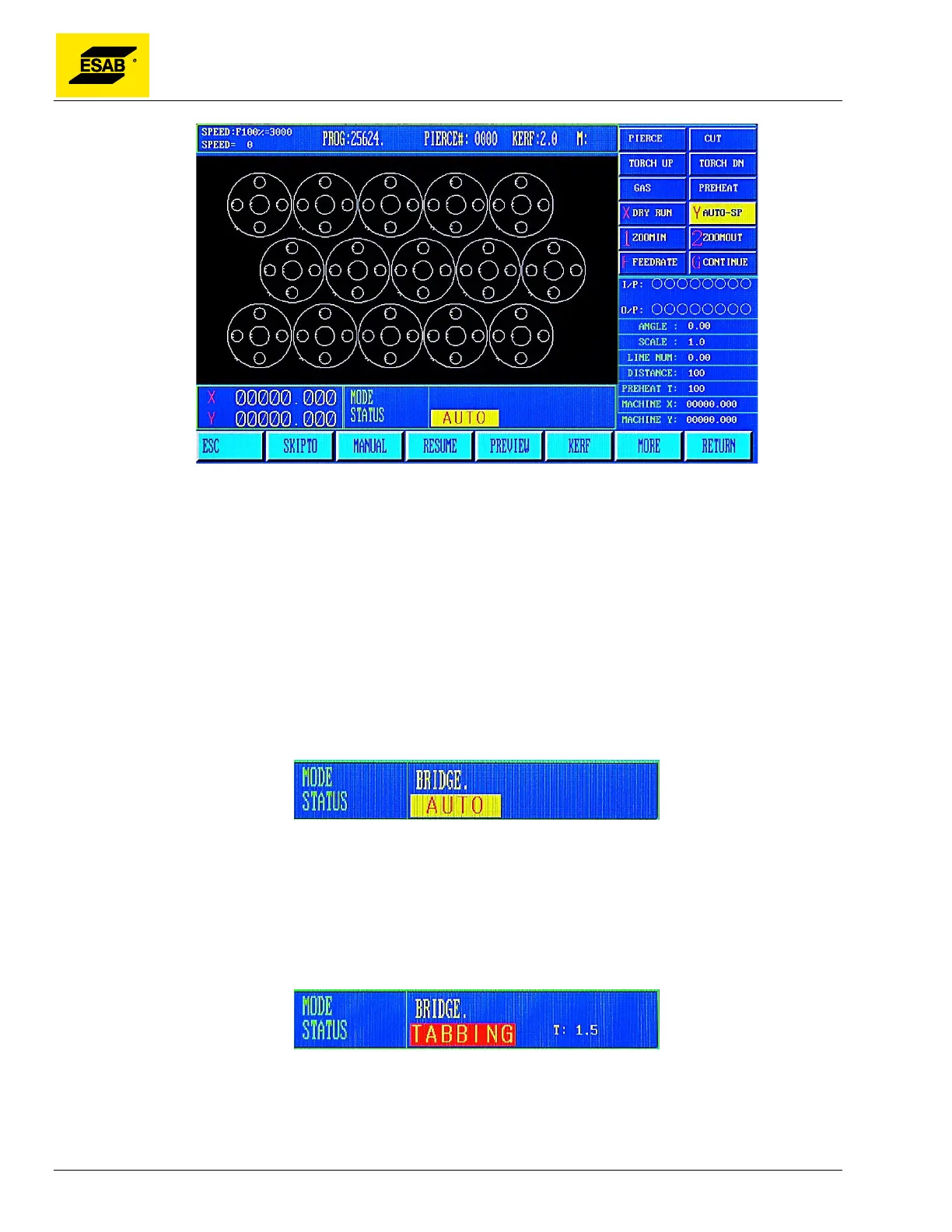
Figure 57: NEST Function in Auto Mode
The word ARRAY is displayed in the Mode/Status Indicator Area to denote that a nest has been created
from a single program. Turn off nest function by pressing【F6】again in the Auto, More menu.
4.12.7 【F7】TABBING
This function is used to assist in creating un-cut tabs, or “bridges”, when cutting a large part from thick
material. When enabled, the cutting will automatically stop at pre-set intervals along the cut path. This
is done to keep the part attached to the mother plate in order to reduce distortion, or for secondary
forming operations.
When【F7】is pressed, it turns on Tabbing Mode.
Figure 58: Tabbing (Bridge) Indicator
BRIDGE is displayed on screen in the Mode/Status indicator area. To turn off, press【F7】again in the
Auto Mode, More menu. The distance between tabs is the CUTTING LINE (BREAK) parameter, in the
Control Parameter screen.
When enabled, cutting motion and process will automatically stop after the pre-set distance has been
cut. TABBING is displayed on screen in the Mode/Status indicator area.
Figure 59: Tabbing Active Indicator
Use the 【F7】key to move Forward on path the desired length of the un-cut bridge. Then press the
PREHEAT key to automatically resume cutting.



 To Next Page