ESAB Cutting Systems
CROSSBOW Page 76
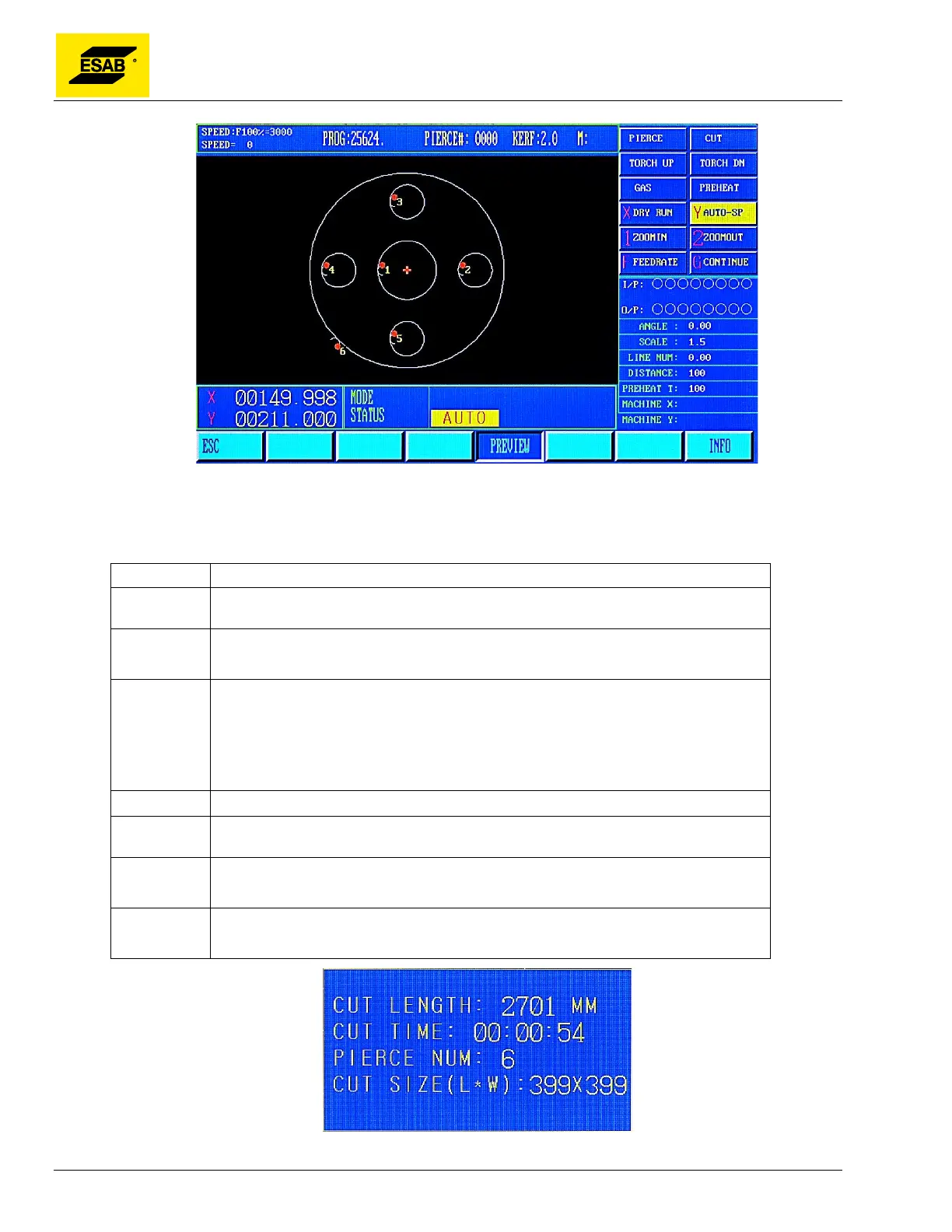
Figure 43: PREVIEW Screen
This function also activates the Preview Menu. In the Preview Menu, the following functions are
available:
Key Function
【START】 While viewing the graphical preview, the 【START】key may be pressed to begin
the cutting operation.
【ESC】
ESCAPE
Returns to the Auto Mode Menu
【1】
Zoom
While viewing the graphical preview, you may zoom in for a closer look at the
programmed path. Press the【1】key to zoom in to the graphic display. Press
once to zoom in to 2x normal size. Press a second time to see 4x normal size.
Press a third time to see 8x normal size.
【2】
Pressing【2】causes the display to zoom back to normal magnification.
【↑】 【↓】
【←】【→】
The portion of the program visible in the display can be shifted using the arrow keys.
【F4】
PREVIEW
Returns to the Auto Mode Menu
【F7】
INFO
Displays the Program Information Dialog, shown below.
Figure 44: Program Information Dialog



 To Next Page