Fax Procedure
99
Fax
4
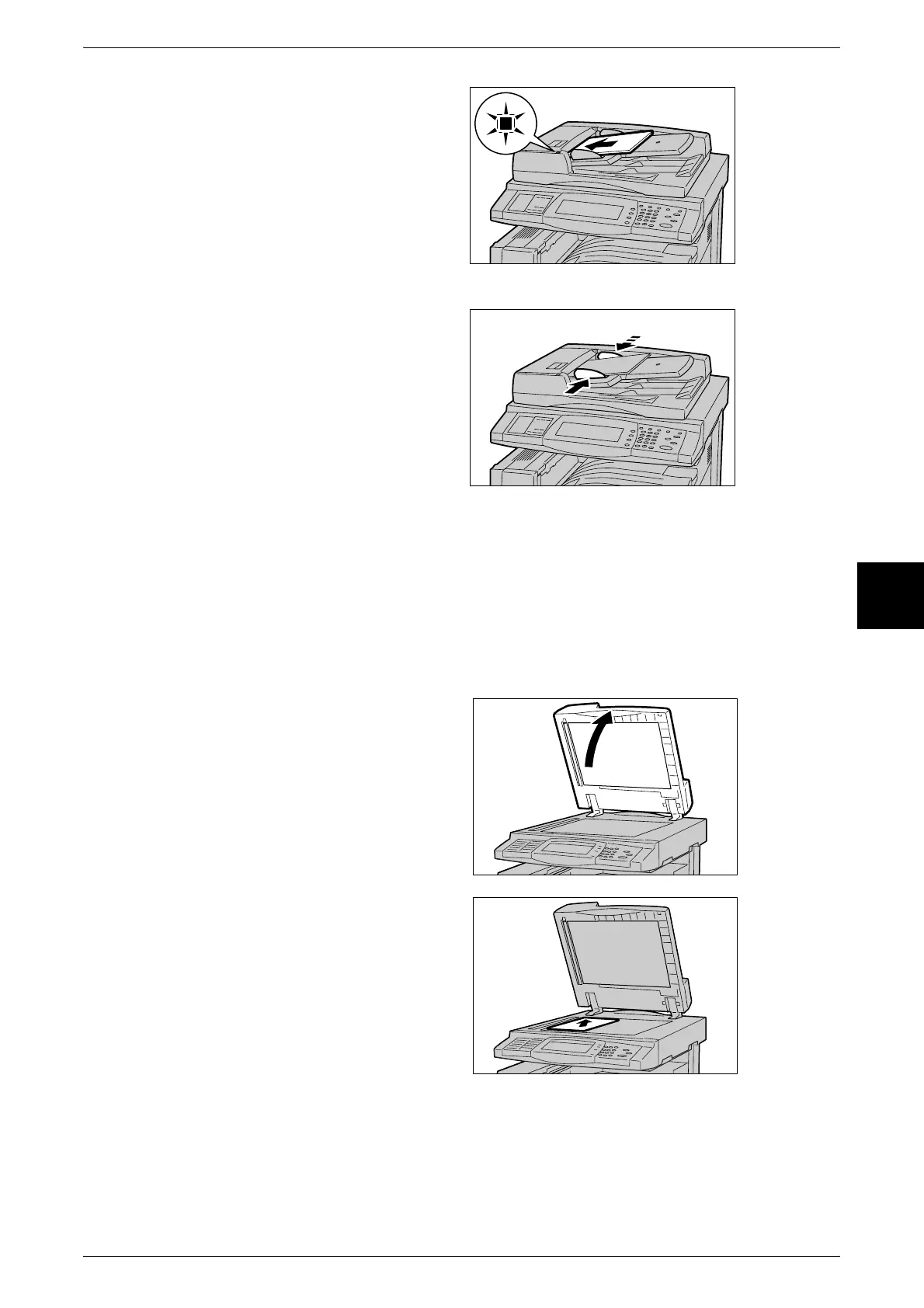
1 Remove any paper clips and
staples before loading the
documents.
2 In the center of the document
feeder, set the document with the
surface to be faxed (top side if 2
sided document) facing upwards.
Note • The <Confirmation> indicator
lights when the document is
loaded correctly.
3 Adjust the movable document
guides to just touch the edge of the
document stack.
Document Glass
The document glass accepts single-sheet or book form documents of sizes up to 297
× 432mm (A3, 11 × 17 inches).
The document glass can auto-detect only documents of standard sizes.
Note • The sizes of documents that can be detected vary depending on [Paper Size Settings] in the
System Administration mode. For information about [Paper Size Settings], refer to "Paper
Size Settings" (P.271).
1 Open the document cover.
2 Place the document face down,
and align it against the top left
corner of the document glass.
3 Close the document cover.
Note • When a standard size
document is placed on the
document glass, the size of
the document is displayed in
the message area.












 To Next Page