11 Setups
350
Setups
11
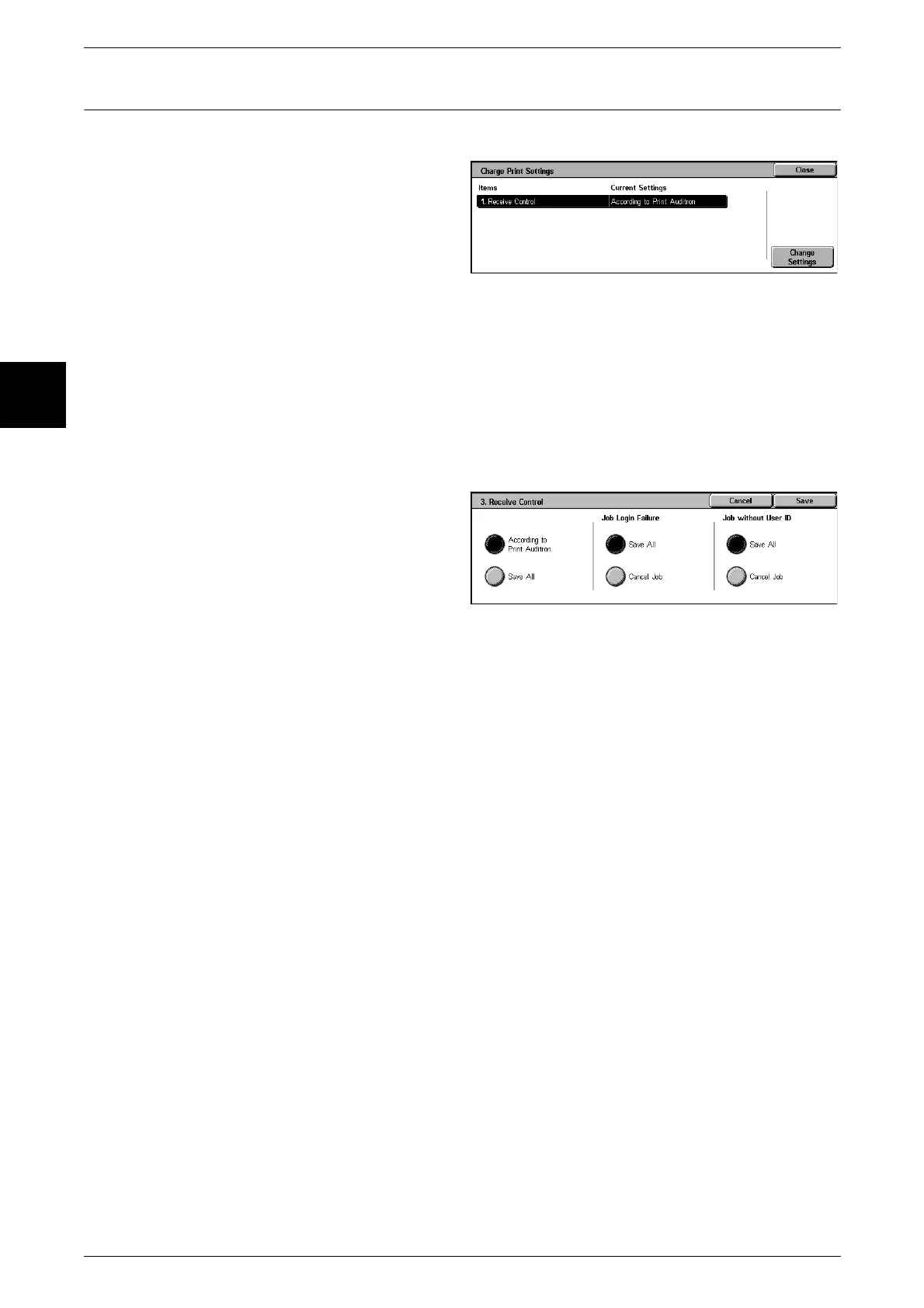
Charge Print Settings
Set how received print jobs should be handled.
1 Select [Charge Print Settings].
2 Select the item to be set, and
select [Change Settings].
3 Set the setting value.
4 Select [Save].
Receive Control
When using the authentication feature, set how to handle print jobs for which
authentication failed (the print driver did not provide the correct UserID, password, and
other authentication information).
For information about printing from a print driver, refer to "Printing" (P.215).
Note • Even if [Printer] in Login Setup/Auditron Administration is set to [Off], the setting here of
[According to Print Auditron] is not affected.
1 Select [Receive Control].
2 Select [According to Print Auditron]
or [Save All].
3 Select the treatment of jobs with
invalid authentication and jobs with
no UserID.
According to Print Auditron
Operation follows the receiving controls set on the machine. When [According to Print
Auditron] is selected, items [Job Login Failure] and [Job without UserID] appear.
Note • [Job without UserID] can be displayed by selecting the CentreWare Internet Services
[Properties] tab > [Auditron Settings] > [Non-Account Print]. For information about
CentreWare Internet Services, refer to "CentreWare Internet Services" (P.212).
z
Job Login Failure
Set the action for jobs for which authentication failed.
- When [Save All] is selected, all jobs received are saved.
- When [Cancel Job] is selected, jobs received are deleted.
z
Job without UserID
Set the action for jobs with no UserID input.
- When [Save All] is selected, all jobs received are saved.
- When [Cancel Job] is selected, jobs received are deleted.
For information about where jobs are saved, refer to "Charge Print" (P.359).
Save All
Regardless of whether the authentication feature is being used or not, all jobs received
are saved.
For information about job saving, refer to "Charge Print" (P.359).












 To Next Page