3 Copy
76
Copy
3
Output Format
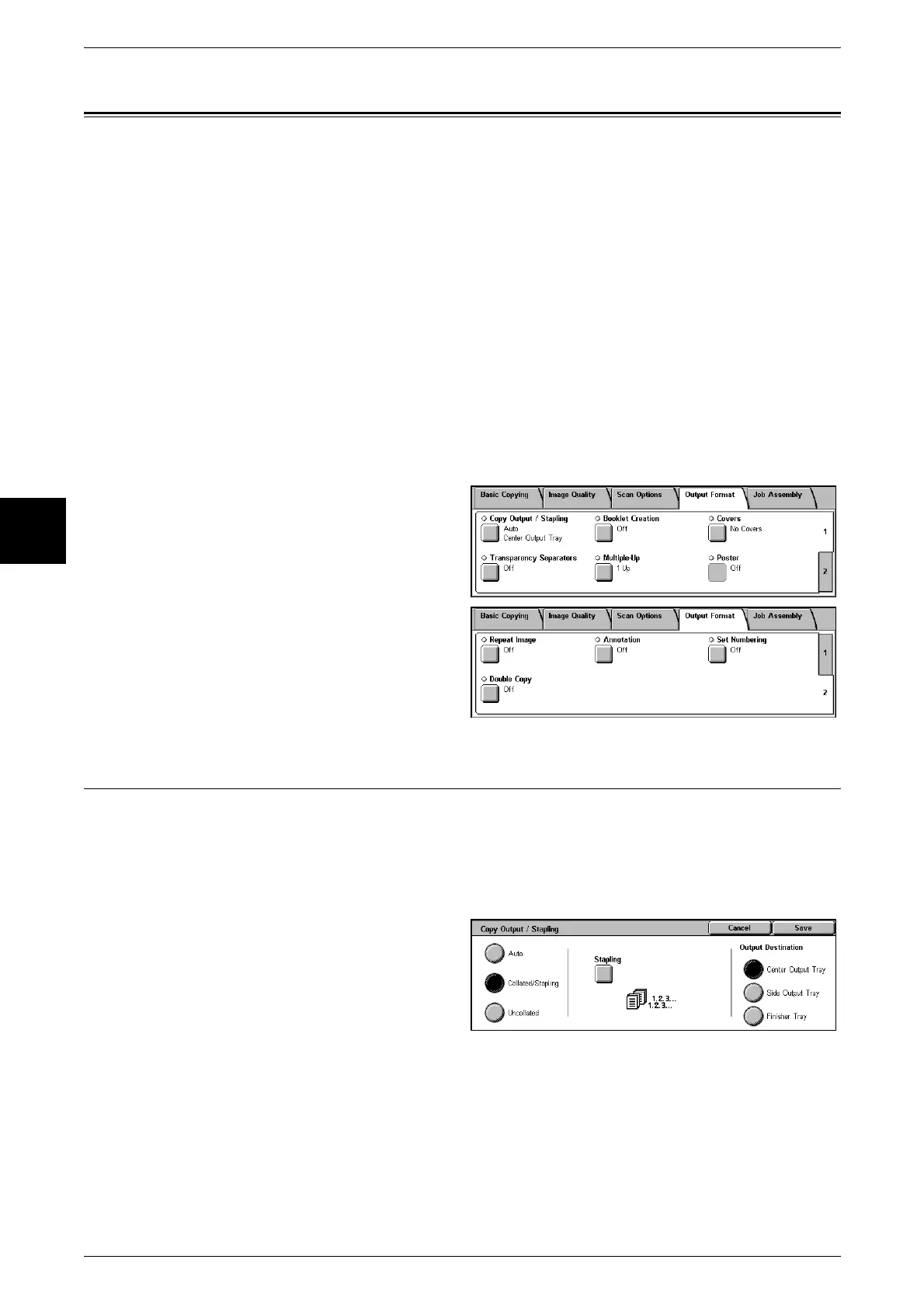
On the [Output Format] screen, you can configure features for scanning documents
The following shows the reference section for each feature.
Copy Output/Stapling (Specifying Copy Output/Stapling for Output) ......................................76
Booklet Creation (Creating a Booklet) .......................................................................................77
Covers (Attaching a Cover to Copies)........................................................................................79
Transparency Separators (Inserting Blank Sheets between Transparencies)..............................80
Multiple-Up (Copying Multiple Sheets onto One Sheet) ...........................................................81
Poster (Making Enlarged Copies Spread over Multiple Sheets).................................................82
Repeat Image (Making Multiple Copies on One Sheet).............................................................83
Annotation (Adding Stamp/Date/Page Number to Copies)........................................................83
Set Numbering (Printing Control Number on the Background).................................................87
Double Copy (Making Several Copies of the Same Image on one Sheet of Paper)...................90
1 On the [All Services] screen, select
[Copy].
2 Select the [Output Format] tab and
then select a feature on the [Output
Format] screen that appears.
Copy Output/Stapling (Specifying Copy Output/Stapling for Output)
You can specify the copy output method. When Stapling is specified, each set of copies
can be stapled and then output. When the Offset Stacking Module is installed, the
output position of copies is offset alternately to distinguish each set of copies.
Note • This feature does not appear for some models. An optional package is necessary. For more
information, contact our Customer Support Center.
1 Select [Copy Output/Stapling].
2 Select any item.
Auto
Copies are output collated when Auto Document Feeder, 2 Sided Book Copy, [Blank
Separators + N Sets] or [No Separators + N Sets] of Transparencies, Booklet, Stapling,
Build Job, Sample Set, and [Document > 50 sheets] are set.
Collated /Stapling
The machine can output sheets sorted into sets that are arranged in page order.












 To Next Page