3 Copy
48
Copy
3
Step 2 Selecting Features
You can select the features from the [Copy] tab.
Note • The features displayed depend on the configuration of the machine.
• To use the Login Setup feature or Auditron Administration feature, you need a UserID and
Password, or just a UserID. For information about UserIDs and Passwords, contact the
System Administrator.
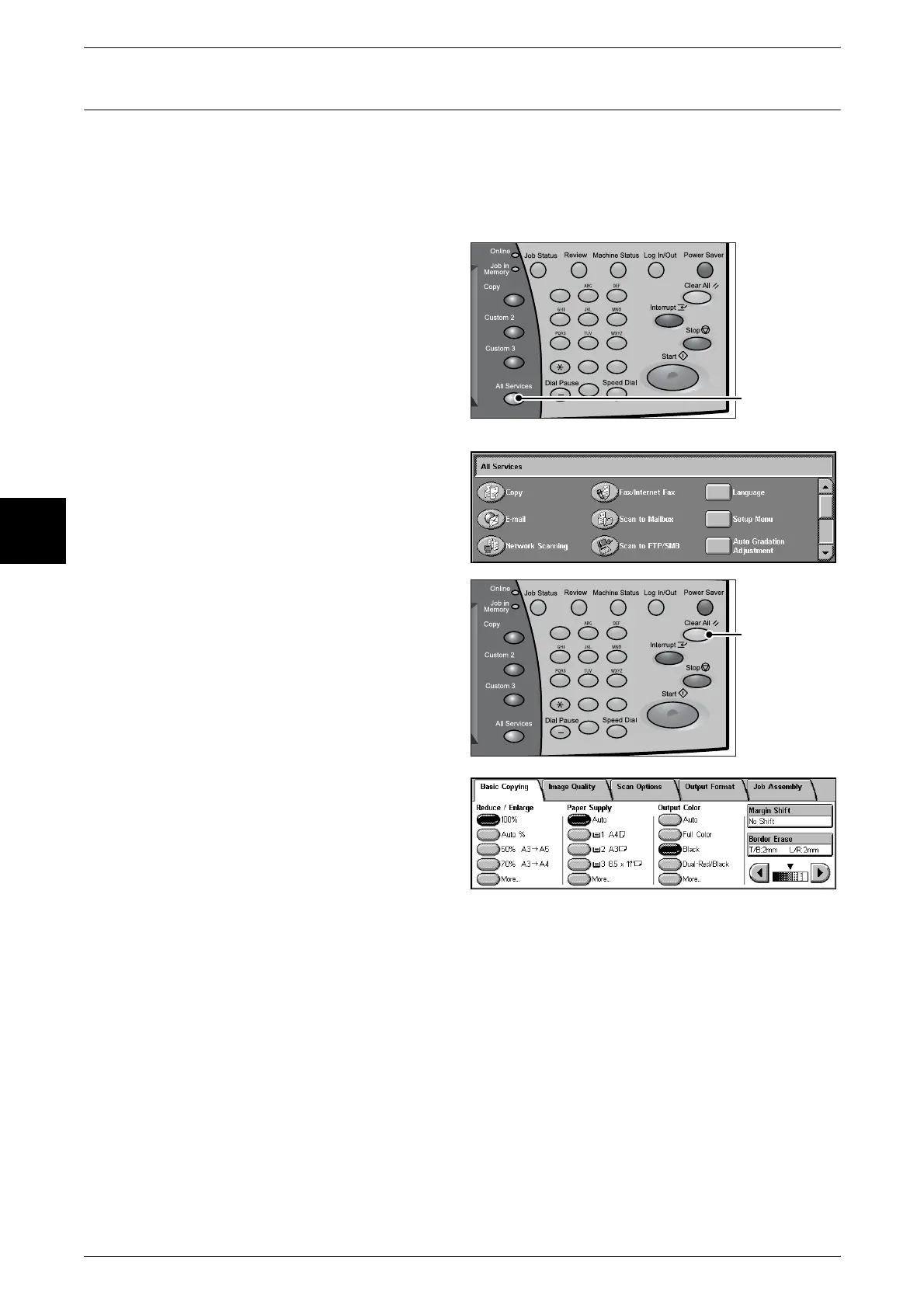
1 Press the <All Services> button.
2 Select [Copy].
3 If the previous settings remain,
press the <Clear All> button.
4 Select the features to set from each
tab as necessary.
For information about each of these features, refer to the following sections.
"Basic Copying" (P.52)
"Image Quality" (P.61)
"Scan Options" (P.66)
"Output Format" (P.76)
"Job Assembly" (P.91)
123
456
789
0 #
C
<All Services>
button
123
456
789
0 #
C
<Clear All>
button












 To Next Page