4 Fax
152
Fax
4
When Not Using a Receiver
1
Adjust the volume of the line monitor.
We recommend setting the volume to Loud so that it is easy to hear the voice
prompts.
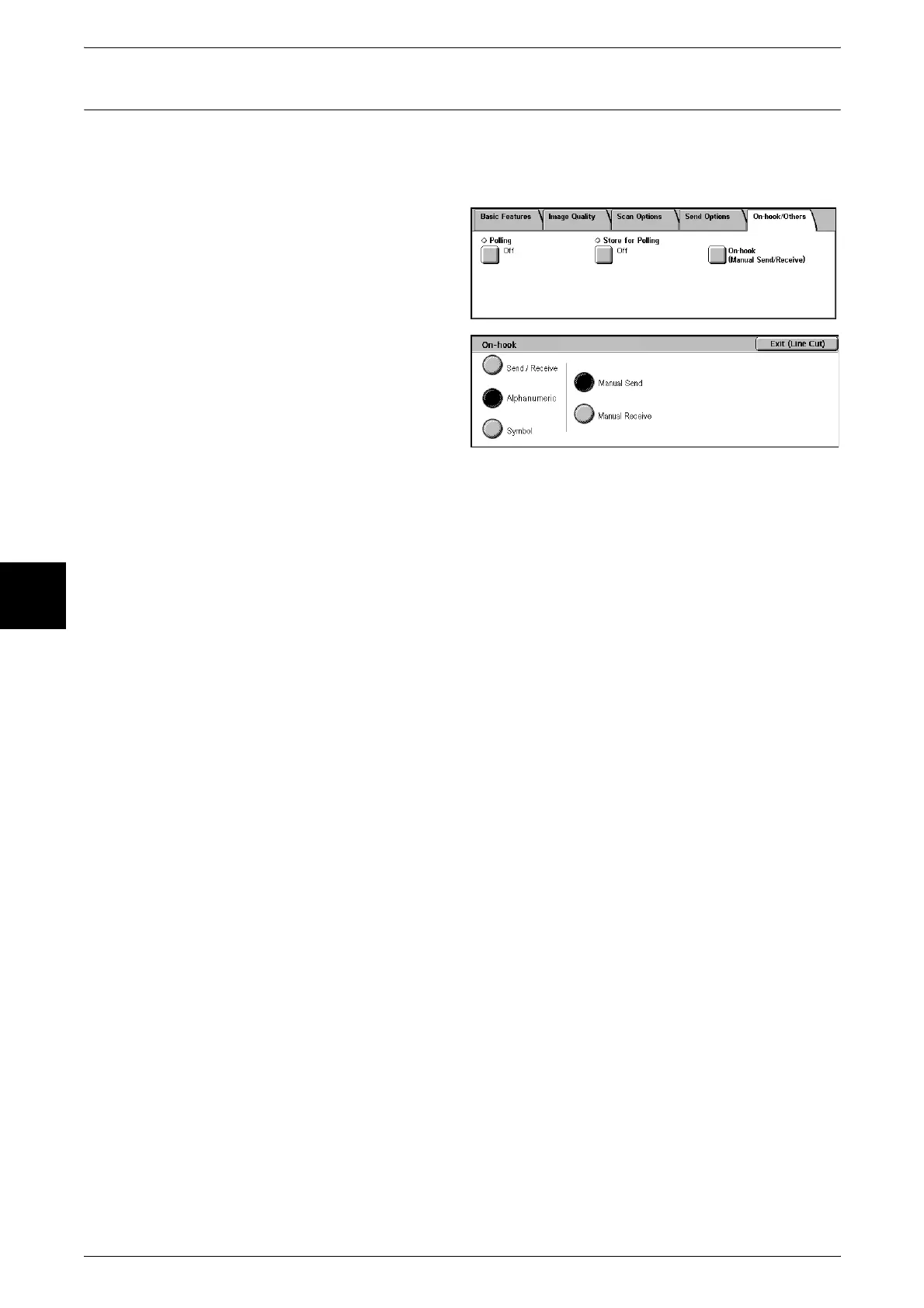
2 Select [On-hook (Manual Send/
Receive)] on the [On-hook/Others]
screen.
3 Select [On-hook (Manual Send/
Receive)].
4 Select [Manual Receive].
5 Select [Alphanumeric] or [Symbol].
6 Specify the fax number of the facsimile information service.
To disconnect the line, select [Exit (Line Cut)].
Important • Specify the fax number with the numeric keypad, Address Number, or One Touch buttons.
You cannot use the Address Book.
Note • When the line type is set to a pulse line, [Tone (:)] does not appear.
• When you are using a dial line, select [Tone (:)] if you want to send out touch-tones (for a
service requiring the use of a pulse line).
• Some types of services cannot be used even if you set the machine to send out touch-tones.
7 When the machine connects to the service, you will hear voice prompts. Follow the
voice prompts to enter the required numbers.
8 When input is finished, press the <Start> button.












 To Next Page