7 Job Flow Sheets
200
Job Flow Sheets
7
Job Flow List
Job Flow is a feature for executing a series of registered actions.
The Job Flows available here are limited to Job Flows created for scans using
CentreWare EasyOperator on computers on the network.
Note • To enable communication with network computers, the [SOAP port] on this device must be
opened.
• Change/Duplicate/Delete actions are not permitted for Job Flows created on a network
computer. However, fields that allow changes can be temporarily changed and used.
Job Flow Sheet Filtering
You can filter the displayed Job Flows. Screen display may vary, depending on user
authorization feature settings.
Displayed Job Flows may vary depending on authorization features. "Job Flow Sheet Types" (P.391)".
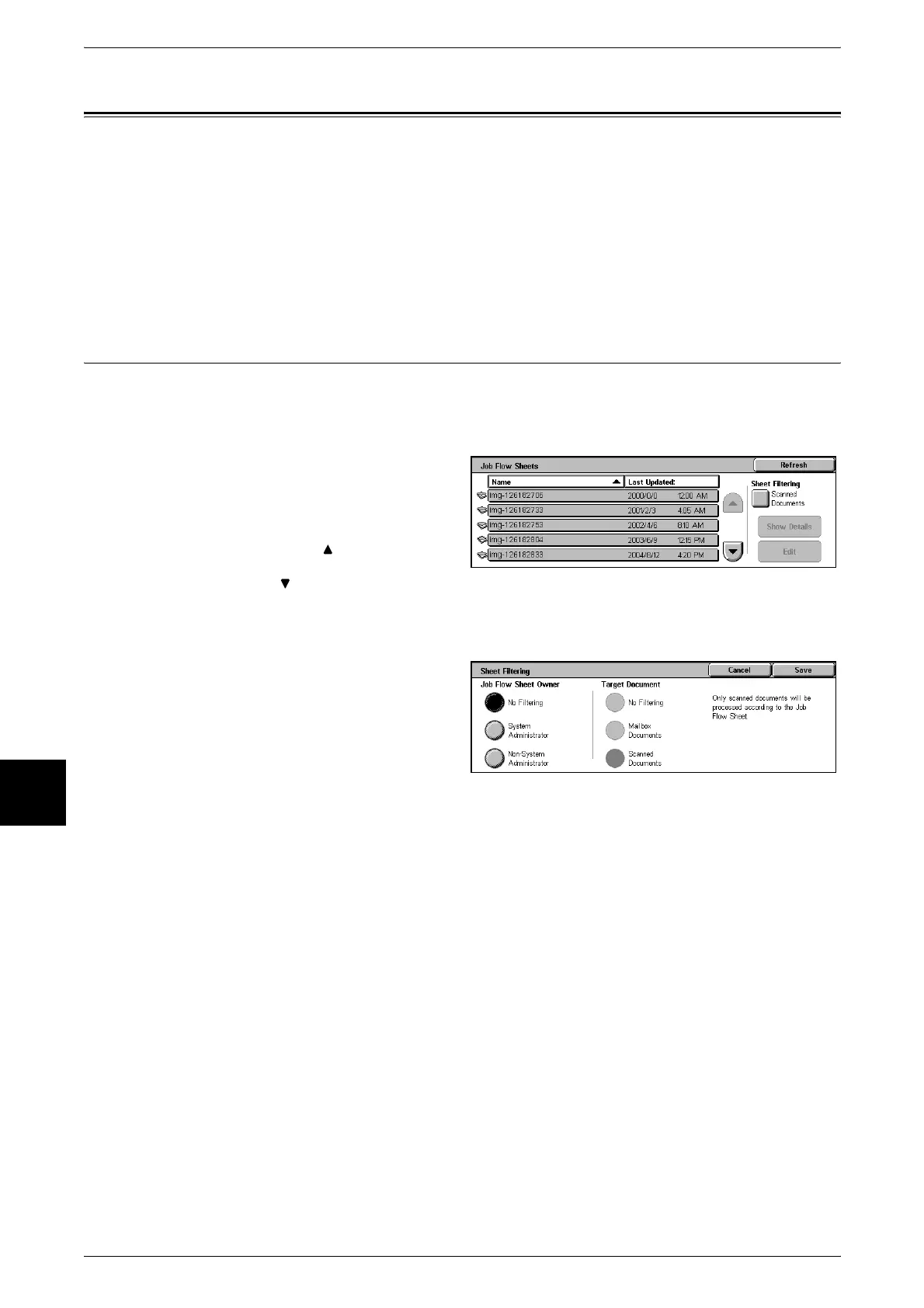
1 Select [Sheet Filtering].
Note • Updated information is
displayed by selecting
[Refresh].
• Select [ ] to display the
previous screen and select
[ ] to display the next screen.
• You can sort documents in ascending or descending order by pressing either [Name] or
[Last Updated].
2 Select filter conditions, and select
[Save].












 To Next Page