12 Job Status
364
Job Status
12
Public Mailboxes
This section describes how to print and delete documents stored in a public mailbox.
For information about saving in public mailboxes for polling, refer to "Storing for Polling (Allowing
Remote Machines to Retrieve Documents from Your Machine)" (P.137).
Note • This feature does not appear for some models. An optional package is necessary. For more
information, contact our Customer Support Center.
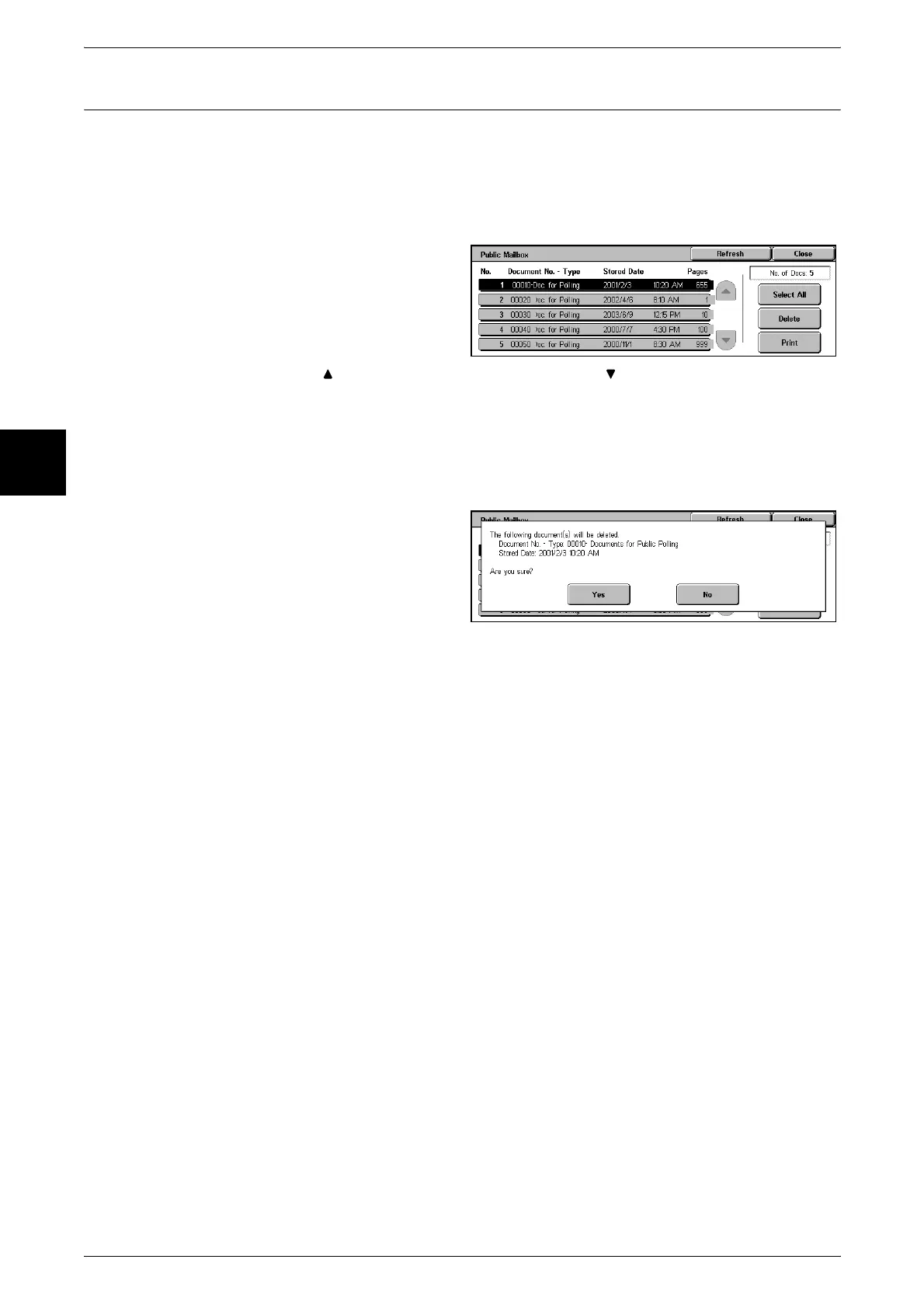
1 Select [Public Mailbox].
2 Select the document you want to
print or delete.
Note • Select [Refresh] to display the
updated information.
• Select [ ] to display the previous screen and select [ ] to display the next screen.
• Select [Select All] to select all documents. Press this button once more to deselect all
documents.
When You Selected [Delete]
This deletes the document saved in a public mailbox.
1 Select [Delete].
2 Select [Yes].
Yes
This deletes the document.
Important • Once the document is deleted, it cannot be recovered.
No
This cancels deleting the document.
When You Selected [Print]
Printing a document stored in a public mailbox.
When you select [Print], printing starts.












 To Next Page