11 Setups
286
Setups
11
Network Settings
In [Network Settings], set the type of interface through which the machine is connected
to the client in [Port Settings], and the parameters required for communications in
[Protocol Settings].
For information about network settings, refer to the Network Administrator Guide.
When using CentreWare Internet Services, more detailed settings are possible. For more details, refer to
"CentreWare Internet Services" (P.212), and refer to the Network Administrator Guide.
The following are the places to reference for information about each setting.
Port Settings..............................................................................................................................286
Protocol Settings .......................................................................................................................287
Machine E-mail Address/Host Name .......................................................................................287
POP3 Server Settings................................................................................................................287
SMTP Server Settings...............................................................................................................287
Domain Settings........................................................................................................................287
Remote Authentication Server..................................................................................................288
Other Settings............................................................................................................................289
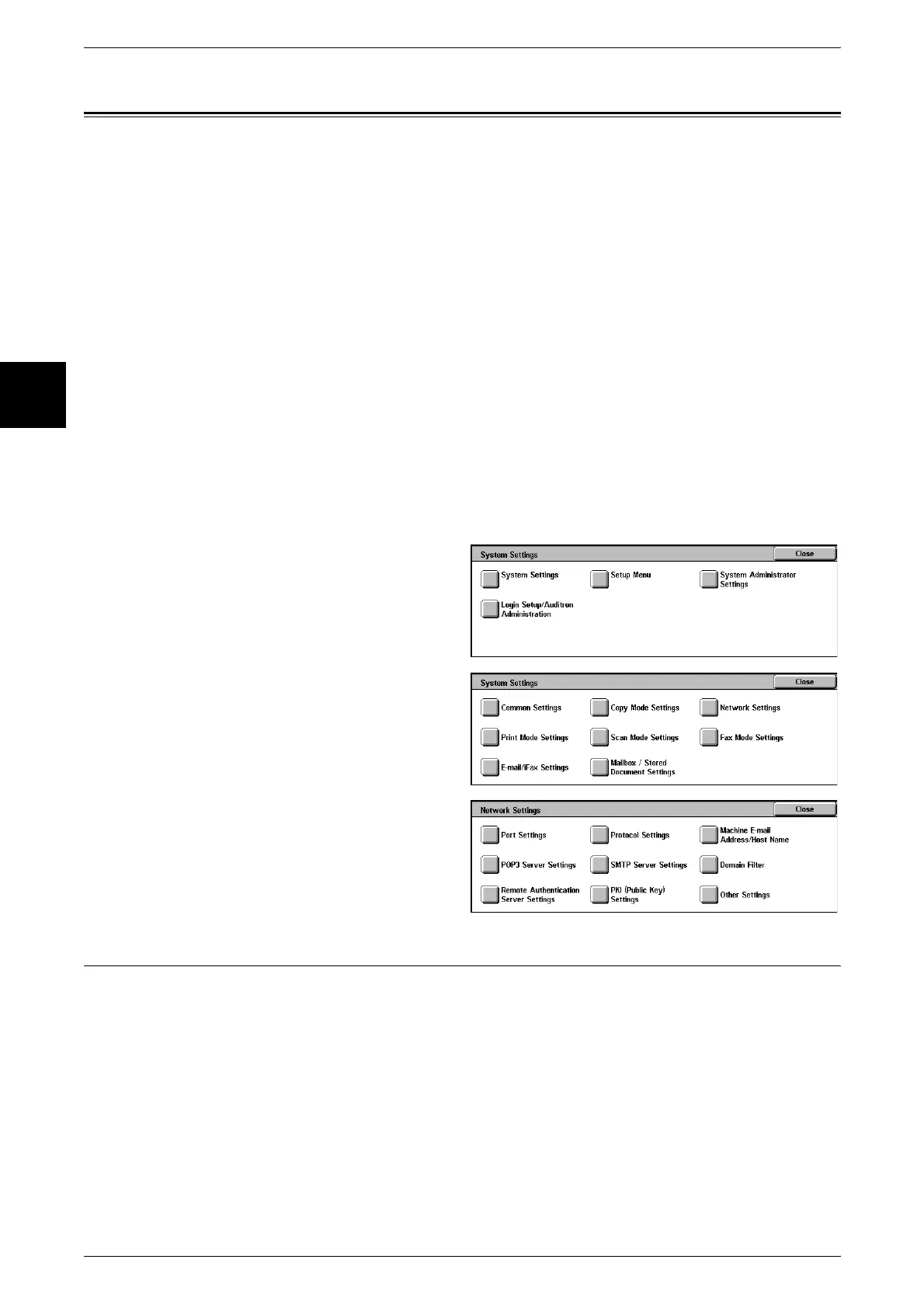
1 In the [System Settings] screen,
select [System Settings].
For the method of displaying the [System
Settings] screen, refer to "System Settings
Procedure" (P.240).
2 Select [Network Settings].
3 Select the feature to be set.
Port Settings
Set the interface by which the machine is connected to the client. In [Port Settings], you
can set the following items.
For information about port settings, refer to the Network Administrator Guide.
1. Parallel 7. EtherTalk 13. Send E-mail
2. USB 8. Salutation 14. Mail Notice Service
3. LPD 9. Port9100 15. UPnP Discovery
4. NetWare 10. SNMP 16. Internet Services (HTTP)
5. SMB 11. FTP Client 17. SOAP
6. IPP 12. Receive E-mail












 To Next Page