11 Setups
334
Setups
11
Address Book
You can store frequently used addresses in the address book. You can select the type
of address stored from fax, iFax, e-mail, and server (FTP/SMB).
When an address is registered, you can search for it with [Address Book] in the [Basic
Features] screen or [E-mail] screen.
You can store a total of 500 addresses, including fax, iFax, e-mail, and server (FTP/
SMB).
Note • If the Address Book Extension Kit is installed, you can register up to 999 locations.
• Abbreviated address book numbers (001 to 070) are supported by One Touch buttons.
• To specify an e-mail address (for insertion in the address book), it is not possible to use an
address book number specified with the numeric keypad, one-touch dialing, or an address
group.
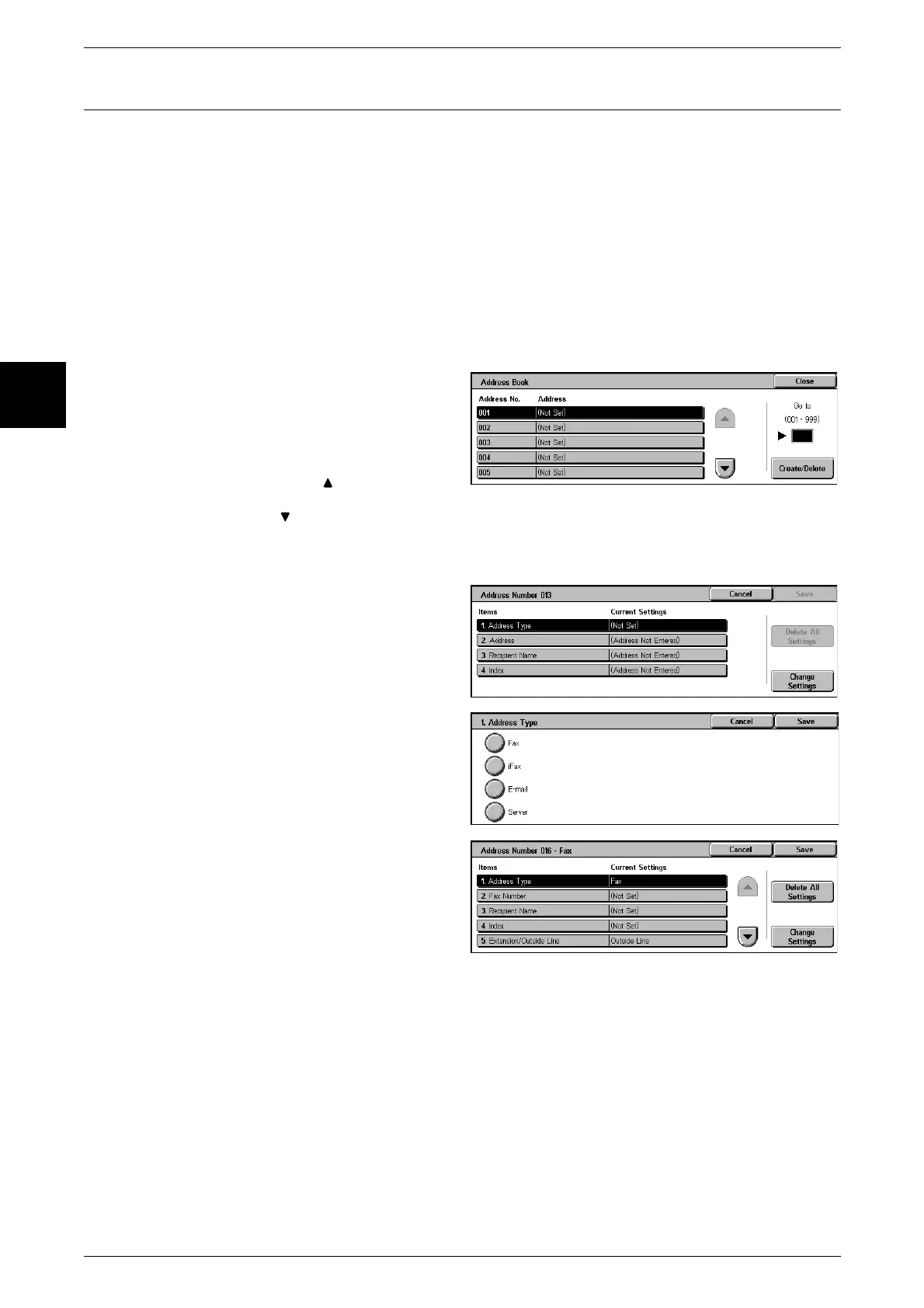
1 Select [Address Book].
2 Press the abbreviated number you
want to register, and select
[Create/Delete].
Note • Select [ ] to display the
previous screen and select
[ ] to display the next screen.
• By entering a three-digit number with the numeric keypad, you can specify the abbreviated
number directly.
3 Select [Address Type], and select
[Change Settings].
4 Select the address type, and select
[Close].
5 Select the item to be set, and
select [Change Settings].
6 When the settings are completed,
select [Save].
When You Selected [Fax] as the Address Type
The following items appear.
z
Address Type
z
Delayed Start
z
Fax Number
z
Remote Mailbox
z
Recipient Name
z
F Code
z
Index
z
Relay Broadcast
z
Communication Mode
z
Billing - Day Time
z
Resolution
z
Billing - Night Time












 To Next Page