4 Fax
132
Fax
4
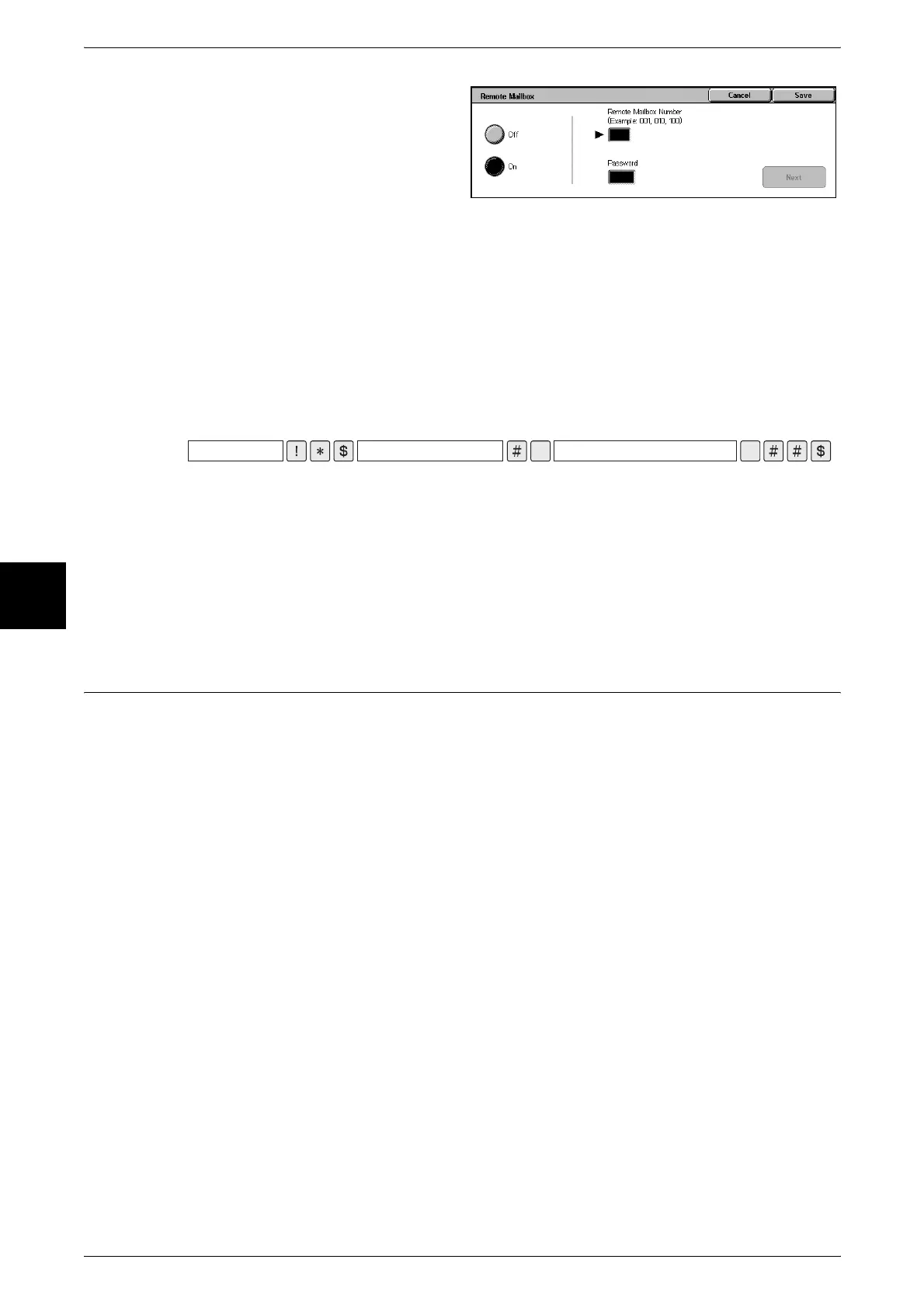
3 Select [Remote Mailbox] on the
[Send Options] screen.
4 Select [On].
5 Enter the three-digit number of the
remote mailbox number using the
numeric keypad and select [Next].
6 If necessary, enter the password using the numeric keypad and select [Next].
If a password has not been set, you do not need to enter one. Select [Next] without
entering a password.
Sending to Mailbox (DTMF Method)
1 Select [Keyboard] to display the keyboard on the touch screen and enter the following
format.
Note • Use the keyboard on the touch screen to enter symbols such as "!" and "∗." For information
about character input, refer to "Entering Text" (P.252).
• Enter the password if necessary.
• You can transmit to any machine that supports our DTMF method feature.
• The above dialing format can be registered in Address Number to enable sending to mailbox
using an Address Number. For information about Address Book registration, refer to
"Address Book" (P.334).
F Code (Using F Code Transmission)
F Code is the transmission procedure set by the Communications and Information
Network Association of Japan and is the T.30 (communication protocol) method for
using sub-addresses that was standardized by the ITU-T. The F Code feature enables
various features to be used with transmission among F Code-compatible machines
manufactured by different companies.
When using F Code transmission, use an F Code and password. The F Code, which is
also called a sub-address by other companies, must be registered (entered). Set the
password if necessary.
Note • To use the F Code feature, you need to confirm the F Code of the recipient’s machine in
advance.
• You can set the F Code and password for each Address Number. For information about how
to register Address Numbers, refer to "Address Book" (P.334).
• You can use Relay Broadcast/Remote Relay Broadcast with F Code transmission. For
information about Relay Broadcast, refer to "Relay Broadcast (Transmitting Documents
Through a Relay Station)" (P.140). For information about Remote Relay Broadcast, refer to
"Remote Relay Broadcast (Performing Relay Broadcast to Remote Locations)" (P.143).
• We recommend using the fax signal method for sending to a mailbox or private polling when
the recipient is using the same model of machine.
You can use the following features with F Code transmission.
Sending to Mailbox (F Code Method)
When the recipient's mailbox has been set, you can transmit to the mailbox from the
machine if you set the F Code (sub-address) and the password (if necessary).
Confirm the F Code (sub-address) and password of the recipient in advance.
\
Telephone number of
remote machine
Mailbox number of remote machine Password for mailbox of remote machine
\


 To Next Page