11 Setups
340
Setups
11
Server Name/IP address
Enter the server name or IP address.
Shared Name (SMB Only)
Enter the shared name set for the SMB folder.
Save in
Enter the directory for storing documents.
Login Name
When a login name is required to be input by the forwarding destination server, set the
login name. For the login name, you can enter up to 32 characters.
Password
When a password is required to be input by the forwarding destination server, set the
password. For the password, you can enter up to 32 characters.
Port Number
Set the forwarding destination port number. Input a number in the range 1 to 65535.
When the [Delete All Settings] Button is Selected
This deletes all registered information for the selected address book entry. To delete
all registered information for the selected address book entry, select [Yes].
Important • Deleted information cannot be recovered.
Group Send
You can register up to 50 address groups for sending broadcast transmissions. Each
group can include up to 20 address book entries.
Note that recipients to be added to an address group must already be stored in the
address book.
Note • It is not possible to include an address group in another address group.
• As shown in the following example, you can use wildcards for specifying the numbers.
• 01*: specifies the ten addresses with address book numbers 010 to 019.
• ***: specifies all address book numbers.
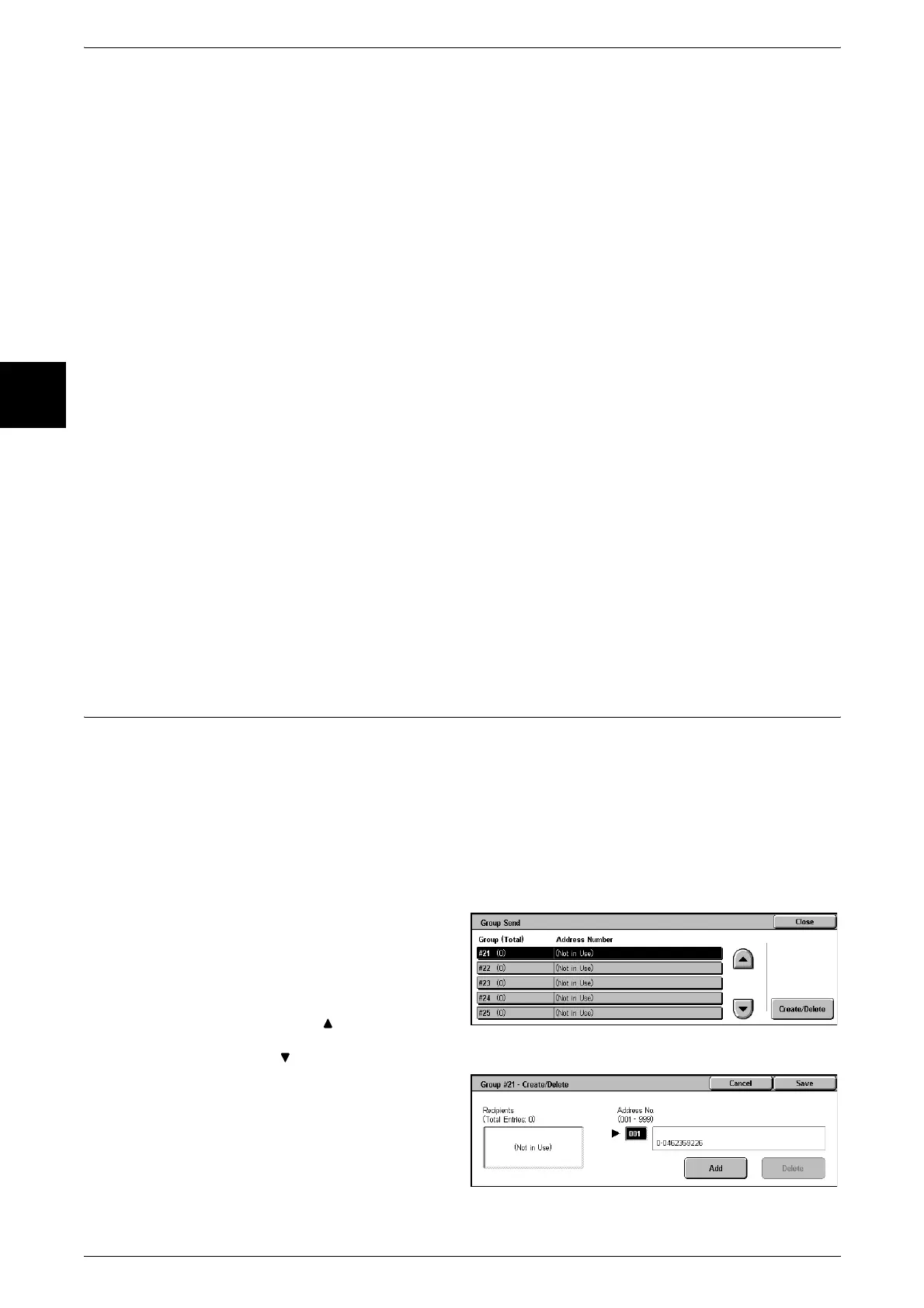
1 Select [Group Send].
2 Select the address group number
you want to register, and select
[Create/Delete].
Note • Select [ ] to display the
previous screen and select
[ ] to display the next screen.
3 Enter the address book number
(three digits) want to register with
the numeric keypad, and select
[Add].
4 Repeat the above procedure, to
register the address book numbers.












 To Next Page