Printable Area
501
Appendix
17
Printable Area
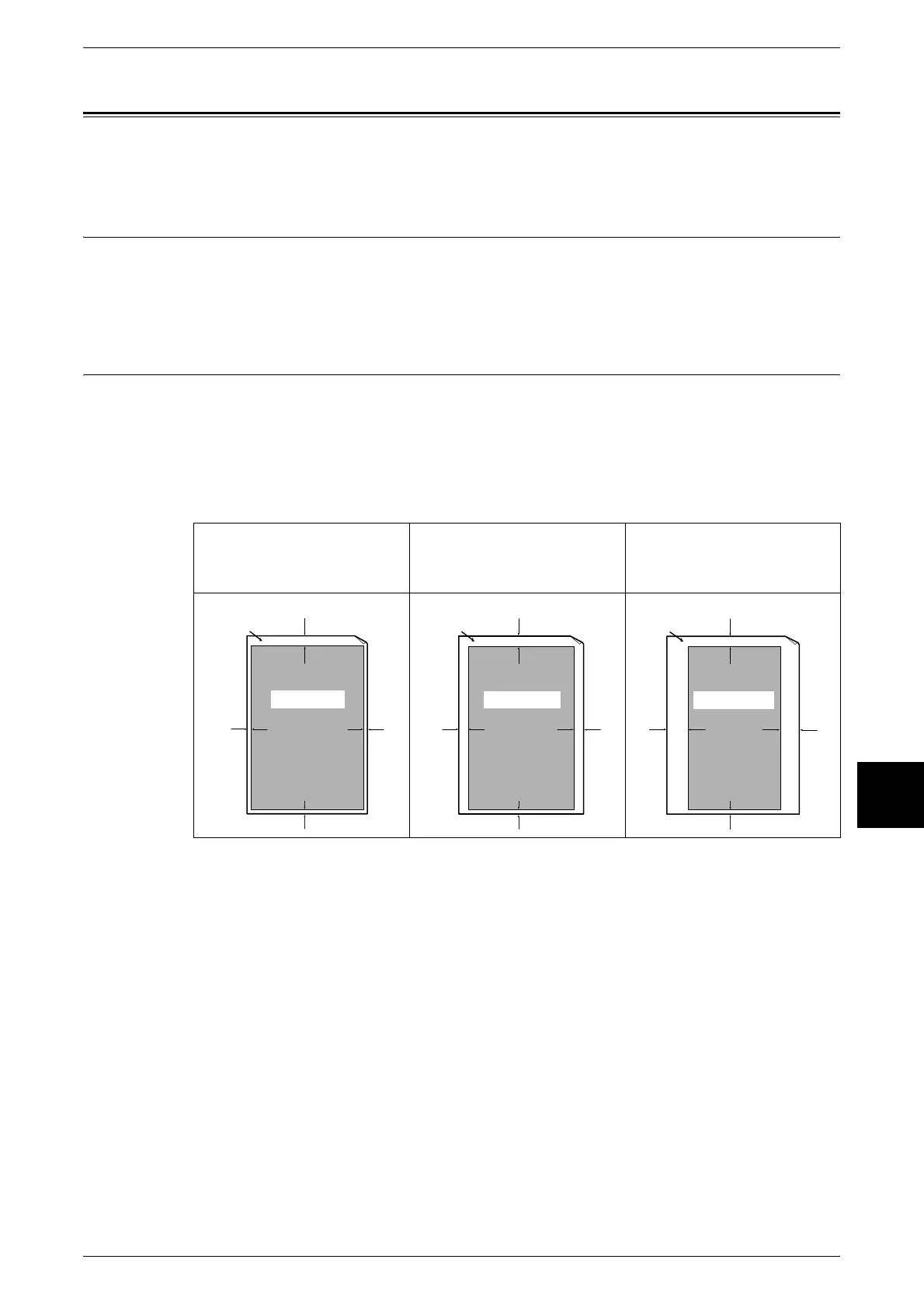
The printable area is as follows.
Standard Printing Area
The standard area that can be printed leaves a margin of 4.1mm on all four edges of
the paper (for SRA3 (320 mm wide), a margin of 11.5 mm left and right). Note that the
actual printing area may vary depending on the printer (plotter) control language.
Extended Printing Area
The extended printing area setting allows printing over a maximum area of 302 × 476.6
mm. Depending on the paper size, however, the unprintable area is different.
Note • To extend the print area, change the PCL print driver or the [Print Area] setting on the touch
screen.
For information on how to make print driver settings, refer to the online help for the print driver. For
more about the setting on the control panel, refer to "Print Area" (P.293).
When the paper width
is less than 12 inches
When the paper width
is 12 inches
When the paper width
is 12.6 inches
(SRA3 (320 mm width))
Printable area
Unprintable area
4mm
2mm
2mm
2mm
Printable area
Unprintable area
4mm
4mm
2mm
4mm
Printable area
4mm
11.5mm
2mm
11.5mm
Unprintable area












 To Next Page