11 Setups
256
Setups
11
From Last Selection to Low Power Mode
Set the time to go from last operation to low-power mode.
Set the time from 1 to 240 minutes, in 1 minute increments.
Note • It is not possible to disable low-power mode.
• Set the time [From Last Selection to Low Power Mode] not to exceed the time [From Last
Selection to Sleep Mode].
From Last Selection to Sleep mode
Set the time to go from last operation to sleep mode from 1 to 240 minutes, in 1 minute
increments.
Audio Tones
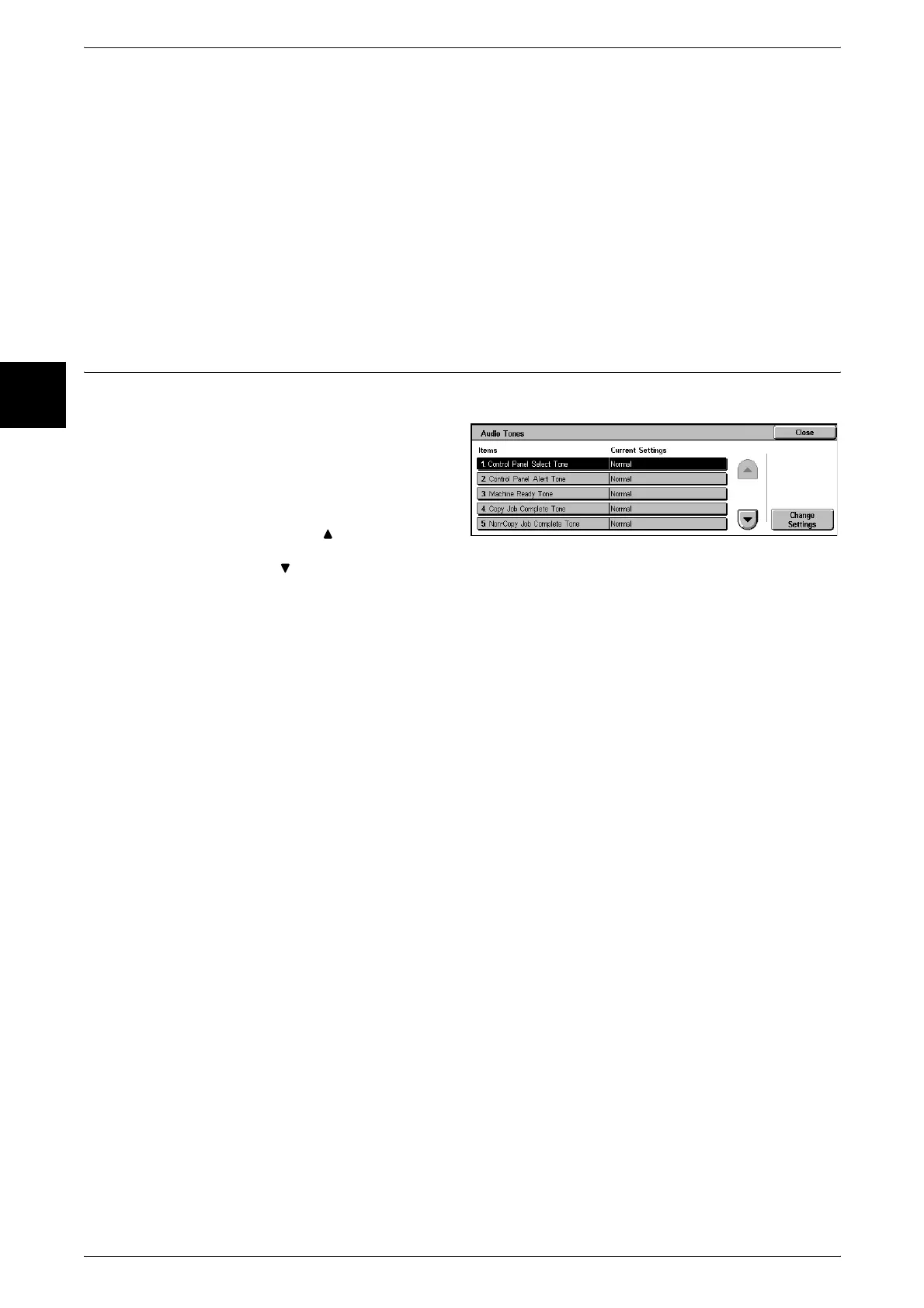
Select whether or not to sound an alarm, for example when a job ends or there is a fault.
1 Select [Audio Tones].
2 Select the item to be set or
changed, and select [Change
Settings].
Note • Select [ ] to display the
previous screen and select
[ ] to display the next screen.
3 Select the setting value.
4 Select [Save].
Control Panel Select Tone
Select the sound to be made when a button displayed on the screen is correctly
selected.
You can select the volume from [High], [Medium], and [Low]. To disable the sound,
select [Off].
Control Panel Alert Tone
Select the sound to be made when a button that cannot be selected is selected, or an
error occurs.
You can select the volume from [High], [Medium], and [Low]. To disable the sound,
select [Off].
Machine Ready Tone
Set the sound for when the machine is ready to copy or print, after powering on, for
example.
You can select the volume from [High], [Medium], and [Low]. To disable the sound,
select [Off].
Copy Job Complete Tone
Select the sound to be made when a copy completes normally.
You can select the volume from [High], [Medium], and [Low]. To disable the sound,
select [Off].












 To Next Page