3 Copy
64
Copy
3
Sharpness/Color Saturation (Adjusting the Sharpness and Color
Saturation of Images)
You can adjust the sharpness and color saturation.
Note • If [Sharpness] or [Color Saturation] is selected when Image Quality Preset is set, the Image
Quality Preset setting values are cleared.
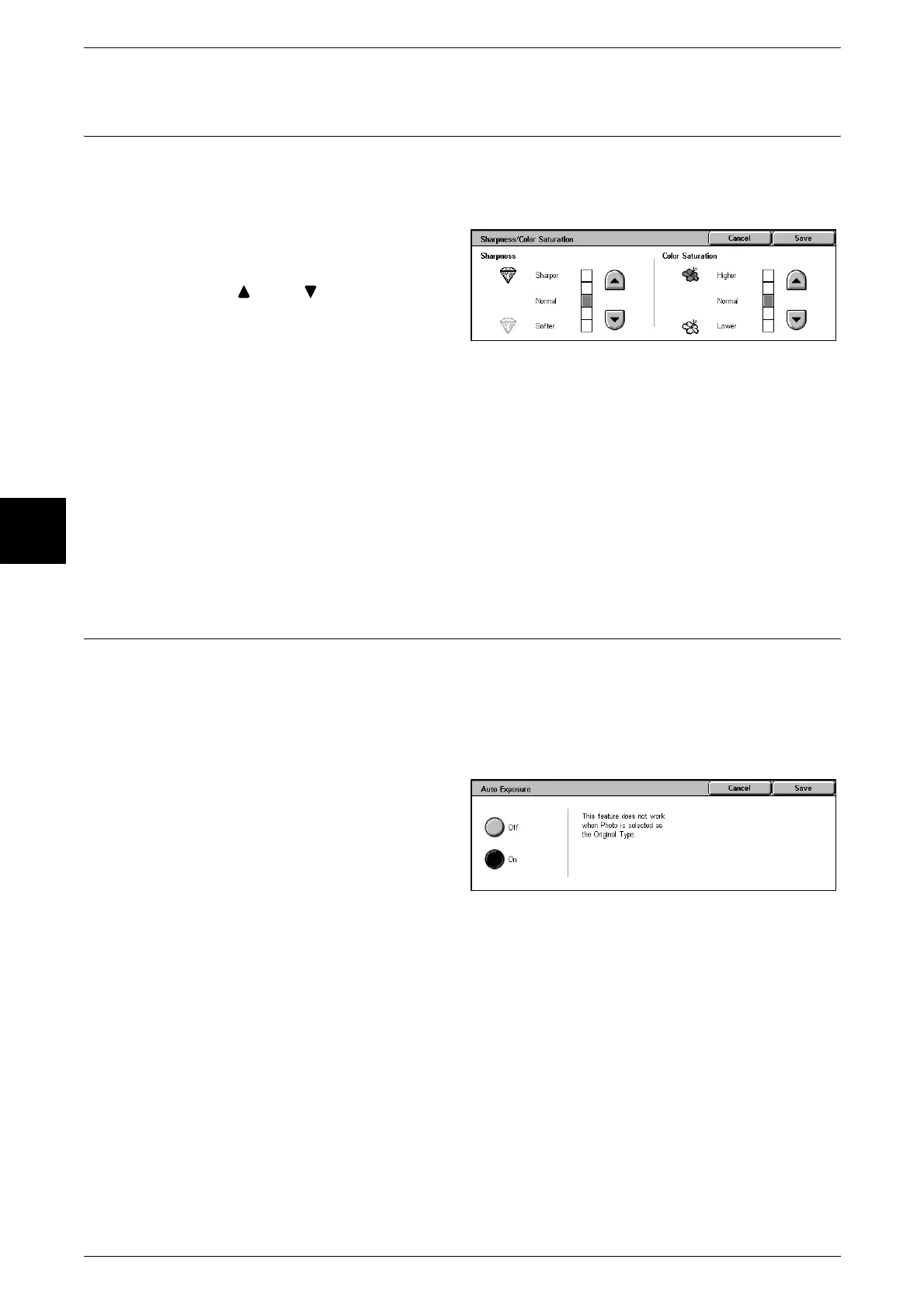
1 Select [Sharpness/Color
Saturation].
2 Use [ ] and [ ] to adjust the
settings.
Sharpness
You can select from five sharpness levels between [Softer] and [Sharper].
The nearer the level is to [Sharper], the sharper the contours of images. The nearer the
level is to [Softer], the softer the contours of images.
Color Saturation
You can select from five color saturation levels between [Lower] and [Higher].
The brightness of color in documents increases the nearer the level is to [Higher] and
the brightness of color in documents decreases the nearer the level is to [Lower].
Auto Exposure (Erasing the Background Color of Documents)
When copies are made with [Black] of Output Color selected, the background color of
documents such as newspapers and colored paper documents is erased.
When making copies with [Full Color], [Dual Colors], or [Single Color] of Output Color
selected, the background of white documents is erased.
Note • When [Document Type] is set to [Photo], the [Auto Exposure] feature does not work.
1 Select [Auto Exposure].
2 Select [Off] or [On].
Off
The background color of the document is included during copying.
On
The background color of the document is excluded during copying.












 To Next Page