11 Setups
344
Setups
11
Login Setup/Auditron Administration
In [Login Setup/Auditron Administration], to prevent unauthorized users from accessing
the machine, you can set different restrictions for each user, or limit the number of
pages each user can produce.
When the Login Setup/Auditron Administration feature is enabled, each user of the
machine must enter a UserID and password (if the optional Copylyzer is installed,
inserting a card), thus providing administrative control and accounting for the machine.
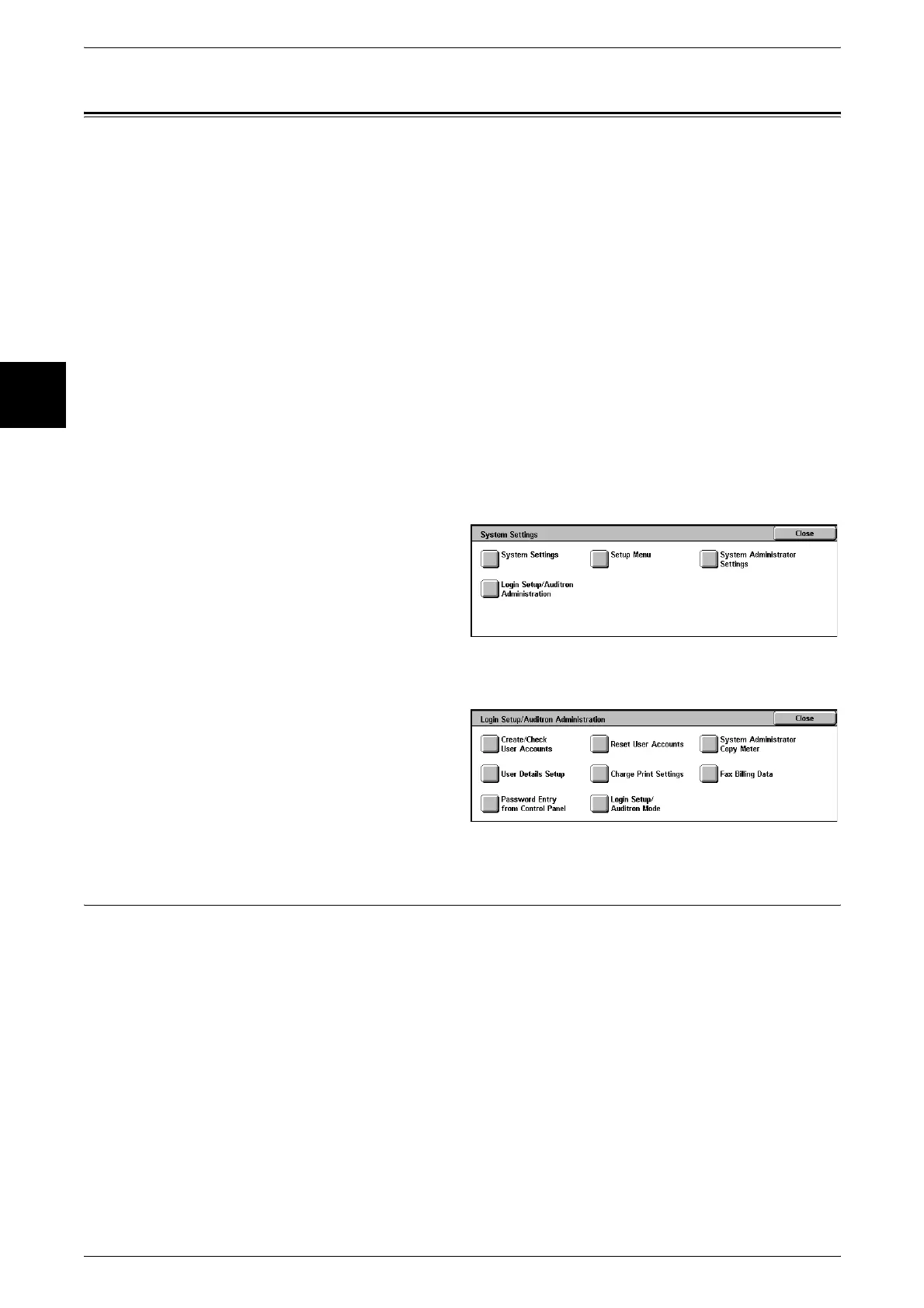
The following are the places to reference for information about each setting.
Create/Check User Accounts ....................................................................................................344
Reset User Accounts.................................................................................................................347
System Administrator Copy Meter...........................................................................................348
User Details Setup.....................................................................................................................348
Charge Print Settings ................................................................................................................350
Fax Billing Data........................................................................................................................351
Password Entry from Control Panel..........................................................................................351
Login Setup/Auditron Mode.....................................................................................................351
1 In the [System Settings] screen,
select [Login Setup/Auditron
Administration].
For the method of displaying the [System Settings] screen, refer to "System Settings Procedure" (P.240).
2 Select the feature to set/change.
Create/Check User Accounts
When the login setup/Auditron administration feature is enabled, in order to carry out
authentication of registered users, the UserIDs, and user names are registered.
For a user of the machine, you can control the use of color modes, or set a limit on the
number of pages. For each registered user, you can also check the cumulative number
of pages. You can register up to 1,000 sets of user data.
Note • This item does not appear when [Network Access] or [Remote Access] is selected in "Login
Setup/Auditron Mode" (P.351).












 To Next Page