Job Assembly
91
Copy
3
Job Assembly
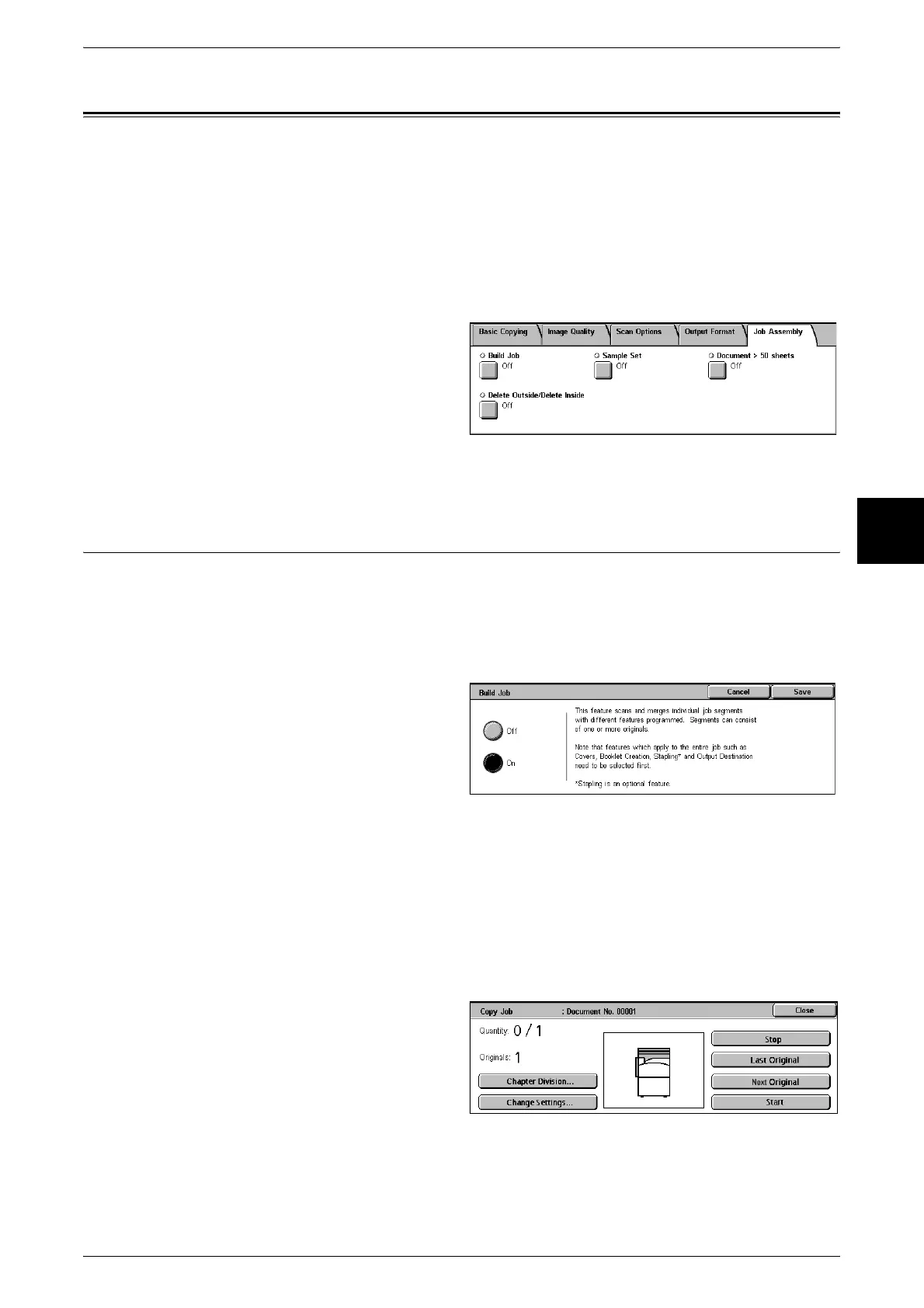
On the [Job Assembly] screen, you can configure the Build Job features. The following
shows the reference section for features that can be configured on [Job Assembly].
Build Job (Making Copies of Documents with Different Settings in a Single Operation)........ 91
Sample Set (Checking the Finished Output of the Copy).......................................................... 93
Document > 50 sheets (Adding Originals)................................................................................. 93
Delete Outside/Delete Inside (Deleting Outside/Inside of the Selected Area when Copying).. 94
1 On the [All Services] screen, select
[Copy].
2 Select the [Job Assembly] tab and
then select a feature on the [Job
Assembly] screen that appears.
Build Job (Making Copies of Documents with Different Settings in a
Single Operation)
This feature allows you to change and save settings individually for each document
page or stack and then to finally make copies of documents with different settings as
one job.
Note • This feature does not appear for some models. An optional package is necessary. For more
information, contact our Customer Support Center.
1 Select [Build Job].
2 Select [Off] or [On].
Off
Build Job is not applied.
On
Build Job is applied.
[Copy Job] Screen
The following describes the screen that appears while Build Job is being executed.
Chapter Division/Separators
Displays the [Build Job - Chapter Division/Separators] screen.












 To Next Page