4 Fax
140
Fax
4
Broadcast
This section describes setting Broadcast Send and Relay Broadcast.
Broadcast Send (Transmitting to Multiple Recipients).............................................................140
Relay Broadcast (Transmitting Documents Through a Relay Station).....................................140
Remote Relay Broadcast (Performing Relay Broadcast to Remote Locations) .......................143
About Models Available for Relay Broadcast Send.................................................................147
Broadcast Send (Transmitting to Multiple Recipients)
The Broadcast Send feature allows you to transmit the same document to multiple
recipients with a single operation. There is no need to repeat the same operation for
each recipient.
When an extra G3 Kit (optional) is installed, you can use the extra lines to make multiple
transmissions simultaneously with Broadcast Send.
If you specify Broadcast Send, the machine prints a [Relay Broadcast Report/Multi-Poll
Report] after the Broadcast Send operation finishes.
Note • The maximum number of recipients that you can specify at one time is as follows:
Using the numeric keypad: 50 locations; using Address Number: 500 locations; and using
the numeric keypad in combination with Address Number: 549 locations.
• The touch buttons correspond to Address Numbers 001-090.
• When using Broadcast Send, [Cover Note] and [Remote Mailbox] are invalid even if they are
selected on the control panel. If you want to use [Cover Note] and [Remote Mailbox], set
them when registering each recipient in Address Number.
• You cannot specify [Transmission Report].
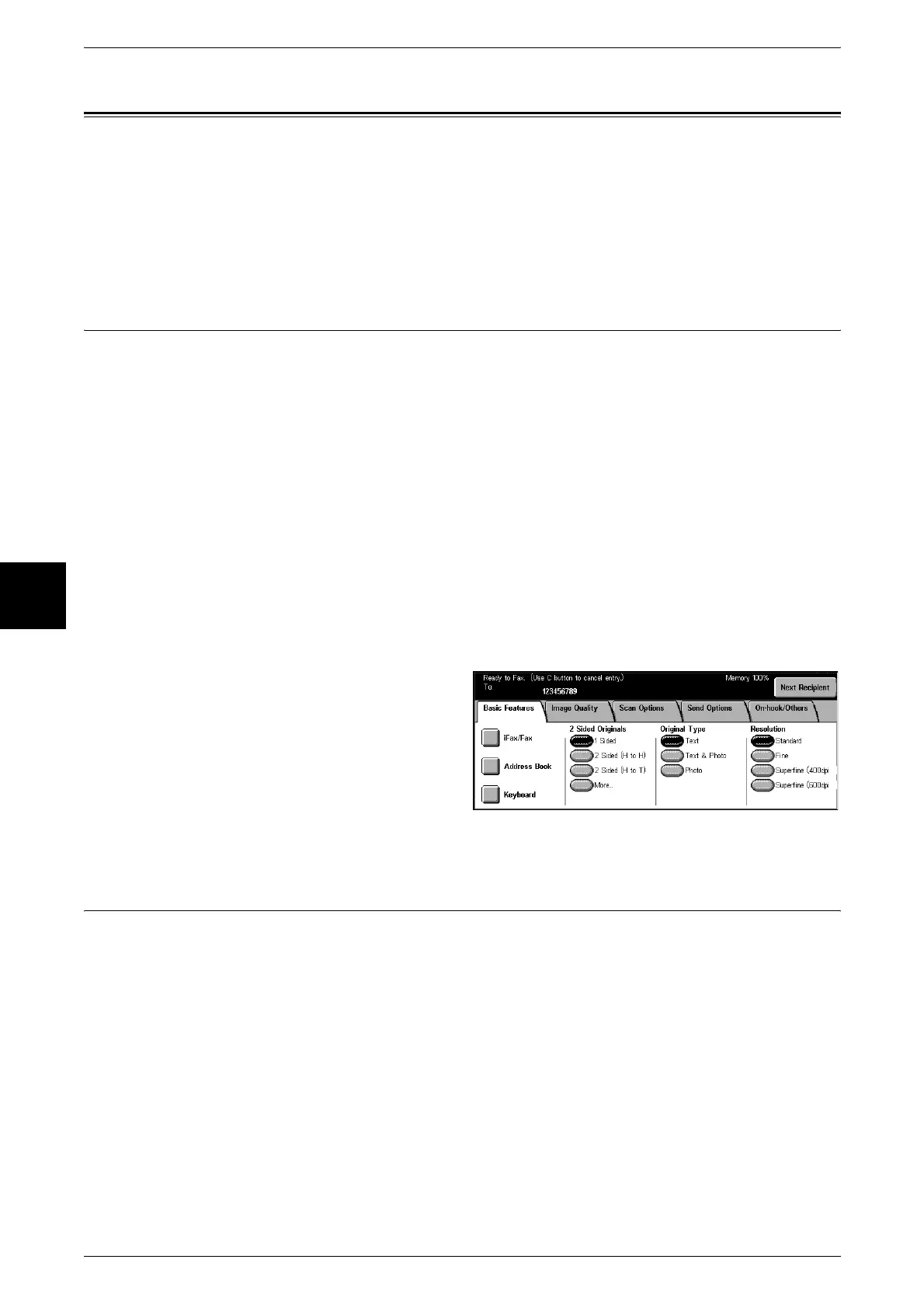
1 Display the [Basic Features]
screen.
2 Select [Next Recipient] to specify
multiple recipients and then press
the <Start> button.
Select [Yes] on the confirmation
screen to start transmission.
Relay Broadcast (Transmitting Documents Through a Relay Station)
The Remote Relay Broadcast feature transmits documents to multiple recipients via
other fax machines (relay stations).
When a document is to be transmitted over a long distance to multiple recipients, it is
first transmitted to one relay station and from there to multiple recipients.
When you transmit documents over a long distance to many recipients, using Relay
Broadcast can save on call charges.
Furthermore, multiple Relay Broadcast operations can be performed simultaneously.
This is referred to as Multiple Relay Broadcast.
Note • For information about which machines can be used as initiating stations and relay stations,
refer to "About Models Available for Relay Broadcast Send" (P.147).
There are three Relay Broadcast Send methods.












 To Next Page