Common Settings
253
Setups
11
Common Settings
In [Common Settings], you can make settings relating to the machine itself. The
following are the places to reference for information about each item.
Machine Clock/Timers............................................................................................................. 253
Audio Tones............................................................................................................................. 256
Screen Defaults ........................................................................................................................ 258
Paper Tray Attributes............................................................................................................... 259
Auto Job Promotion ................................................................................................................. 270
Image Quality Adjustment....................................................................................................... 264
Reports ..................................................................................................................................... 266
Maintenance ............................................................................................................................. 268
Other Settings........................................................................................................................... 269
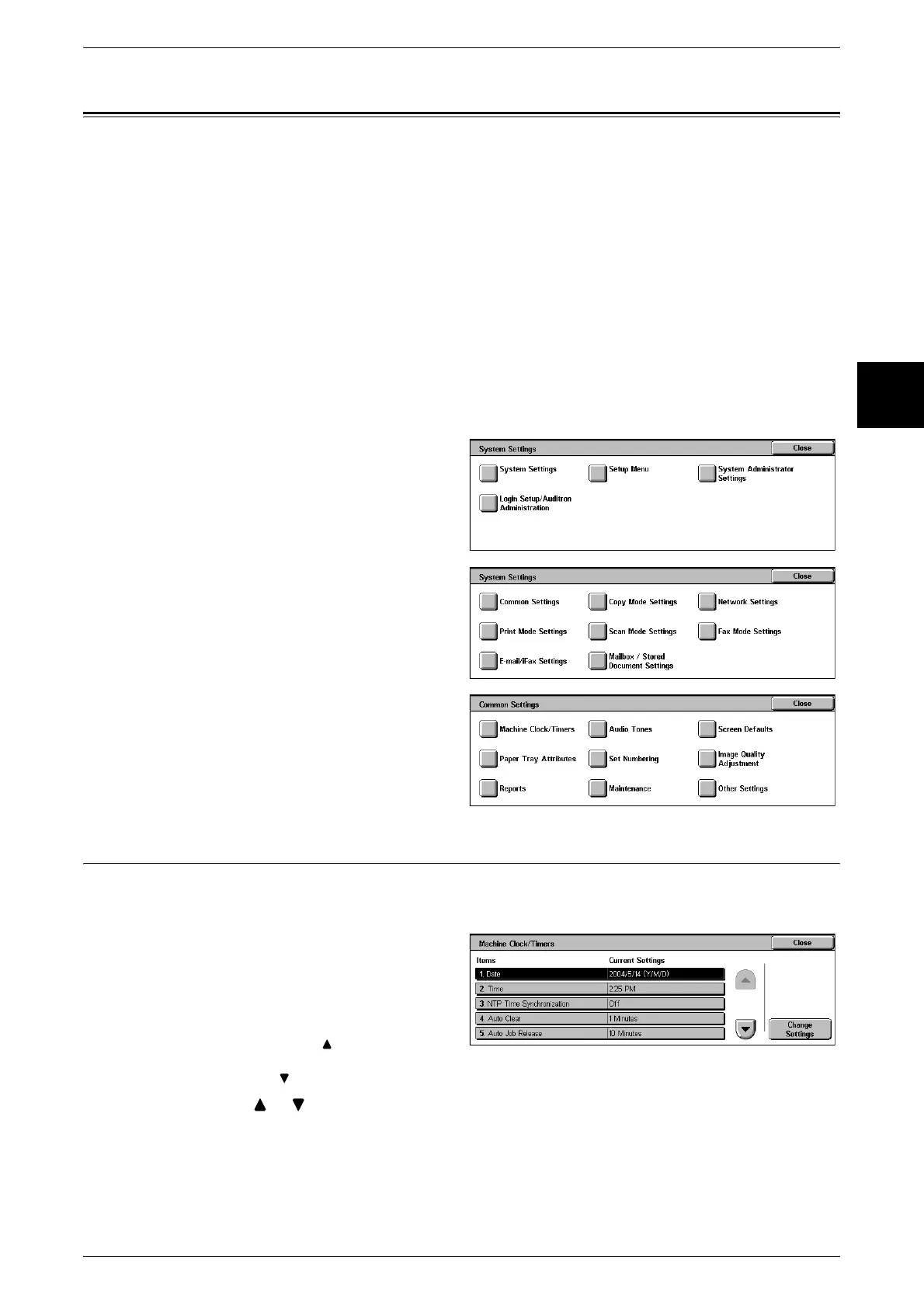
1 In the [System Settings] screen,
select [System Settings].
For the method of displaying the [System
Settings] screen, refer to "System Settings
Procedure" (P.240).
2 Select [Common Settings].
3 Select the item to be set.
Machine Clock/Timers
You can set the clock time, or the timer interval until power saving or reset features take
effect.
1 Select [Machine Clock/Timers].
2 Select the item to be set or
changed, and select [Change
Settings].
Note • Select [ ] to display the
previous screen and select
[ ] to display the next screen.
3 Select [ ], [ ], or the numeric keypad to enter a numeric quantity.
Note • Depending on the item, entry with the numeric keypad may not always be possible.
4 Select [Save].












 To Next Page