Replacing Consumables
411
Maintenance
15
Replacing the Waste Toner Container [B]
When the waste toner container is full, a message appears on the touch screen.
If you continue copying or printing without replacing the waste toner container, a
message appears and the machine stops after copying or printing about 900 pages.
When replacing the waste toner container, use the cleaning rod packaged in the waste
toner container box to clean the Raster Output Scanners (D1, D2, D3, and D4) to
prevent uneven color density during copying and printing.
Important • When replacing the waste toner container, toner may spill and dirty the floor. We
recommend laying paper on the floor beforehand.
• Used waste toner containers require special processing during disposal. Return them to our
Customer Support Center.
• The use of waste toner containers not recommended by Xerox may impair quality and
performance. Use only waste toner containers recommended by Xerox for the machine.
• Replace the waste toner container while the machine is on.
Note • The number of pages that you can copy or print is for when A4 ( ) paper is used.
• The number of pages is only an estimate and varies depending on conditions such as the
content, paper size, paper type, and the using environment.
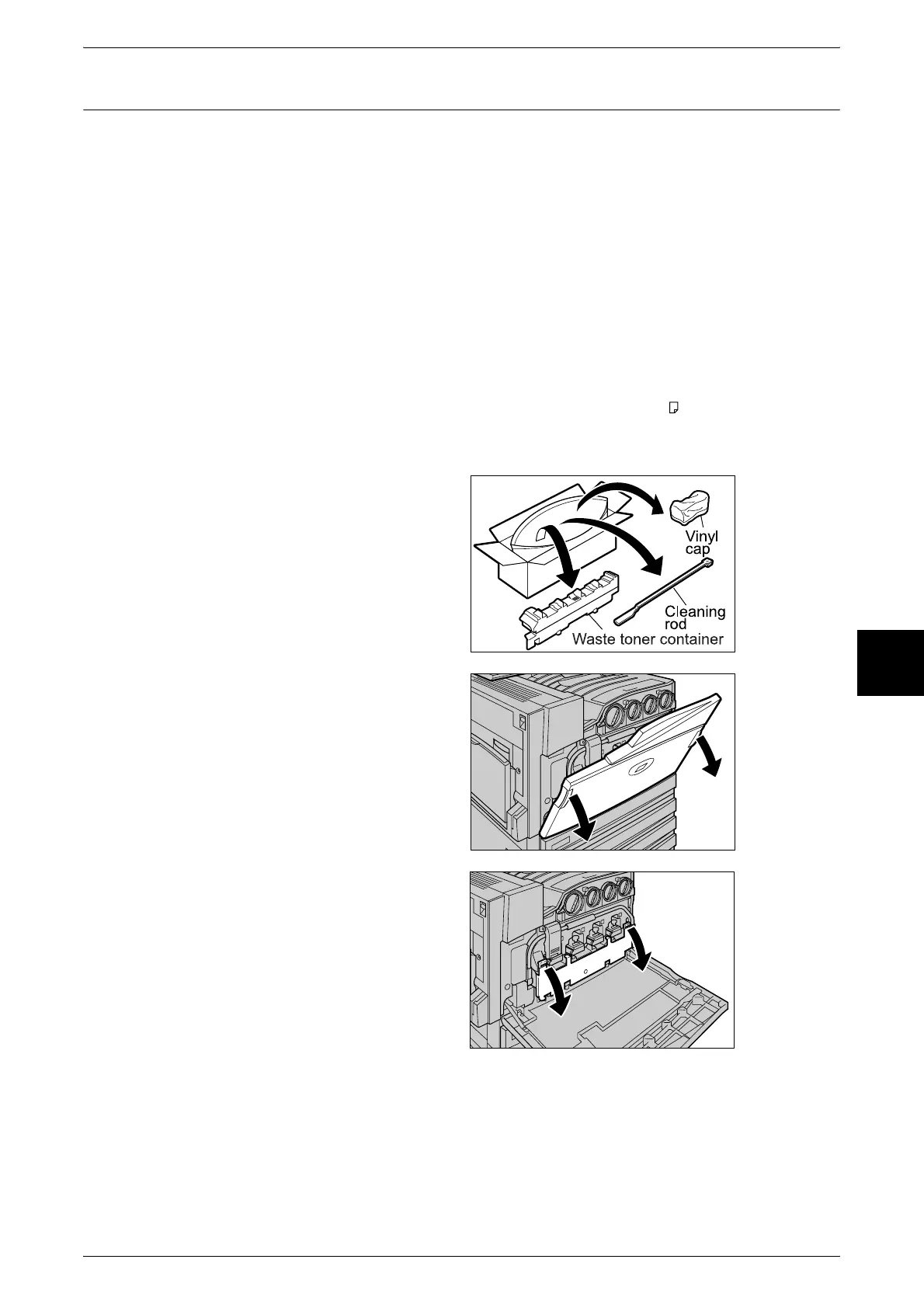
1 Prepare a new waste toner
container.
Note • Remove the new container,
orange vinyl cap, and cleaning
rod from the box.
2 Make sure that the machine has
stopped before opening the front
cover.
3 Open the black cover (B) at the
front of the machine by pulling the
left and right orange tabs
downward.












 To Next Page