15 Maintenance
412
Maintenance
15
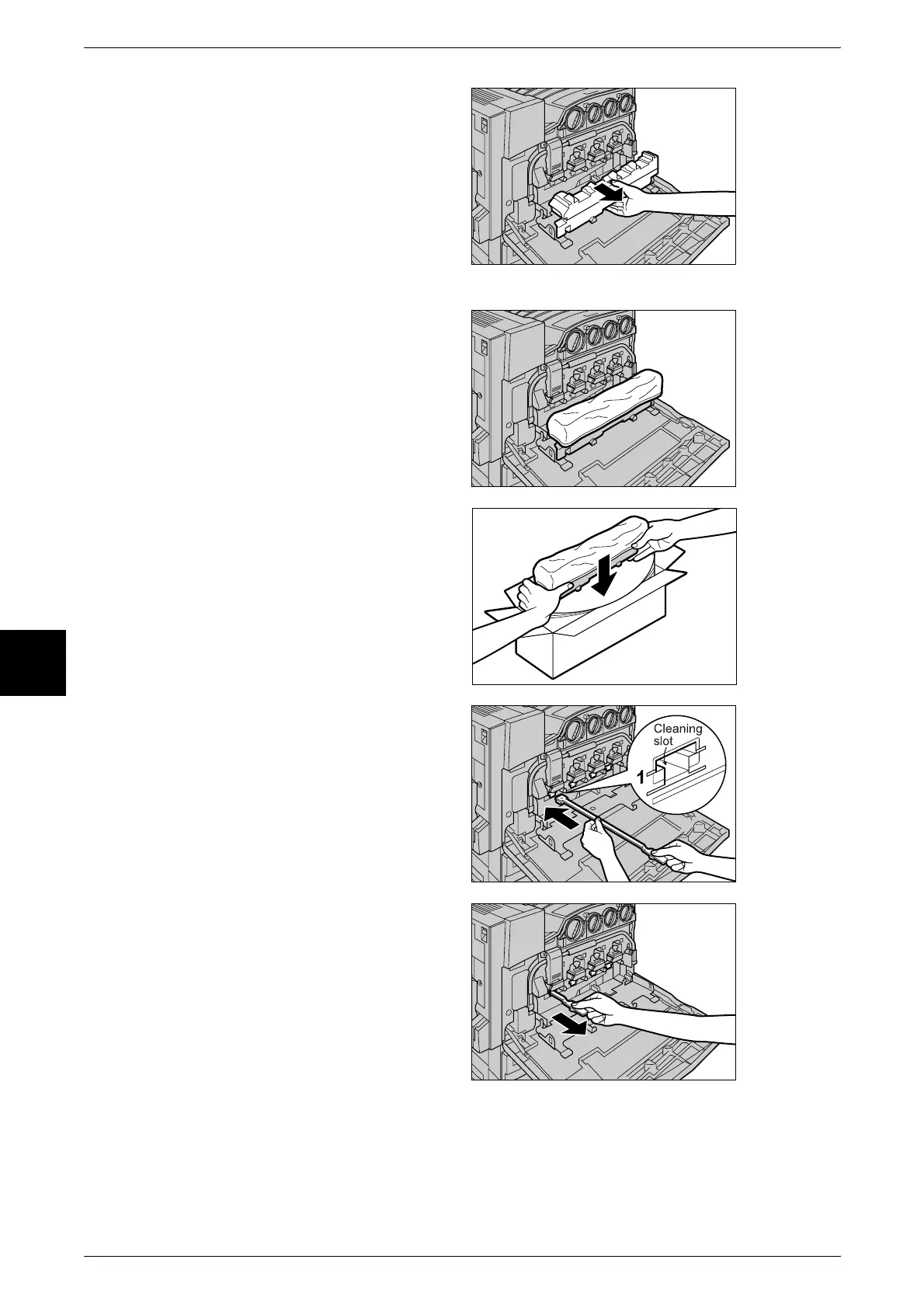
4 Hold the center section of the
waste toner container and pull the
container out until it comes to a
stop.
Important • Place the waste toner
container on the open black
cover. Be careful because
toner will be spilt if the waste
toner container is placed at an
angle.
5 Cover the top of the waste toner
container with the supplied orange
vinyl cap to prevent toner from
spilling out.
6 Hold the used waste toner
container firmly with both hands
and lift it into the empty box.
Important • Return used waste toner
containers to our Customer
Support Center for disposal.
7 Gently insert the supplied cleaning
rod that you removed from the box
into each of the cleaning slots D1
to D4 (square holes) with the pad
facing down.
8 When the cleaning rod is inserted
as far as it will go, gently pull it out
towards you.
Note • Clean each of the four holes.
• It is almost impossible to see
dirt on the pad.



 To Next Page