Importing Scanned Data
221
Computer Operations
9
Configure the Import Method for Scanned Documents
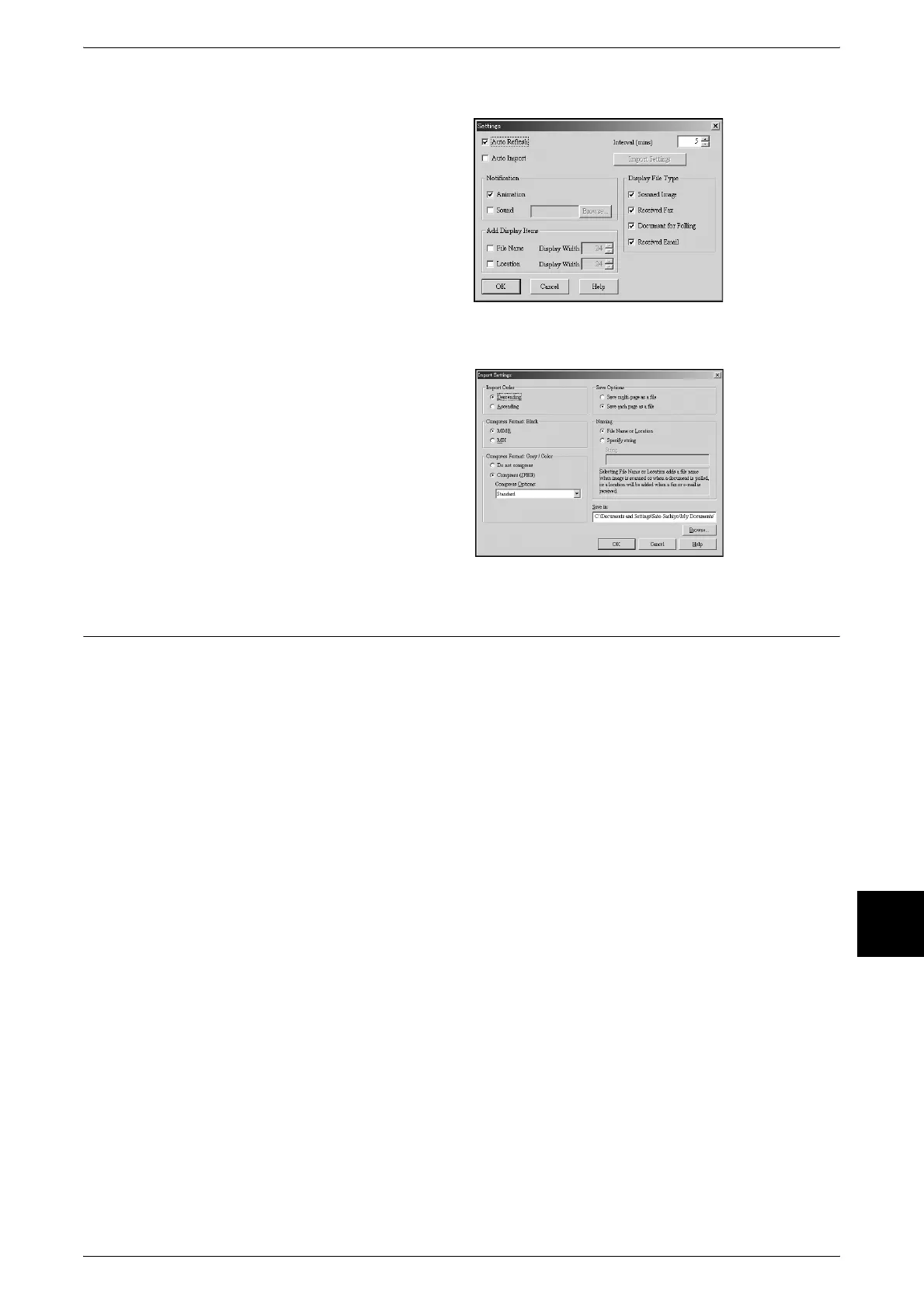
You can change the display method
and import method for documents
when importing them from a
mailbox.
To change the import method, click
[Settings] in the document select
dialog box, and configure the
settings in the dialog box that
appears.
Scan Settings
When [Auto Import] is checked, you
can configure the import method for
documents removed from the
mailbox.
Importing using CentreWare Internet Services
Describes methods for importing documents stored on the machine's mailbox using
CentreWare Internet Services.
For an outline of CentreWare Internet Services, refer to "CentreWare Internet Services" (P.212).
1 Start up the host device and the browser.
2 Enter the machine's IP address or Internet address in the browser address field and
press the <Enter> key.
Note • If your network uses DNS (Domain Name System) and the machine's host name is
registered with the domain name server, you can access the machine using a combination
of the host name and the domain name as the "URL". For example, if the host name is
"dccf450", and the domain name is "fujixerox.com", then the "URL" becomes
"dccf450.fujixerox.com".
• Contact your system administrator for the IP address or Internet address to enter.
• When specifying a port number, add ":" and "80" (default port number) to the end of the
address.
• If using the authorization feature on the machine, enter a UserID and Password into the
[User Name] and [Password] fields. Ask the System Administrator for the UserID and
Password.
• If communications are encrypted, you must specify an address that starts with "https"
instead of "http" to access CentreWare Internet Services.



 To Next Page