Scan Options
179
Scan
5
Scan Size (Specifying a Scanning Size)
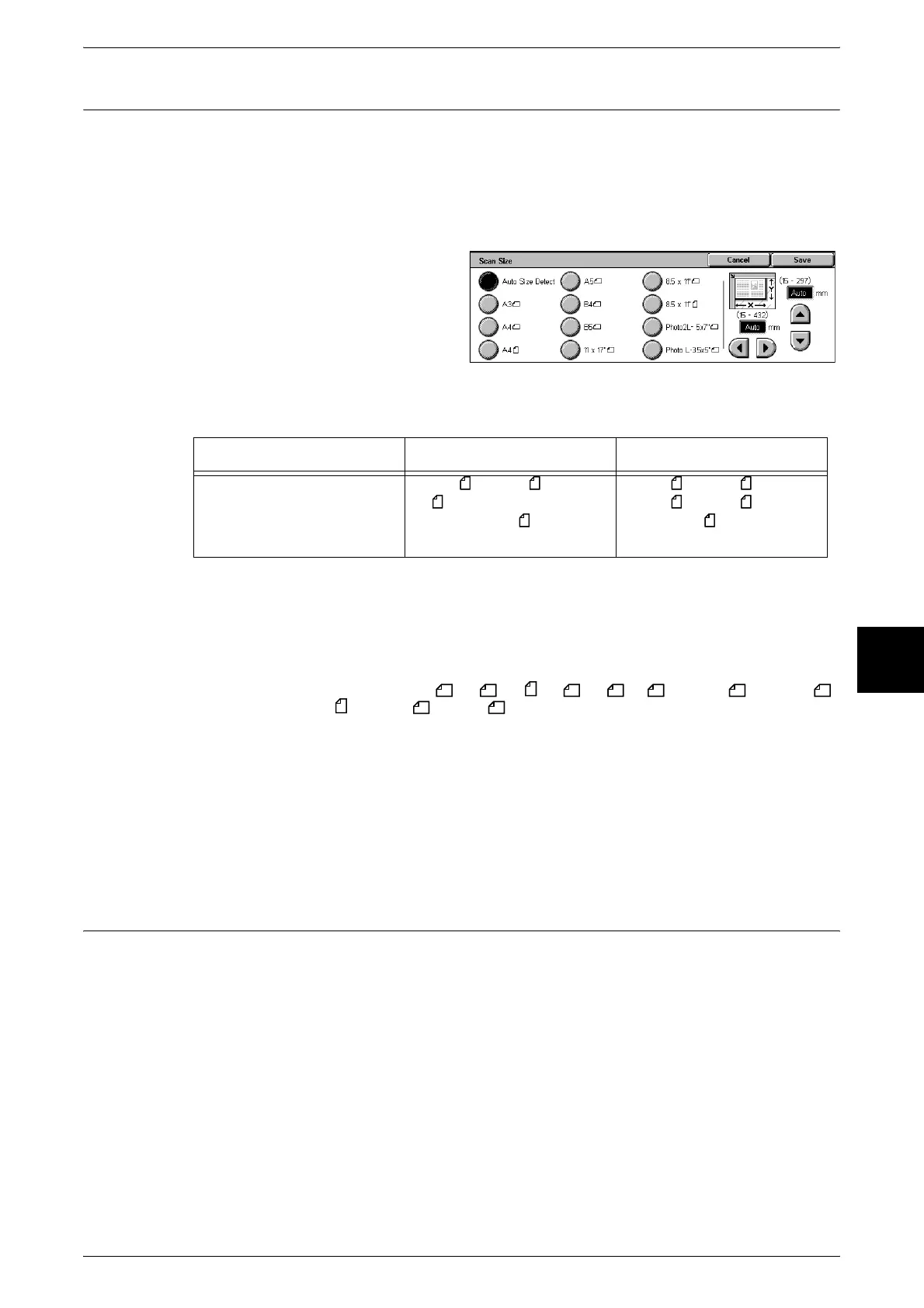
You can set the size for the documents to be scanned.
Specify the scan size when scanning non-standard size documents or when making
scans at a size different from the size of the currently loaded document.
When a document size is specified, it is scanned at the specified size regardless of the
size of the loaded document.
1 Select [Scan Size].
2 Select a size.
Auto Size Detect
Document sizes are automatically detected.
Note • When a document size cannot be detected automatically, a message prompting document
size entry appears.
Standard Size
Select a document size from a list of 11 pre-configured types.
Note • Standard size defaults: A3 , A4 , A4 , A5 , B4 ,B5 , 11 × 17" , 8.5 × 11" ,
8.5 × 11" , Photo 2L , Photo L .
Free
Set the size in the document glass X (horizontal) direction within the range 15 to 432
mm and in the Y (vertical) direction within the range 15 to 297 mm in 1 mm increments.
When entering a free size, we recommend using the scale on the outside of the
document glass to help you specify the document size.
Mixed Size Originals (Scanning Different Size Documents
Simultaneously)
When using the document feeder to scan, you can match the scan size to use for each
document.
Important • When selecting [Full Color] for [Output Color], and [2 Sided] for [2 Sided Originals], set the
[Scan Resolution] to a maximum of [400dpi].
• Always load the A5-size documents vertically.
• When loading a B5 size document with A3 or A4 size documents in a vertical direction, place
the B5 document also in a vertical direction.
Note • This feature is not displayed for some models. This feature is optional. For more information,
contact our Customer Support Center.
• When setting the [Reduce/Enlarge] to [Auto %] and specifying an [Output Size], the scan is
performed with automatic reduce/enlarge to the specified size.
• When a document size cannot be detected automatically, a message prompting document
size entry appears.
Document feeder Document glass
Auto Detect is available
Document size
B5, B5 , B4, A5 , A4,
A4 , A3, 8.5 × 11 inches,
8.5 × 11 inches
, 8.5 × 14
inches, 11 × 17 inches
B6, B6 , B5, B5 , B4, A6,
A5, A5 , A4, A4 , A3, 8.5
× 11 inches












 To Next Page