Common Settings
269
Setups
11
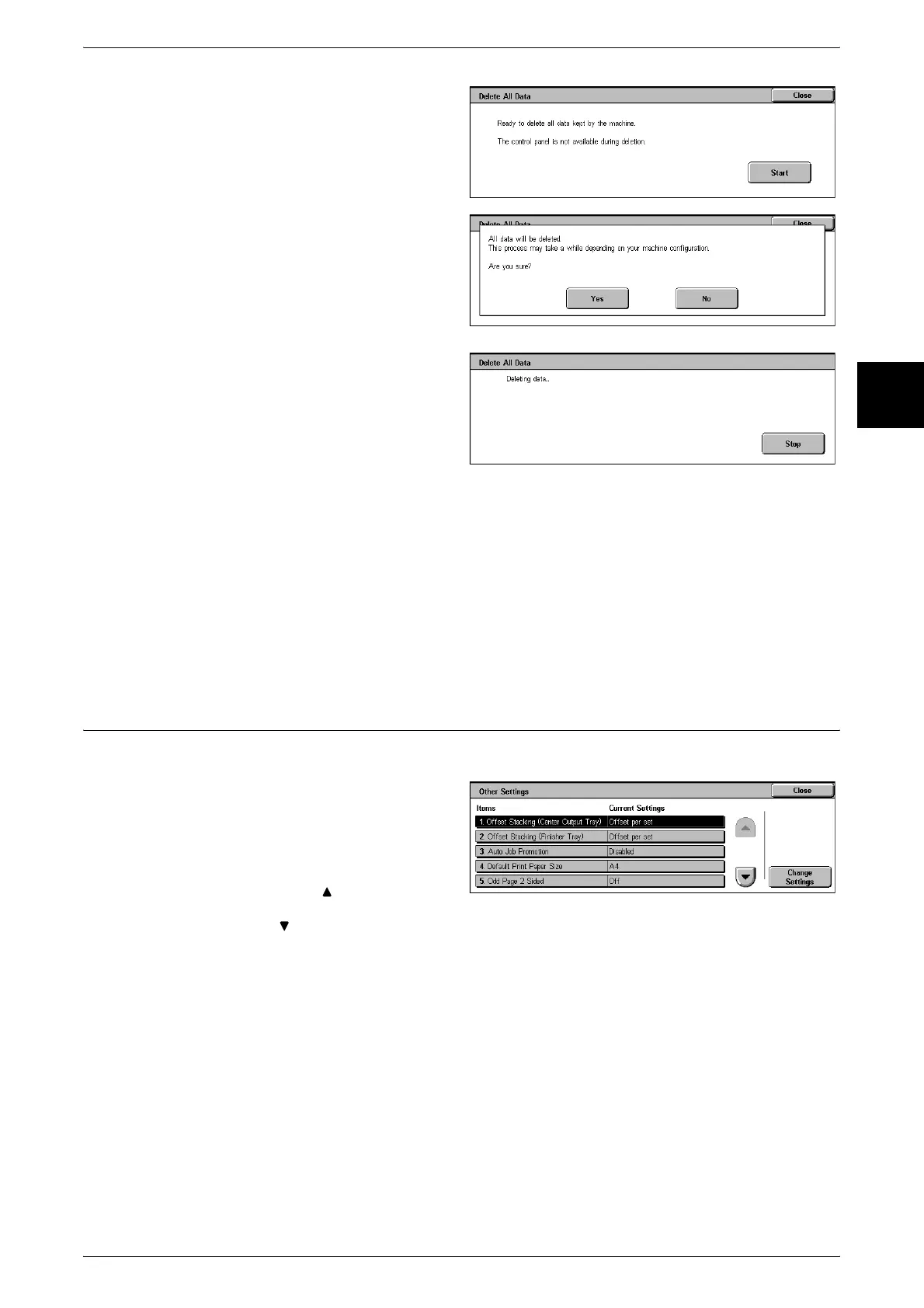
1 Select [Delete All Data].
2 Select [Start].
3 Select [Yes].
4 While deleting all data, the
message screen on the right
appears. By pressing [Cancel], you
can cancel the deletion of all data.
5 When the deletion of all data completes successfully, the message screen on the right
appears.
6 Power the unit off and on again.
Software Options
This feature is for customer engineer use. Contact our Customer Support Center.
Other Settings
These are other settings relating to the machine itself.
1 Select [Other Settings].
2 Select the item to be set or
changed, and select [Change
Settings].
Note • Select [ ] to display the
previous screen and select
[ ] to display the next screen.
3 Select the setting value.
4 Select [Save].
Offset Stacking (Center Output Tray)
Offset stacking means that the paper is output in different positions, to the front or rear
of the machine. Set the operation of this offset feature.
Note • This feature does not appear for some models. An optional package is necessary. For more
information, contact our Customer Support Center.
None
No offset output.












 To Next Page