5 Scan
178
Scan
5
Bound Originals (Scanning Facing Pages onto Separate Sheets)
The Bound Originals feature allows you to scan facing pages of a document onto
separate sheets of paper in page order.
This feature is useful if you need to make separate scans from facing pages of bound
originals such as a booklet.
Note • When making copies using this feature, place the document on the document glass.
• Non-standard sized documents will not be separated into two accurately.
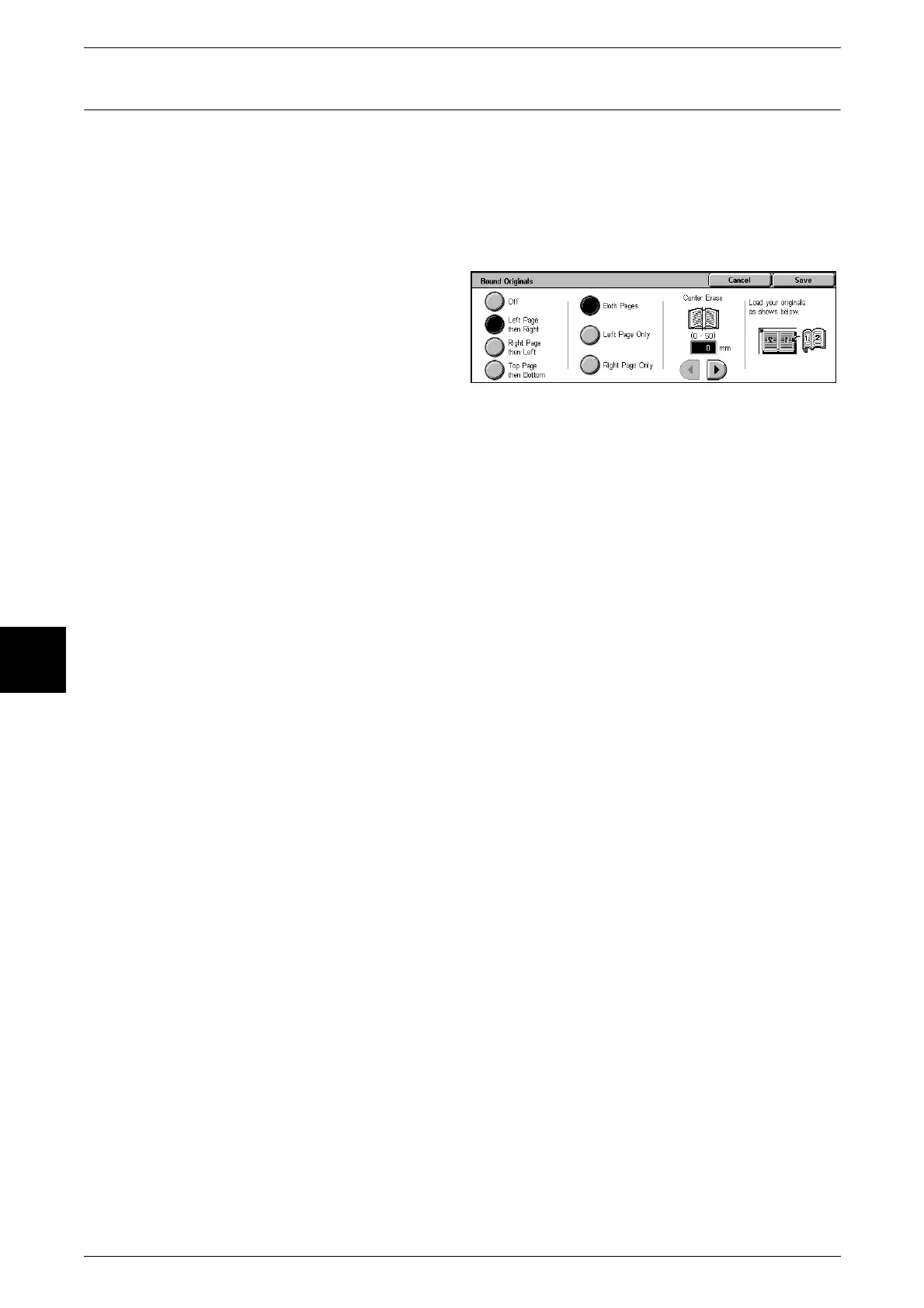
1 Select [Bound Originals].
2 Select the original type.
3 Select the page order.
4 Configure the Center Erase.
Off
Do not scan bound originals.
Left Page then Right
Scans are made from the left page of facing pages in a document starting from the left
page.
Right Page then Left
Scans are made from the right page of facing pages in a document starting from the
right page.
Top Page then Bottom
Scans are made from the top page of facing pages in a document starting from the top
page.
Both Pages
Scan both pages in page order.
Left Page Only
Scan the left page only in page order.
Right Page Only
Scan the right page only in page order.
Center Erase
Erase the center shadow. The center erase width can be set within the range 0 to 50
mm in 1 mm increments.












 To Next Page