16 Problem Solving
482
Problem Solving
16
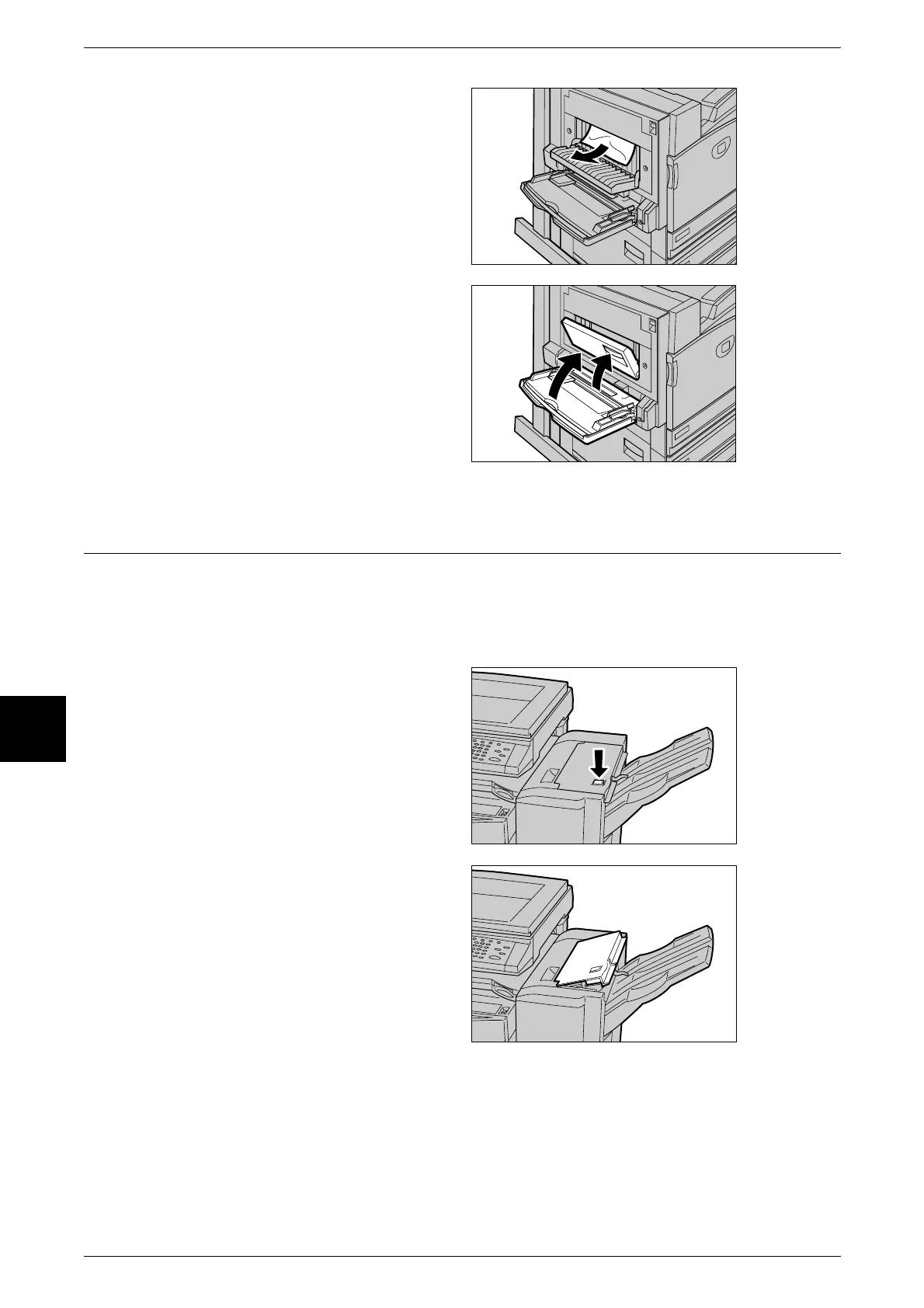
2 Remove the jammed paper.
Note • If paper is torn, check for any
torn pieces of paper inside the
machine.
3 Close the duplex module cover,
and lift up Tray 5 (bypass).
Paper Jams in the Finisher
The following describes how to clear paper jams that occur inside the light finisher
when the light finisher (optional) is installed.
Paper Jams on the Light Finisher Top Cover
1 Press the button on the light
finisher top cover.
2 The light finisher top cover opens.












 To Next Page