Paper Jams
483
Problem Solving
16
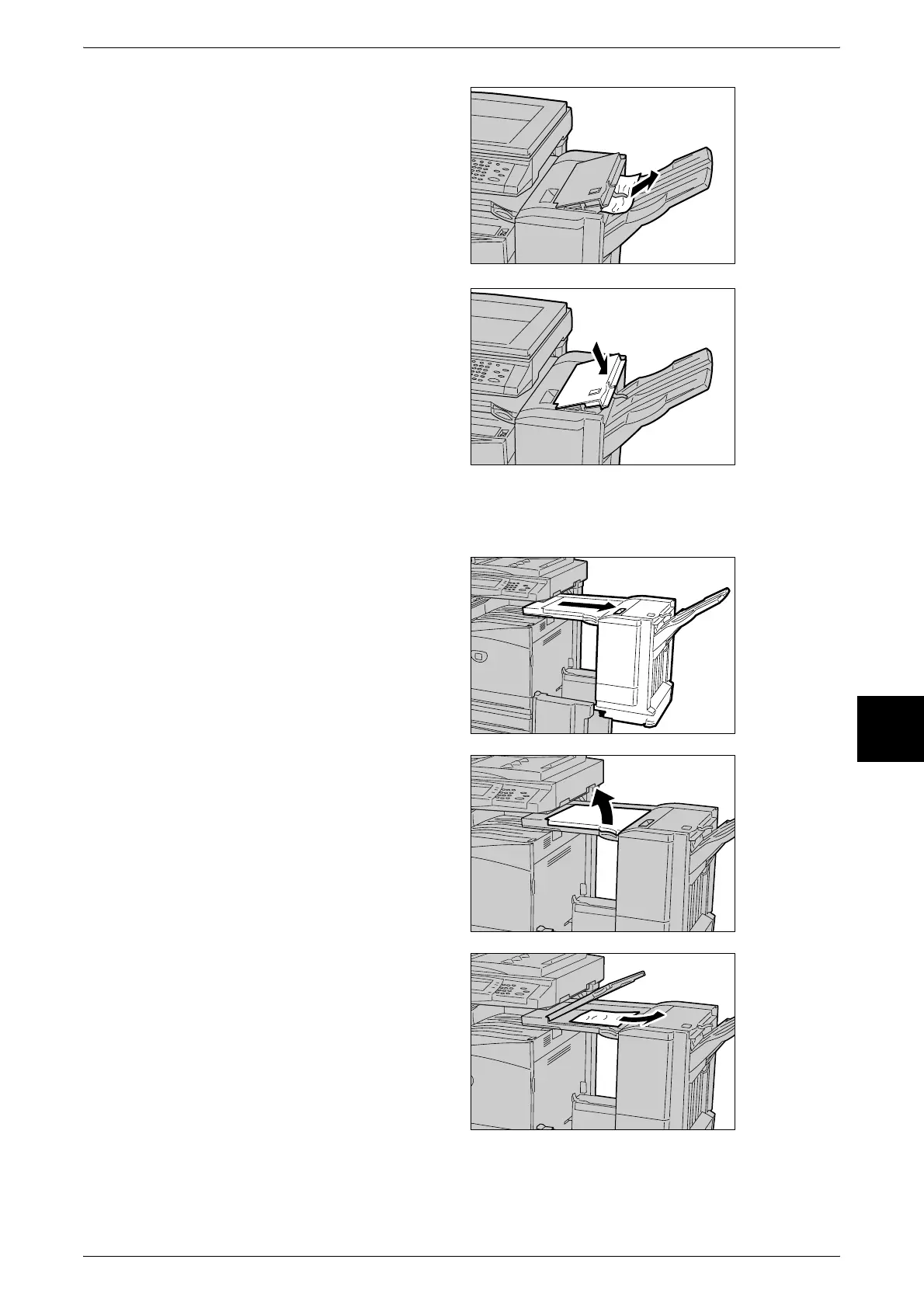
3 Remove the jammed paper.
Note • If paper is torn, check for any
torn pieces of paper inside the
machine.
4 Close the light finisher top cover.
Finisher Connector Paper Jams
1 Move the light finisher to the right.
2 Open the top cover on the light
finisher interface.
3 Remove the jammed paper.
Note • If paper is torn, check for any
torn pieces of paper inside the
machine.












 To Next Page