11 Setups
308
Setups
11
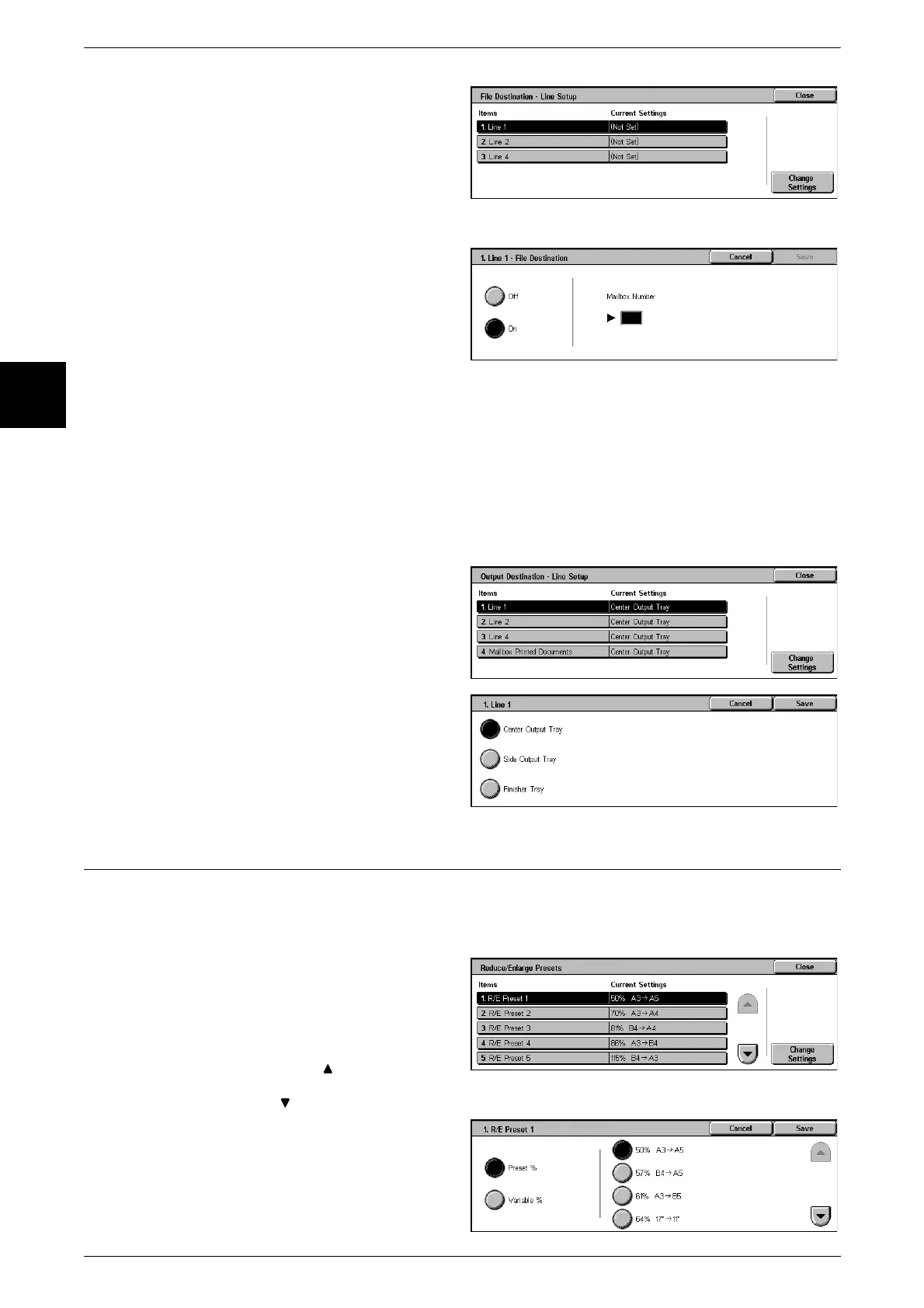
1 Select [File Destination - Line
Setup].
2 Select the line you want to register,
and select [Change Settings].
Note • The displayed items may be
different, depending on the
options installed.
3 Select [On].
4 Enter the mailbox number (three
digits) where you want to store the
documents, with the numeric
keypad.
5 Select [Save].
Output Destination - Line Setup
In [Output Destination - Line Setup], you can set the output destination for each
receiving line, and the destination for a mailbox print.
Note • This feature does not appear for some models. An optional package is necessary. For more
information, contact our Customer Support Center.
• The displayed items may be different, depending on the options installed.
1 Select [Output Destination - Line
Setup].
2 Select the line you want to register,
and select [Change Settings].
3 Select the destination.
4 Select [Save].
Reduce/Enlarge Presets
Set the magnifications shown in [Preset], in [Reduce/Enlarge] in the [Scan Options]
screen. You can assign any magnification to the seven buttons other than [100%] and
[Auto %].
1 Select [Reduce/Enlarge Presets].
2 Select the item to be set or
changed, and select [Change
Settings].
Note • Select [ ] to display the
previous screen and select
[ ] to display the next screen.
3 Select [Preset] or [Variable].
4 Select the setting value.
5 Select [Save].












 To Next Page