16 Problem Solving
456
Problem Solving
16
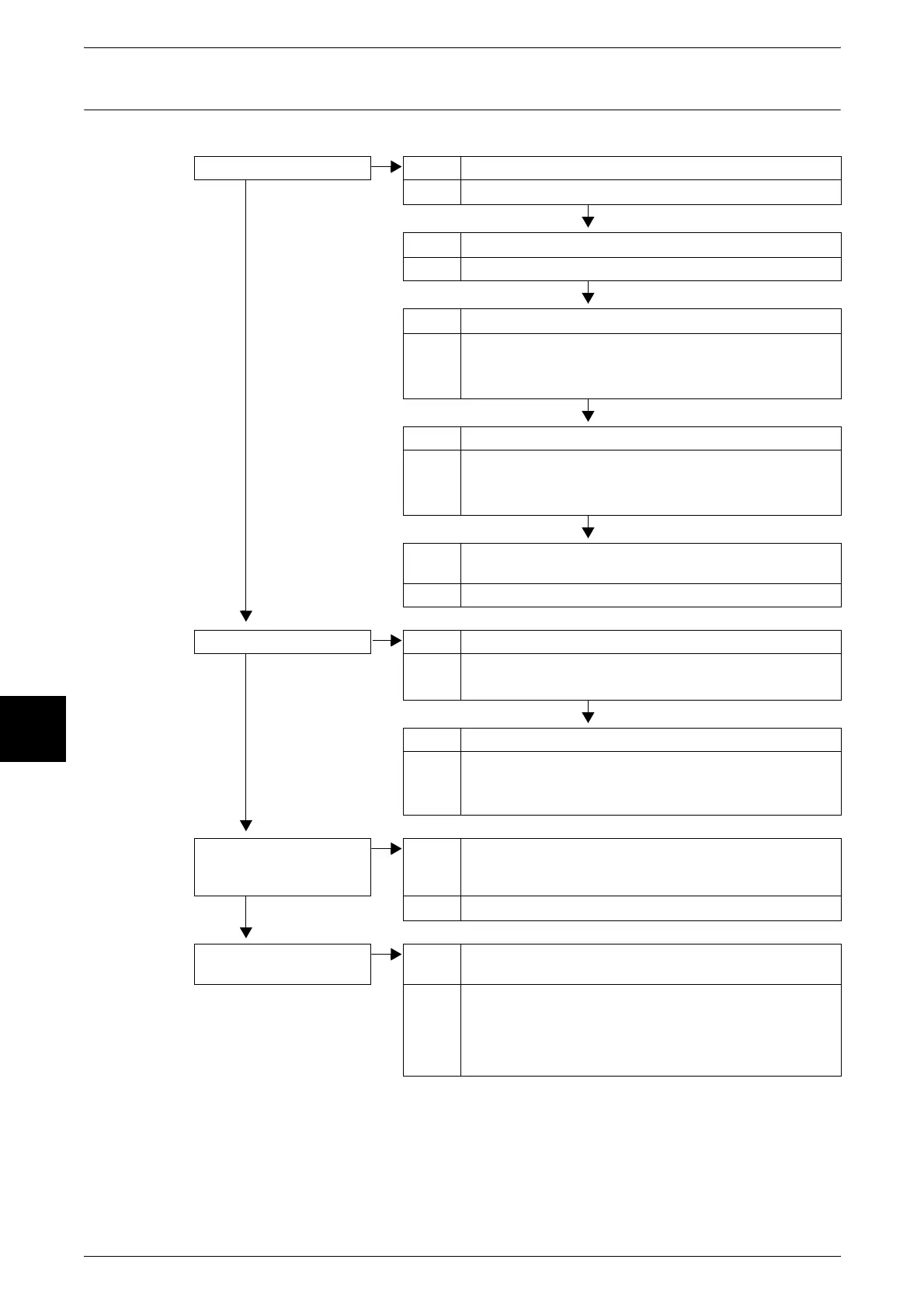
Unable to Import Scanned Document into Computer
Describes solutions when unable to import scanned document into computer.
Unable to find scanner Cause The printer is not powered on.
No
Action Turn the power on.
Cause The network cable is disconnected from the computer.
Action Connect the network cable to the computer.
Cause The network cable is disconnected from the machine.
Action Connect the network cable to the machine.
For information about Network Settings, refer to Network
Administrator Guide.
Cause The Salutation port is not enabled.
Action Enable the Salutation port.
For information about Network Settings, refer to Network
Administrator Guide.
Cause The network connection between the computer and machine
is abnormal.
Action Check with your system administrator.
Unable to open Mailbox Cause No Mailbox has been created.
No
Action Create a Mailbox.
Refer to "Mailbox" (P.323).
Cause Mailbox password forgotten.
Action Unable to verify password. Set the password to [Off], and
then reset the password again.
Refer to "Mailbox" (P.323).
Scanner unable to scan
data due to TWAIN
transmission error.
Cause The scan driver is not installed.
No
Action Install the scan driver.
Operation halts during
scanning
Cause Is the file size too big?
Action Reduce the resolution, or choose a compressed output file
format, and rescan.
Refer to "File Format (Select the Scanned Data Type)" (P.172), or
"Image Compression (Specifying an Image Compression Ratio
When Scanning)" (P.182).












 To Next Page