2 Product Overview
44
Product Overview
2
Customizing of the Control Panel
You can customize the <Custom> buttons and items on the [Menu] screen.
Assigning a Feature to Custom Buttons
By assigning a feature to Custom buttons (<Copy>, <Custom 2>, and <Custom 3>),
you can switch to that feature without returning to the [Menu] screen.
The factory default settings for these buttons are, "Copy" for the 1st button, and none
for the 2nd and 3rd buttons.
For about procedure to assign features, refer to "Screen Defaults" (P.258).
Attach the labels included in this product when you have changed the assignment. If
you have used a feature for which no label is provided, use a blank label and write down
the feature using a permanent marker and attach it to the appropriate Custom button.
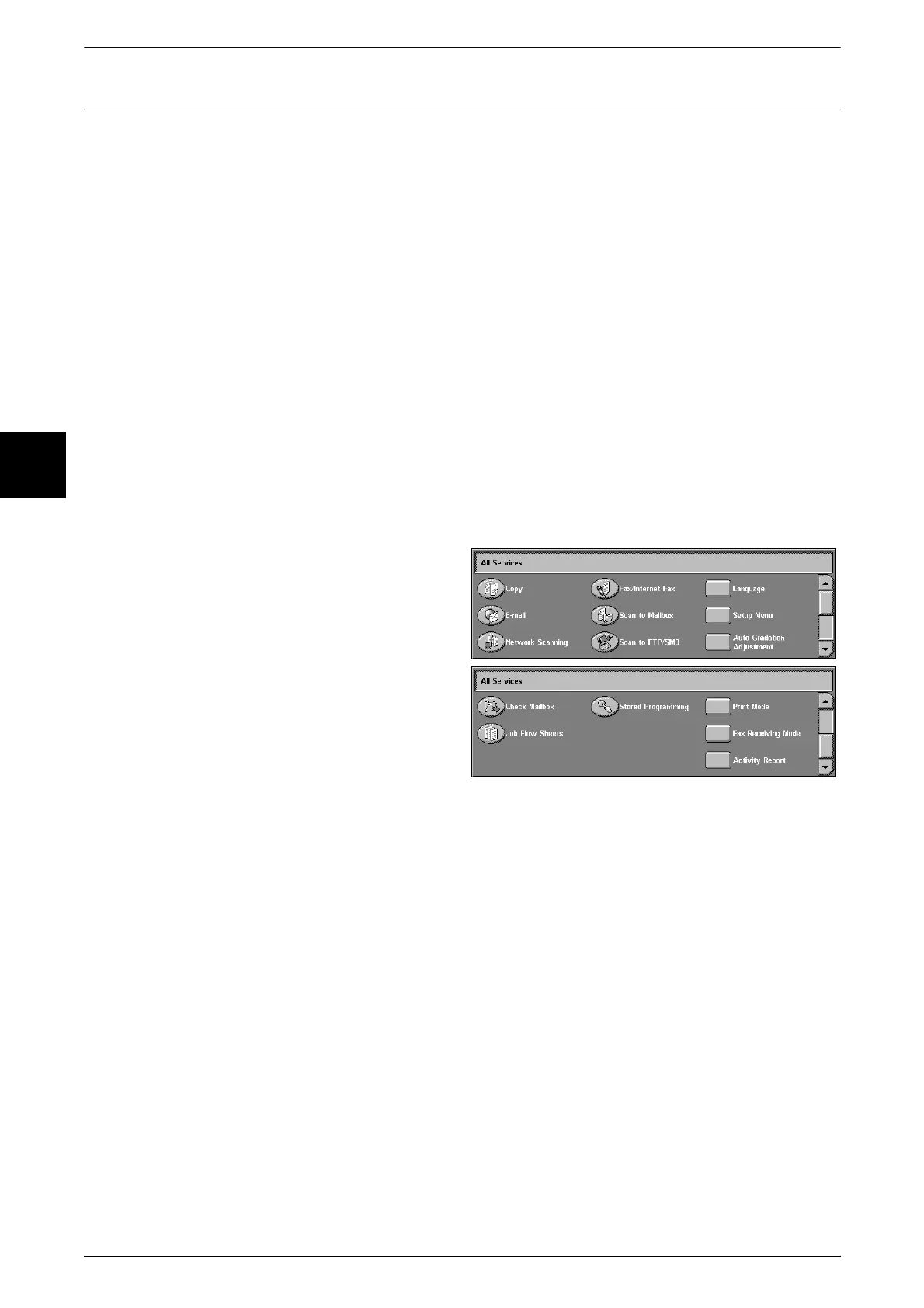
Customizing the [Menu] Screen
You can customize the types of features and the location of buttons on the [Menu]
screen.
The following shows the factory default settings.
For about procedure to assign features, refer to "Screen Defaults" (P.258).
Note • When the feature is not available the button will not be displayed. Also, if the feature is
unavailable due to hardware problems, the button will be grayed out.
z
Copy
z
Fax/Internet Fax
z
E-mail
z
Scan to Mailbox
z
Network Scanning
z
Scan to FTP/SMB
z
Check Mailbox
z
Stored Programming
z
Job Flow Sheets
z
Language
z
Setup Menu
z
Print Mode
z
Fax Receiving Mode
z
Activity Report
z
Auto Gradation Adjustment












 To Next Page