Copy Mode Settings
285
Setups
11
Custom Colors
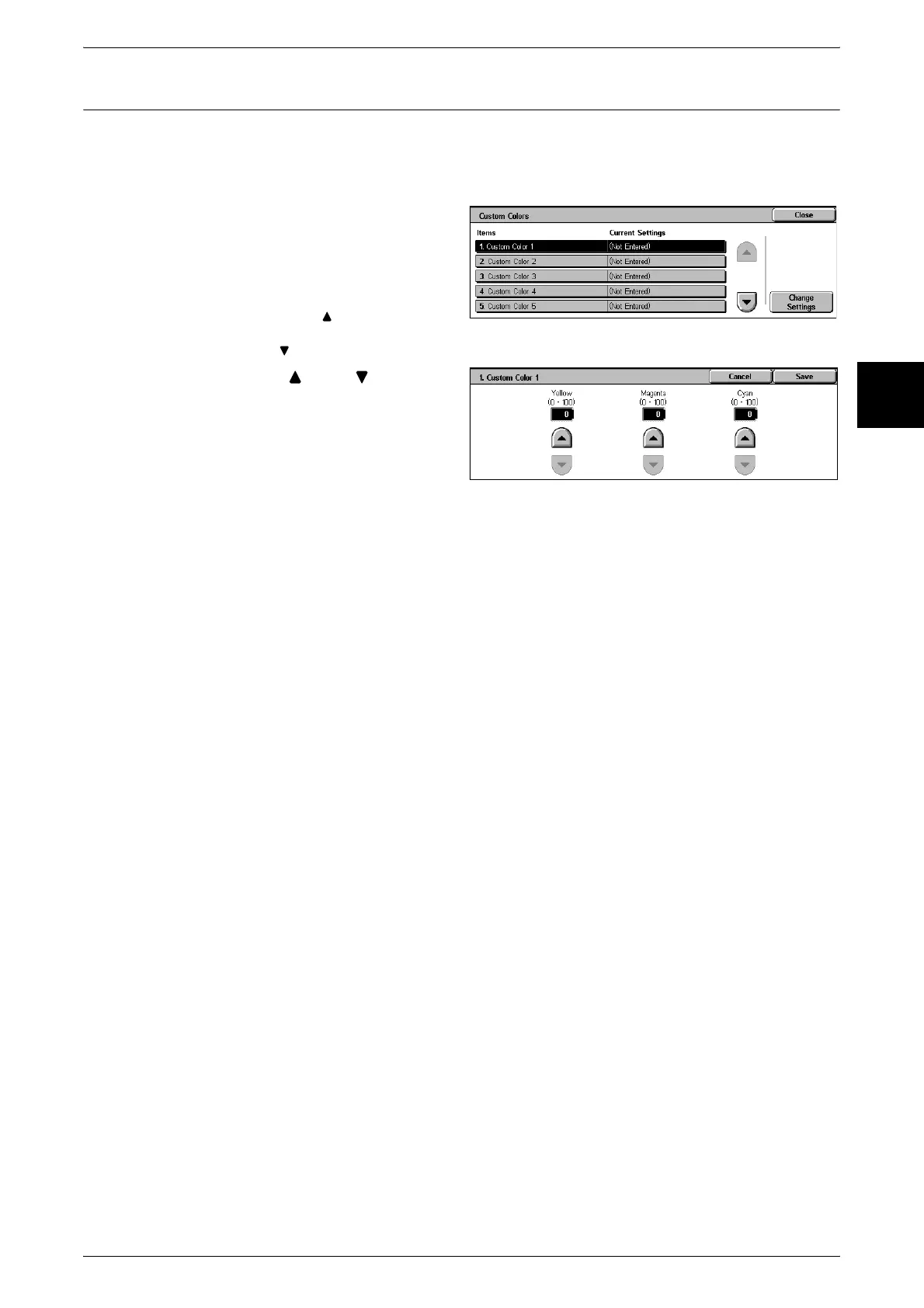
Set the custom colors used for [Output Color] > [Single Color] and [Dual Color].
To each of custom color buttons 1 to 6, you can assign custom colors with yellow (0 to
100), magenta (0 to 100), and cyan (0 to 100).
1 Select [Custom Colors].
2 Select the item to be set or
changed, and select [Change
Settings].
Note • Select [ ] to display the
previous screen and select
[ ] to display the next screen.
3 Adjust with [ ] and [ ].
Note • Adjust so that the total of
yellow, magenta, and cyan
does not exceed 240%.
4 Select [Save].












 To Next Page