Setup Menu
341
Setups
11
5 Select [Save].
Delete
Delete a registered address. Enter the address book number you want to delete with
the numeric keypad, and select [Delete].
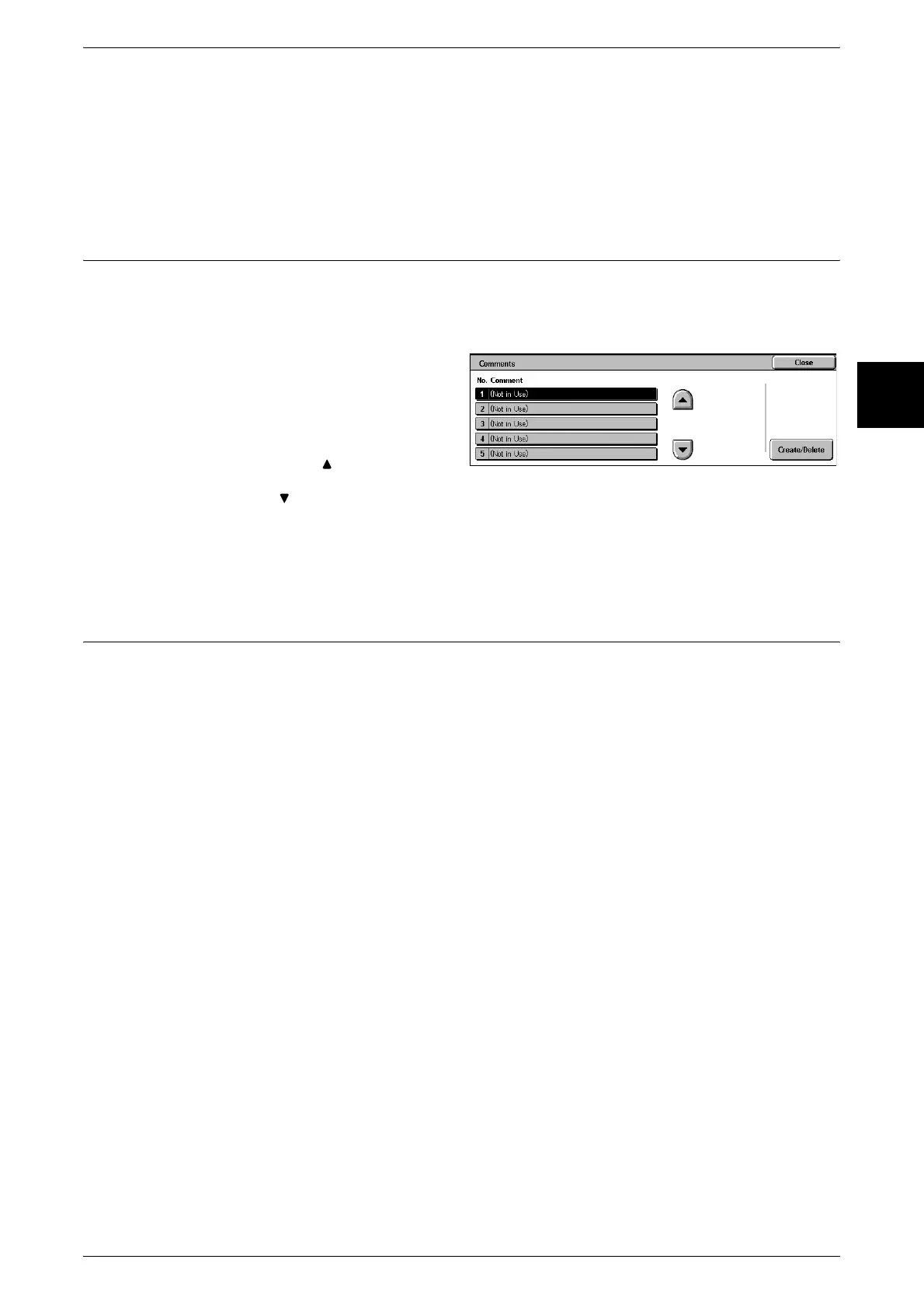
Comments
This registers a comment to be added to the cover sheet. There is a maximum of 50
comments, and for each you can enter up to 18 characters.
For information about entering text, refer to "Entering Text" (P.252).
1 Select [Comments].
2 Select the comment number you
want to register, and select
[Create/Delete].
Note • Select [ ] to display the
previous screen and select
[ ] to display the next screen.
3 Using the keyboard on the screen and the numeric keypad, enter the comment, and
select [Save].
Paper Type
This item is the same as [Paper Type] in [Paper Tray Attributes] of [Common Settings].
For more information, refer to "Paper Tray Attributes" (P.259).



 To Next Page