16 Problem Solving
476
Problem Solving
16
Paper Jams in Top Left Cover
The following describes how to clear paper jams that occur at the top left cover of the
body.
Important • When removing jammed paper, images are sometimes transferred to the transfer belt (black
film belt) on the machine body inside the top left cover. Do not touch this transfer belt. Doing
so might adversely effect image quality, or damage the transfer belt, necessitating belt
replacement.
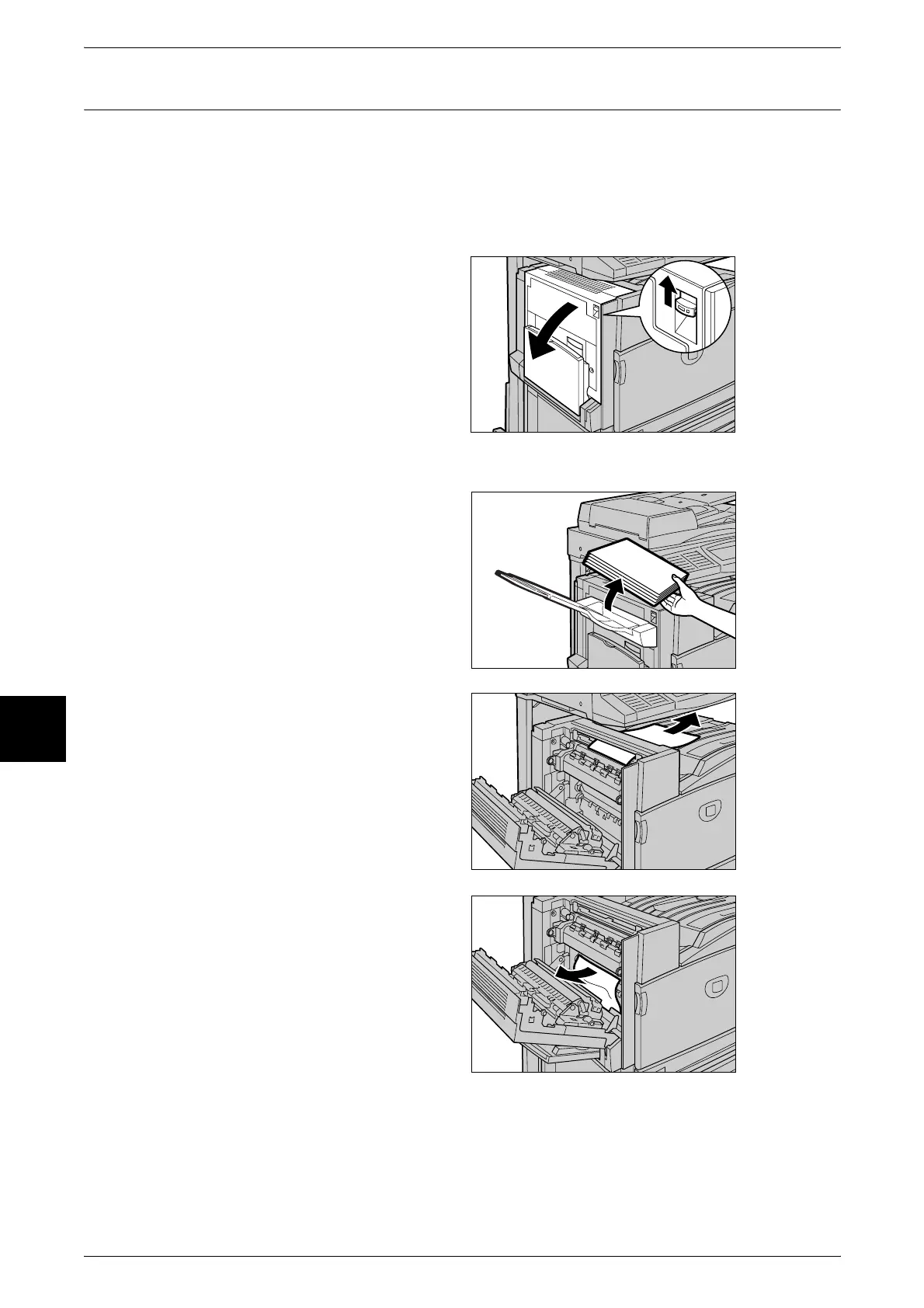
1 Gently open the top left cover while
lifting up the release lever.
Side Output Tray (Optional) Attached
Remove the paper from the side
output tray before opening the left
upper cover. If delivered sheets are
left on the tray, it will become heavy
when the top left cover is returned
to its original position.
2 If the edge of the jammed paper
can be reached at the output tray,
pull out the jammed paper in the
direction of the feed-out area.
3 Remove the jammed paper.
Note • If paper is torn, check for any
torn pieces of paper inside the
machine.












 To Next Page