11 Setups
302
Setups
11
Fax Mode Settings
In [Fax Mode Settings], make settings relating to the fax feature.
Note • This feature does not appear for some models. An optional package is necessary. For more
information, contact our Customer Support Center.
The following are the places to reference for information about each setting.
Screen Defaults .........................................................................................................................302
Fax Defaults..............................................................................................................................303
Fax Control ...............................................................................................................................304
File Destination / Output Destination .......................................................................................307
Reduce/Enlarge Presets.............................................................................................................308
Scan Size Defaults ....................................................................................................................309
Local Terminal Information......................................................................................................309
iFax Control ..............................................................................................................................311
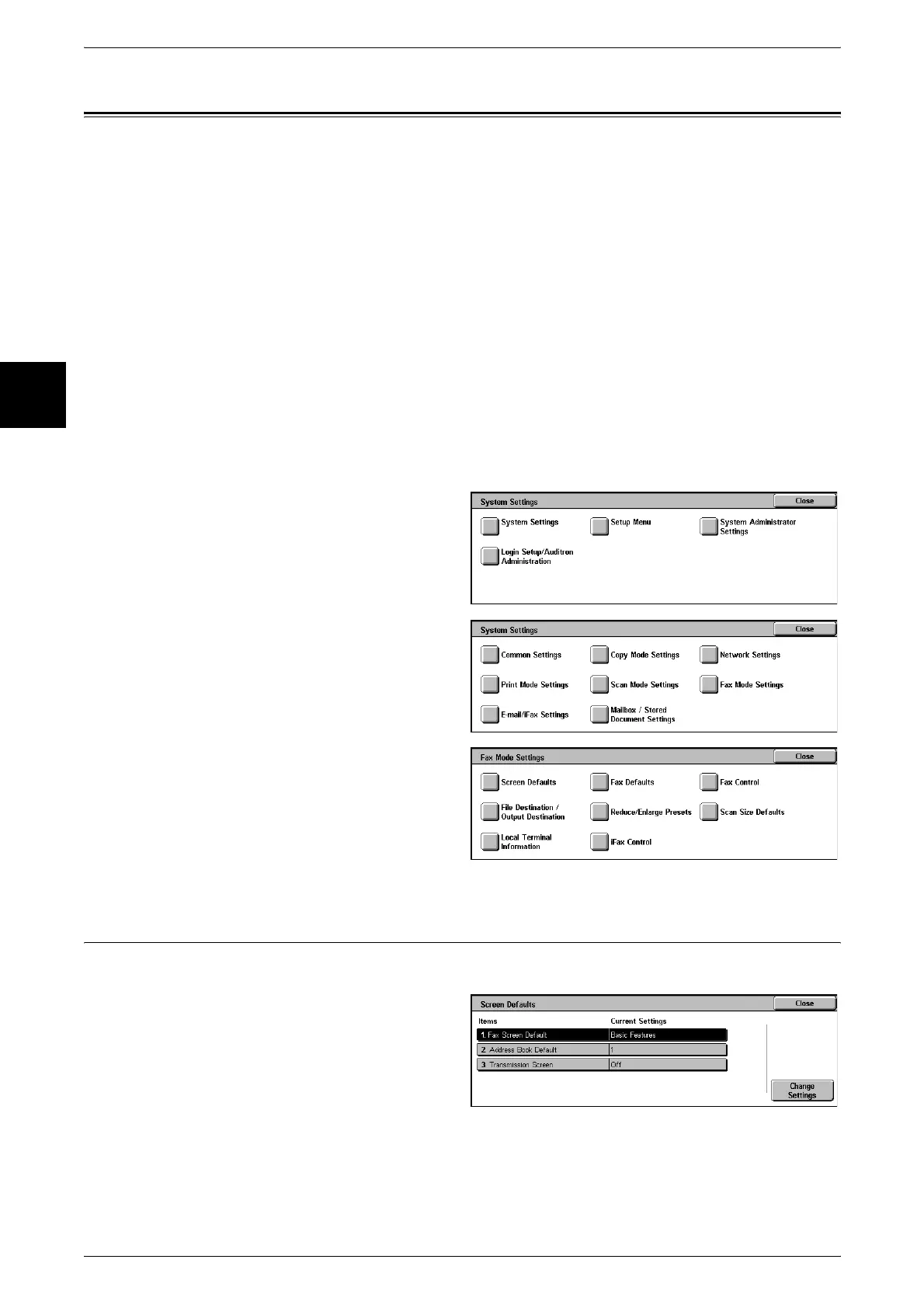
1 In the [System Settings] screen,
select [System Settings].
For the method of displaying the [System
Settings] screen, refer to "System Settings
Procedure" (P.240).
2 Select [Fax Mode Settings].
3 Select the item to be set.
Screen Defaults
Set items relating to [Fax/Internet Fax] screen displays.
1 Select [Screen Defaults].
2 Select the item to be set or
changed, and select [Change
Settings].
3 Set the setting value.
4 Select [Save].


 To Next Page