3 Copy
94
Copy
3
[Copy] screen
The [Copy] screen is displayed when copying begins.
Stop
The document data stored by [Document > 50 sheets] feature is cleared and
[Document > 50 sheets] is canceled.
Note • The same operation is performed if you press the <C> button or <Clear All> button on the
control panel.
Last Original
Select this to end scanning of documents. [Document > 50 sheets] starts.
Next Original
Select this when you have another document. This is on when using the [Document >
50 sheets] feature.
Start
You can load the next document and configure the settings for the document.
Note • The same operation is performed if you press the <Start> button on the control panel.
Delete Outside/Delete Inside (Deleting Outside/Inside of the Selected
Area when Copying)
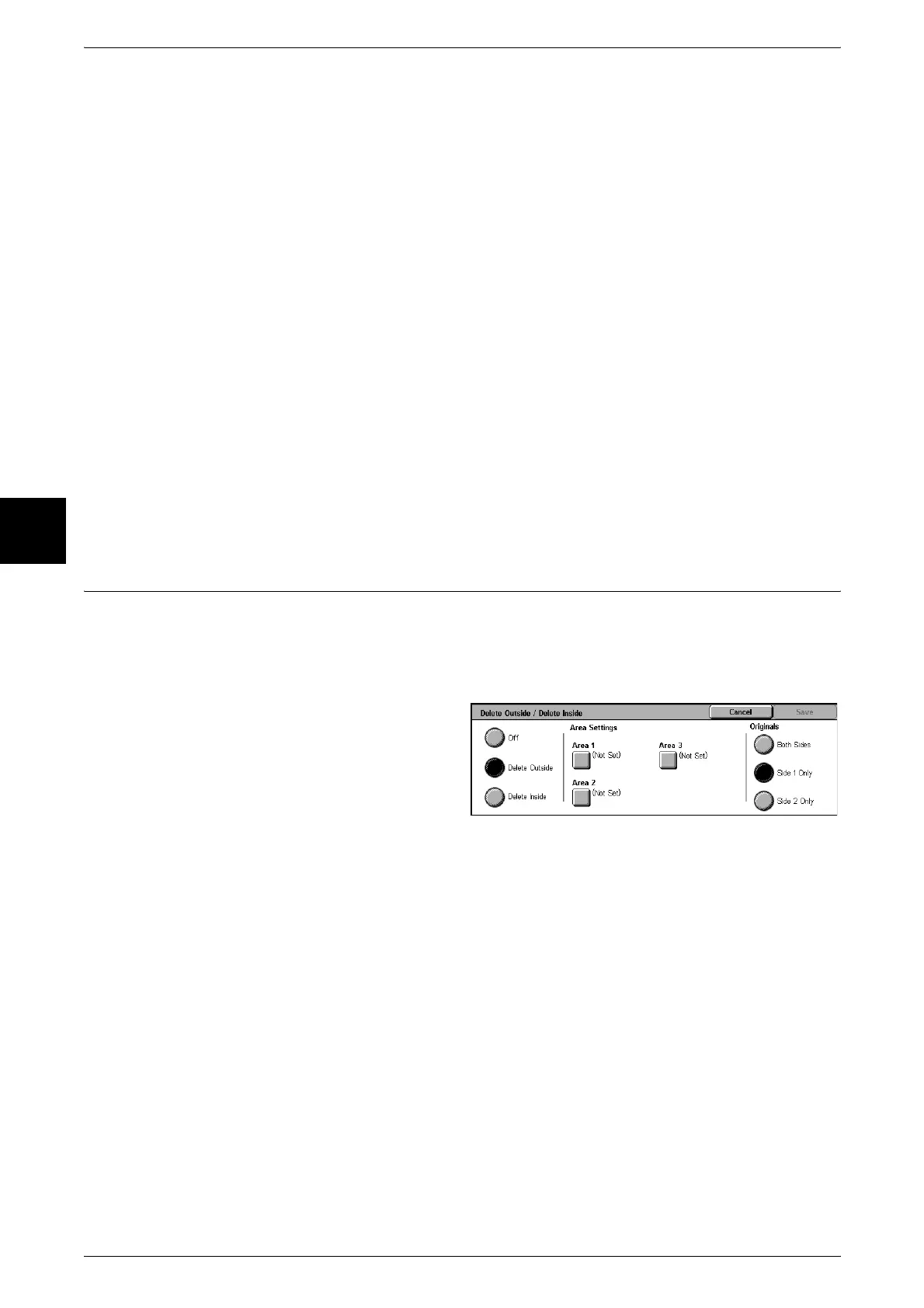
Specify an area to delete everything outside or inside of when copying. Up to 3 areas
can be specified.
Note • This feature does not appear for some models. An optional package is necessary. For more
information, contact our Customer Support Center.
1 Select [Delete Outside/Delete
Inside].
2 Select any item.
Off
Turn off [Delete Outside / Delete Inside].
Delete Outside
Delete outside of the selected area when copying.
Delete
Delete inside of the selected area when copying.
Area Settings
The [Delete Outside/ Delete Inside – Area X] screen is displayed. Select up to three
areas, from [Area 1] to [Area 3].
Note • X represents the number of the area displayed.












 To Next Page