Scan Options
75
Copy
3
Negative Image
z
Off
Negative Image is not applied to copies.
z
On
Copies are made with the colors reversed in the selected Output Color.
Note • When Output Color is set to Black or Single Color, the density (contrast) is reversed for black
and white.
• When Output Color is set to Full Color, the complementary colors are reversed.
• When [Negative Image] and [Border Erase] are set simultaneously, the edge erase area
turns to white.
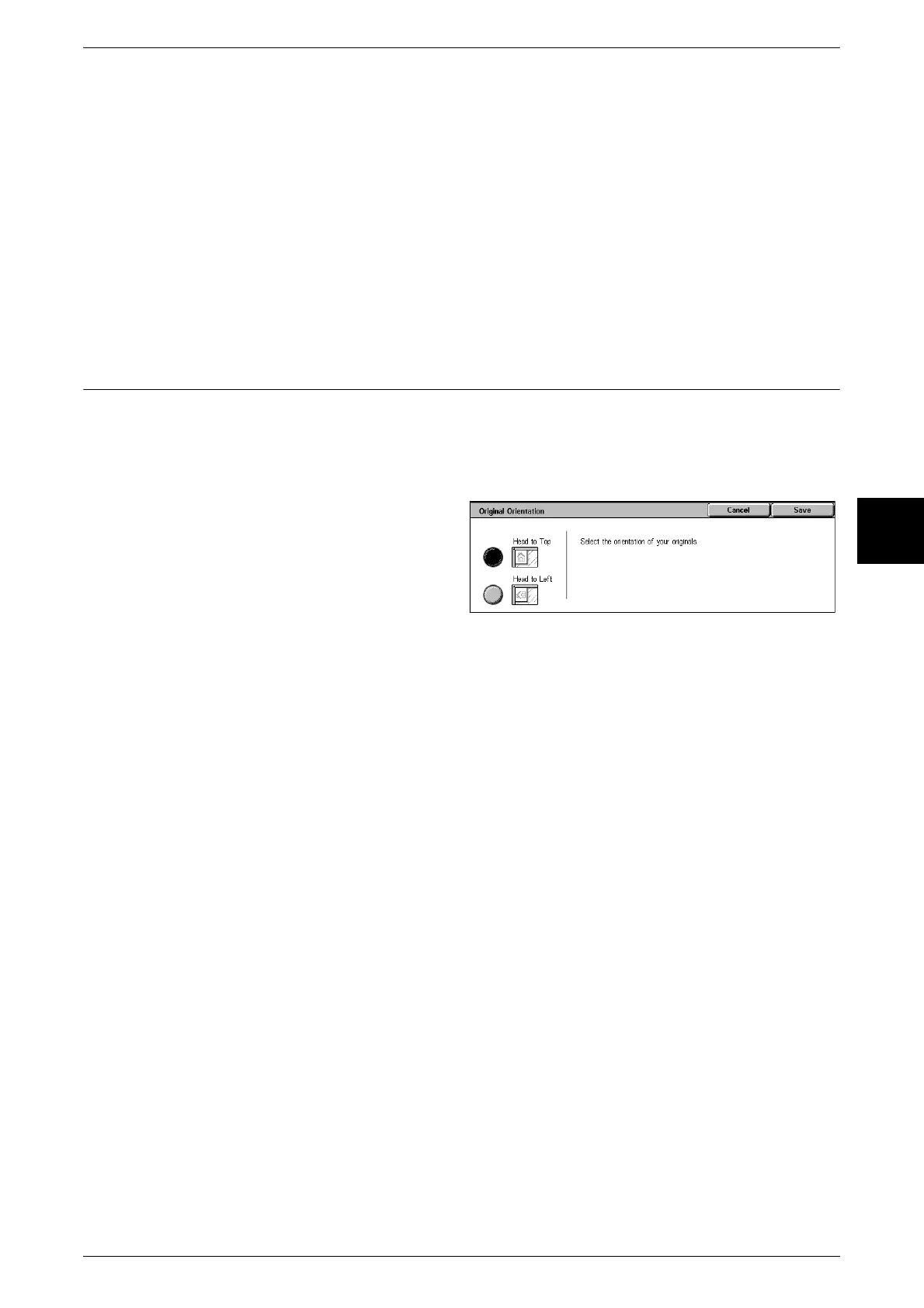
Original Orientation (Specify the Orientation of Loaded Documents)
In order to identify the top of the document, the orientation of the set document must
be configured.
Note • If the [Original Orientation] differs from the actual document orientation, then the machine
may mistakenly detect the head of the document.
1 Select [Original Orientation].
2 Select [Head to Top] or Head to
Left in accordance with the
orientation that the document is
loaded.
Head to Top
Select this item when placing the top of the document facing the inner side of the
document glass or document feeder.
Head to Left
Select this item when placing the top of the document facing the left side of the
document glass or document feeder. Be sure to select [Head to Left] when the top of
the document is placed facing the left side (horizontal text).












 To Next Page