4 Fax
134
Fax
4
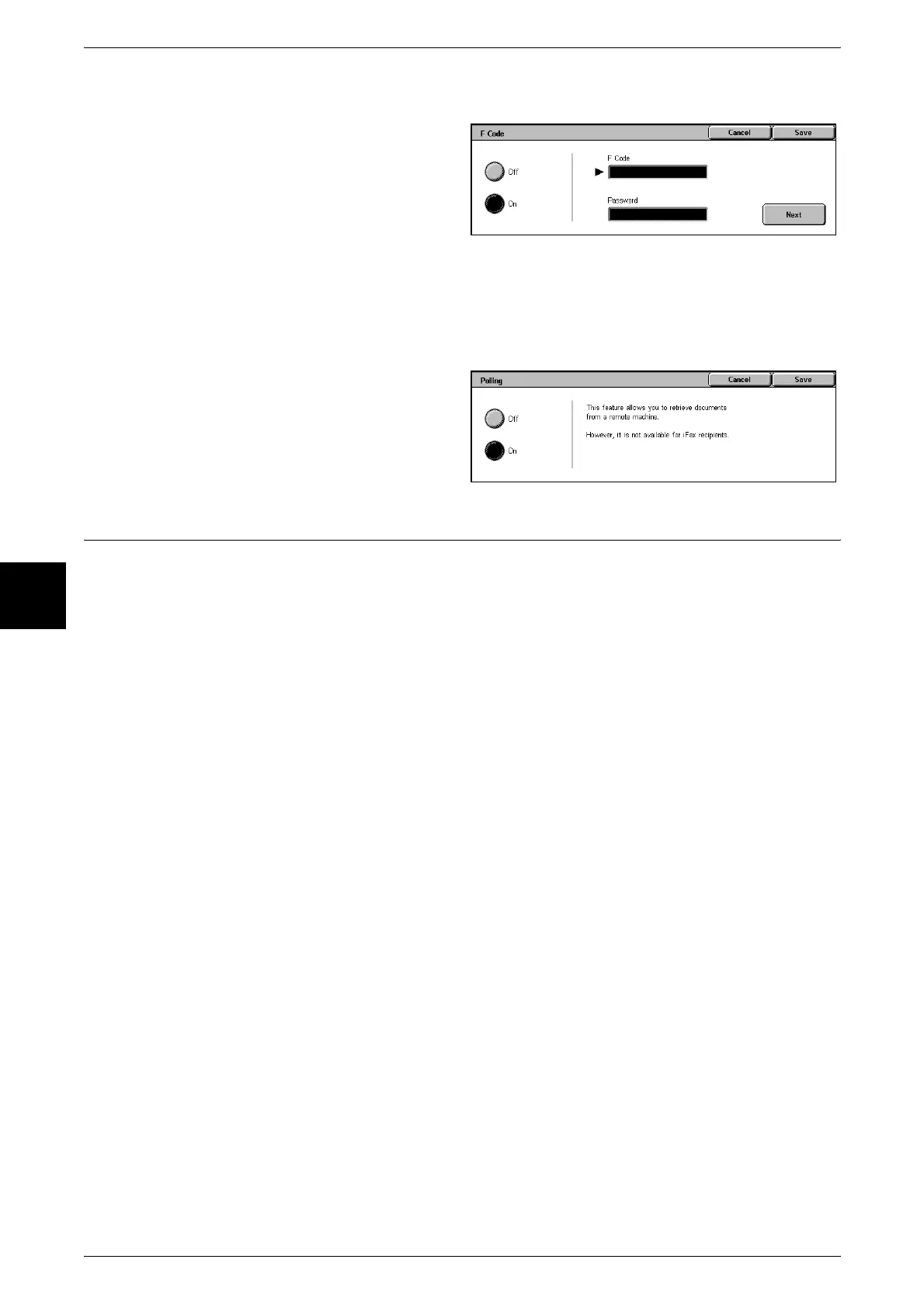
Private Polling (F Code Method)
1 Select [F Code] on the [Send
Options] screen.
2 Select [On].
3 Enter the F Code with the numeric
keypad and select [Next].
Note • You can enter up to 20 digits for the F Code.
4 If necessary, enter the password using the numeric keypad and select [Next].
Note • You can enter up to 20 digits for the password.
5 Select [Save].
6 Select [Polling] on the [On-hook/
Others] screen.
7 Select [On].
iFax Profile (Specifying iFax Profiles)
A profile is specified to restrict attribute information such as image resolution and paper
size for transmissions between iFax compatible machines.
Note • This feature may not be displayed depending on the model of machine you are using. This
feature is optional. For more information, contact our Customer Support Center.
• The profiles that can be processed differ depending on the iFax compatible machine of the
recipient. Before specifying a profile, confirm the profiles the iFax compatible machine of the
recipient can process.
• If inconsistencies occur between the profile and the stored document size and resolution
combination, priority is given to the settings specified in the profile.
• If the profile differs for each recipient when using Relay Broadcast, the smallest size
becomes the maximum image size.
• You can set an iFax profile for each Address Number. For information about how to register
Address Numbers, refer to "Address Book" (P.334).
• The default values of [iFax Profile] can be changed in the System Administration mode. For
information about how to change the default values, refer to "iFax Profile" (P.304).
Select a profile from the following three types.
TIFF-S
This is the standard specification for iFax. For documents that are larger than A4, the
size is reduced automatically to A4 for transmission.
z
Encoding method: MH
z
Stored Document Size: A4
z
Resolution: Standard, Fine












 To Next Page