Trouble during Fax
453
Problem Solving
16
Receiving Trouble
Describes solutions when unable to receive.
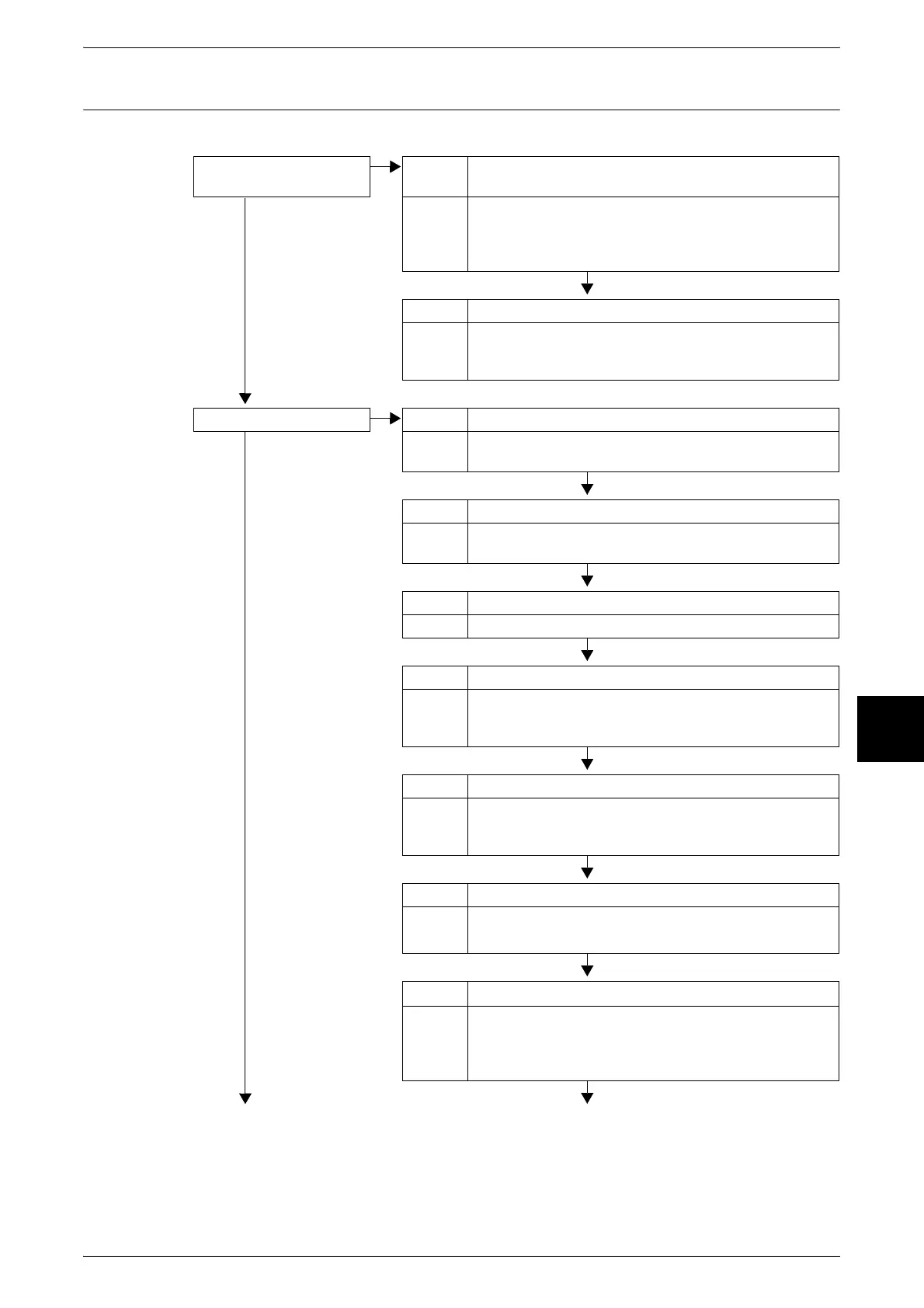
Is anything wrong with the
telephone line?
Cause The telephone line is not correctly connected.
No
Action The printer has multiple telephone line inputs. If the wrong
input is used, then transmission will fail. When the correct
input is used, you are able to make phone calls with the
[On-hook] feature.
Cause There is an error with the telephone line.
Action Use a regular phone to test whether you can make phone
calls. If no calls can be made, then there is a problem with
the phone line, not the printer.
Is the operation correct? Cause Power is OFF.
No
Action Unable to receive if the printer is not powered on. Turn the
power on.
Cause Paper is not set.
Action When paper is not set in the machine, received documents
cannot be printed.
Cause Paper jam
Action View the touch screen and remove the jammed media.
Cause The System Administration mode is on.
Action When the machine is in System Administration modes,
faxes cannot be received. Exit the System Administration
mode.
Cause A receive password is configured.
Action When a receive password is configured, receive and
polling can be performed only for senders who provide a
correct receive password as an F Code.
Cause The machine is set to Manual Receive.
Action Perform manual receive, or reconfigure to auto receive.
Refer to "Fax Receiving Mode" (P.373)
Cause The machine is set to Manual Send.
Action When using a FAX data service, change the receive
setting to Manual Receive in the On-hook or Off-hook
screen, enter a data code, and then press the <Start>
button.












 To Next Page