Stopping the Copy Job
51
Copy
3
Stopping the Copy Job
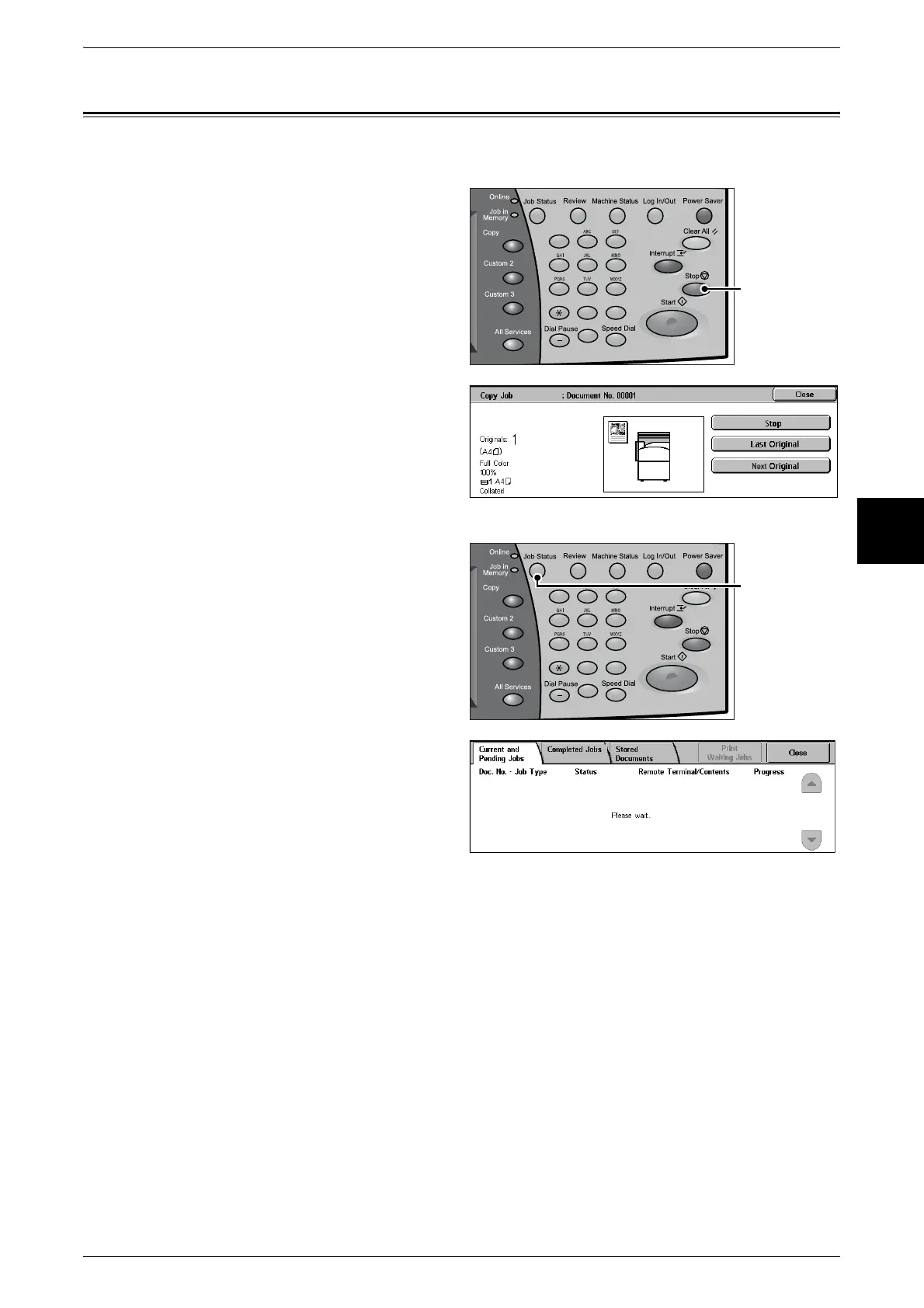
To cancel copying, follow the procedure below.
1 Select [Stop] on the touch screen
or press the <Stop> button on the
control panel.
2 Select [Stop].
3 If the screen of step 1 does not
appear, press the <Job Status>
button.
4 Select the job to cancel, and then
select [Stop].
123
456
789
0 #
C
<Stop> button
123
456
789
0 #
C
<Job Status>
button












 To Next Page