Checking/Selecting Mailbox Documents
189
Check Mailbox
6
Checking/Selecting Mailbox Documents
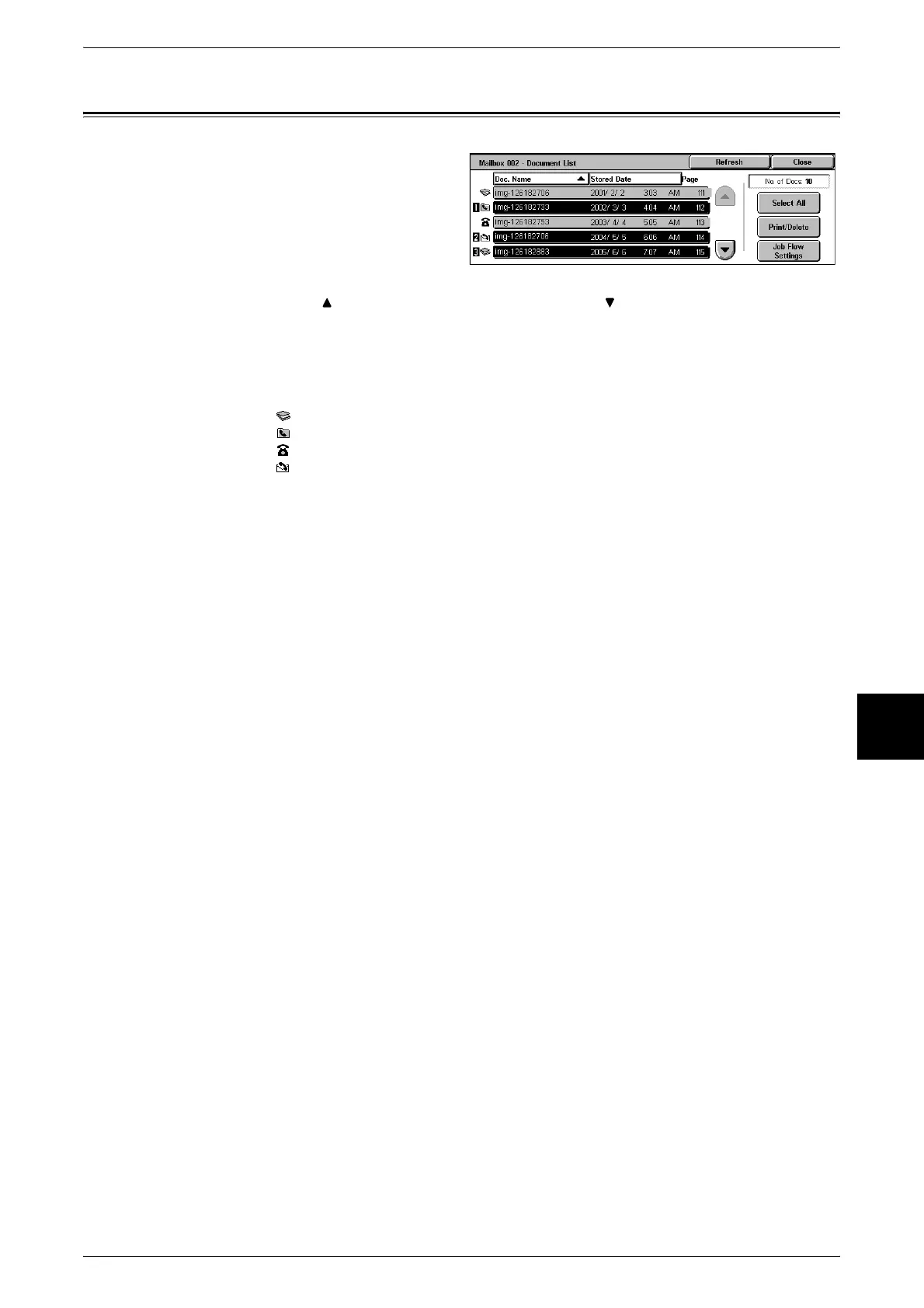
1 Select a document.
Note • The number of documents
saved is displayed in [No. of
Docs.].
• Updated information is
displayed by selecting
[Refresh].
• Select [ ] to display the previous screen and select [ ] to display the next screen. When
[Select All] is selected, all documents in the mailbox are selected. Selection will be canceled
if the button is selected again.
• You can sort documents in ascending or descending order by pressing either [Doc. Name]
or [Stored Date].
• To the left of the document name is displayed an icon showing the document contents.
:Scanned Document
:Documents for Private Polling
:Fax to Mailbox
:iFax to Mailbox
• Up to 9 documents can be selected separately. You can also select all documents. When
selecting individual documents, a number appears to the left of the document icon indicating
the order in which it was selected. Documents are processed in this order.












 To Next Page