Common Settings
263
Setups
11
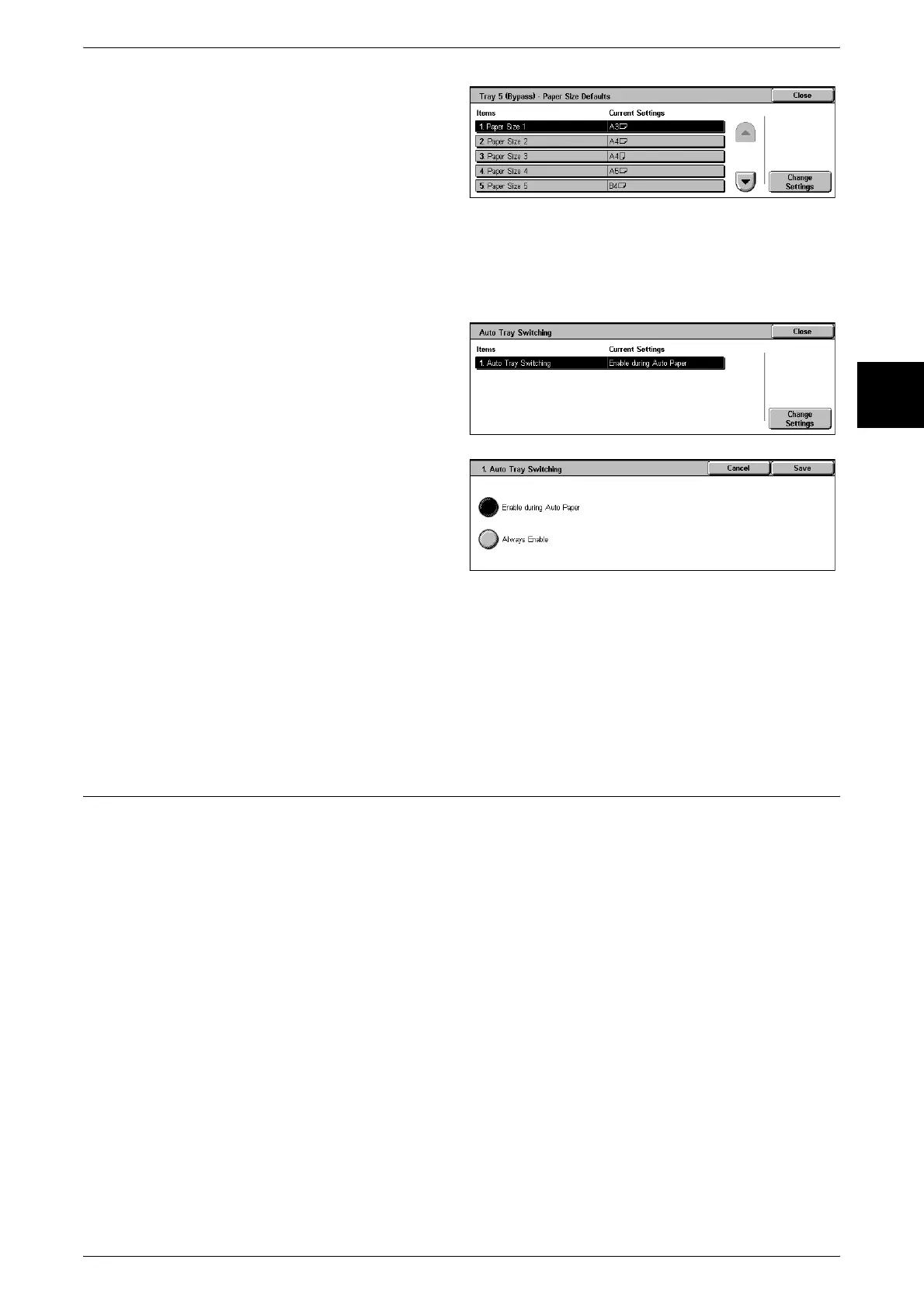
1 Select [Tray 5 (Bypass) Paper Size
Defaults].
2 Select the item to be set or
changed, and select [Change
Settings].
3 Select the paper size.
Auto Tray Switching
Set the method of auto tray switching.
1 Select [Auto Tray Switching].
2 Select [Change Settings].
3 Select the method of switching.
Enable during Auto Paper
When the paper selection is [Auto] only, the machine automatically selects a tray
containing appropriate paper.
Always Enable
Regardless of which paper tray is selected, depending on circumstances, the machine
automatically selects a tray containing appropriate paper.
Set Numbering
Date Format
Set the format for printing dates in annotations and set numbering. This setting is
common to annotation and set numbering.
Set Numbering - Text Effect
You can set a text effect. When the text effect is set, and a copy made, invisible text is
embedded in the background. If the created copy is recopied, this embedded text
appears as [Embossed] or [White Cutout].
Embossed
The text hidden in the background is printed as embossing. The text part of the text is
printed with the pattern set in [Set Numbering - Background Pattern].
White cutout
The text hidden in the background is printed as white cutout. In the background other
than the text printed as white cutout, the pattern set in [Set Numbering - Background
Pattern] is printed.












 To Next Page