11 Setups
262
Setups
11
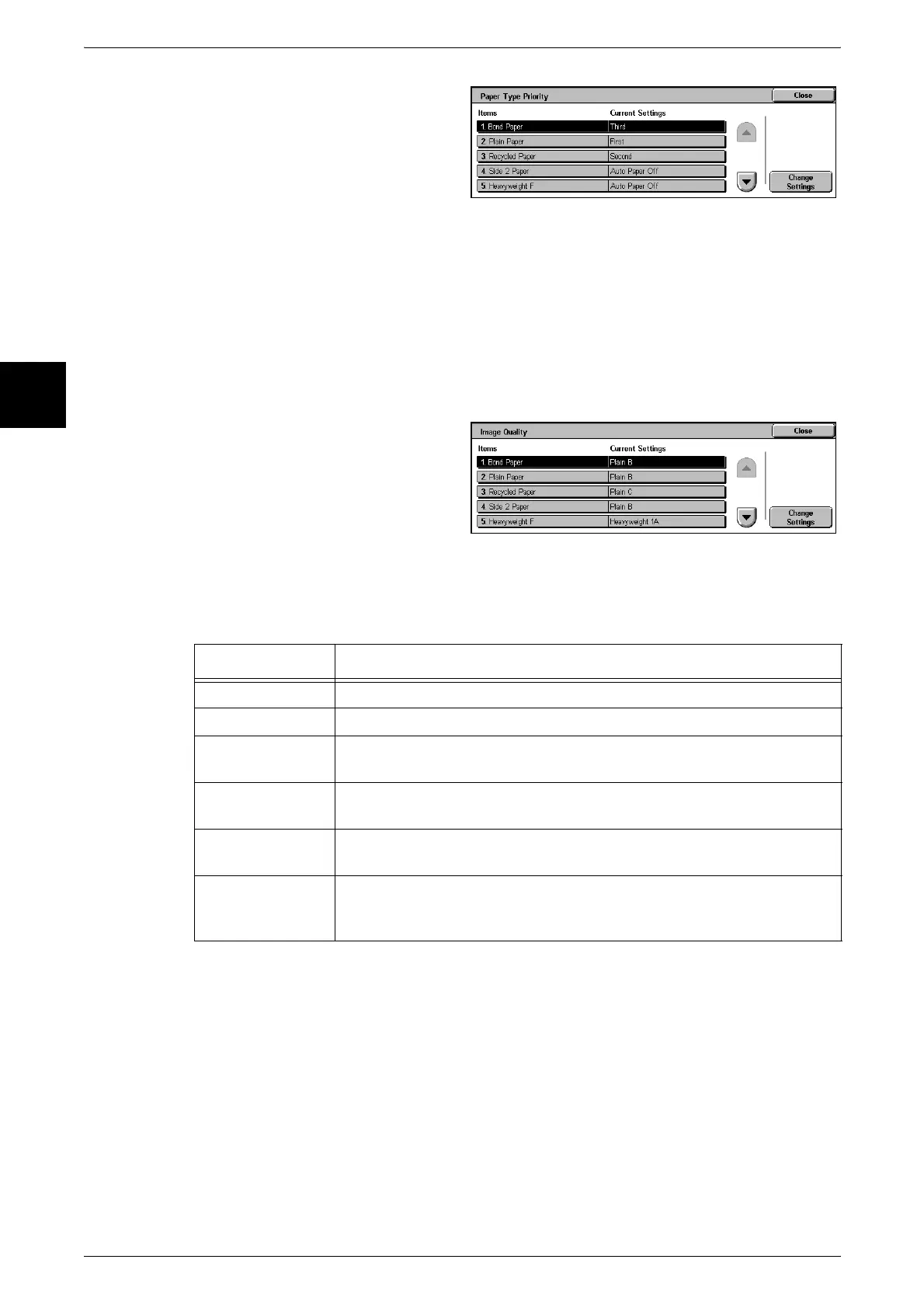
1 Select [Paper Type Priority].
2 Select the item to be set or
changed, and select [Change
Settings].
3 Select the priority sequence.
Image Quality
You can specify the image quality processing method for each of bond paper, plain
paper, recycled paper, side 2 paper, heavyweight paper 1, heavyweight paper
1(reverse side), heavyweight paper 2, heavy paper 2(reverse side), heavy paper F, and
user paper types 1 to 5.
When the machine is copying or printing, the type of paper set in [Paper Type], and the
image quality processing specified for that type of paper are used to control the image
quality.
1 Select [Image Quality].
2 Select the item to be set or
changed, and select [Change
Settings].
3 Select image quality processing.
4 Select [Save].
Refer to the following table for the items that can be set.
For information about paper characteristics and notes on use, refer to "Paper Type" (P.226).
Note • Plain E, Plain F, Plain paper G, Heavyweight 1B, Heavyweight 1C, Heavyweight 1S,
Heavyweight 2B, Heavyweight 2C, Heavyweight 2D, and Heavyweight 2S are not supported
by the machine.
• Plain S is set by our customer engineer.
Tray 5 (Bypass) Paper Size Defaults
Set the paper sizes shown in the [Tray 5 (Bypass)] screen for [Paper Selection] when
copying with Tray 5 (bypass).
You can assign 11 paper sizes to Tray 5 standard size buttons 1 to 11.
If a nonstandard size paper is frequently used for copying, by setting this size, it is no
longer necessary to set the paper dimensions each time a copy is made. It is also
convenient to set the commonly used paper sizes toward the top.
Setting value Meaning
Plain A Image quality suited to paper for color printing.
Plain B Image quality for paper for general purpose office use.
Plain C Image quality suited to recycled paper and similar with 100% recycled
pulp or 70% and above recycled pulp.
Plain D Image quality suited to using 100% recycled pulp consisting mainly of
newsprint.
Heavyweight 1A Image quality suited to bond paper, paper of environmentally favorable
100% wood pulp, postcard stock, and so on.
Heavyweight 2A Image quality suited to bond paper, paper using environmentally
favorable 100% wood pulp, envelopes, 100% recycled paper business
card stock, and so on.












 To Next Page