Common Settings
261
Setups
11
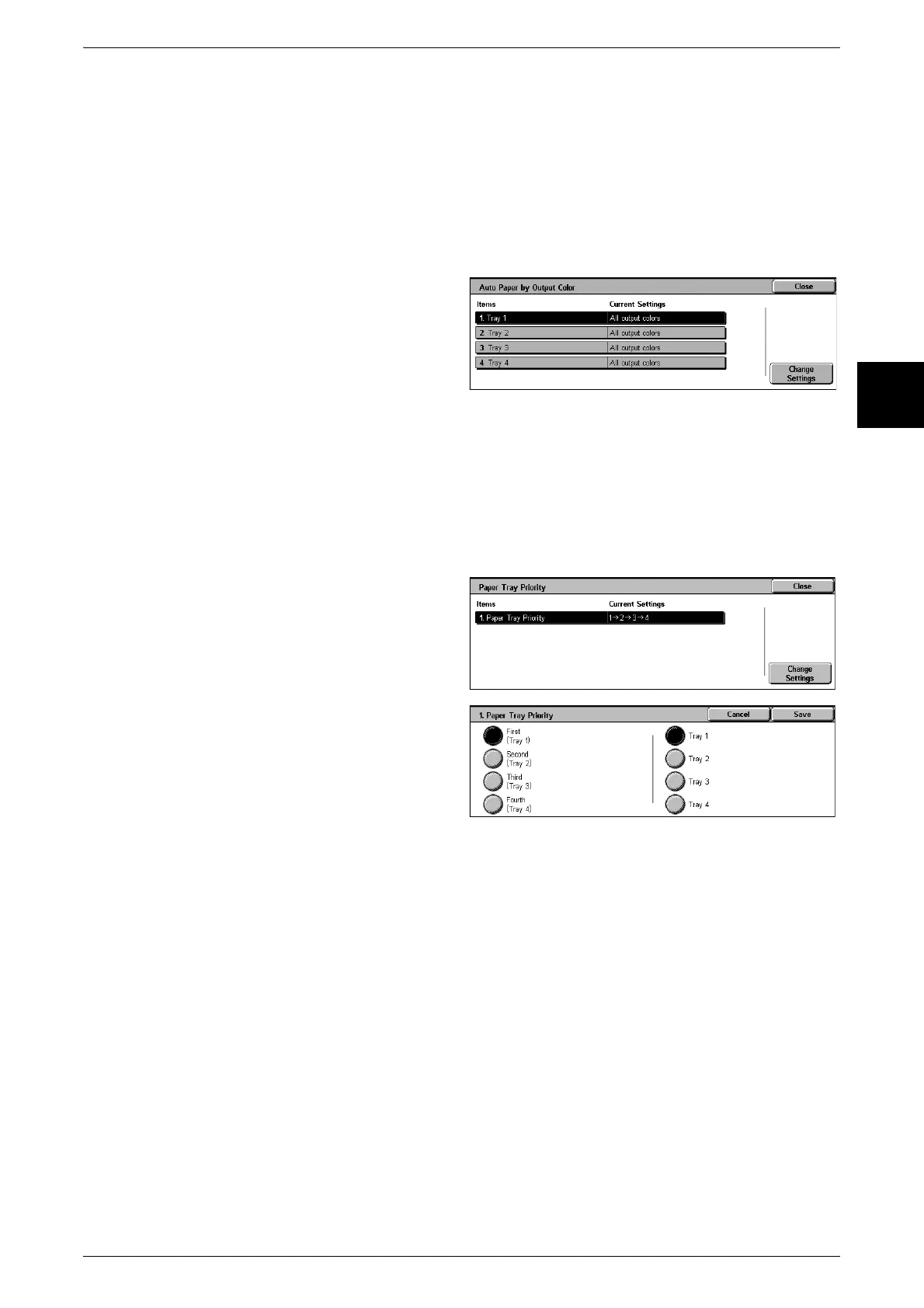
Auto Paper by Output Color
The automatically selected paper tray may be designated according to the output color
settings. In any mode other than the specified output color mode, the designated tray
will not be selected when the paper tray is set to auto. Choose from [All output colors],
[When Color is selected], or [When Black is selected].
Automatic tray selection means that a tray containing the appropriate paper is
automatically selected by the machine for copying or printing.
You can select paper trays 1 to 4. Tray 5 (manual feed) cannot be selected.
1 Select [Auto Paper by Output
Color].
2 Select the item to be set or
changed, and select [Change
Settings].
3 Select the color mode.
Paper Tray Priority
Set the paper tray priority sequence for automatic tray selection. Automatic tray
selection means that a tray containing the appropriate paper is automatically selected
by the machine for copying or printing.
You can select paper Trays 1 to 4. Tray 5 (bypass) cannot be selected.
1 Select [Paper Tray Priority].
2 Select [Change Settings].
3 Select any of numbers 1 to 4, to
assign a tray from Trays 1 to 4.
Note • You cannot set the same
paper tray to different
positions in the sequence.
Paper Type Priority
Set the paper type priority sequence for automatic tray selection. Automatic tray
selection means that a tray containing the appropriate paper is automatically selected
by the machine for copying or printing.
You can set any of bond paper, plain paper, recycled paper, side 2 paper, heavy paper
F, coated paper F, heavy paper F(A), and user paper types 1 to 5.
The paper type setting takes precedence over the tray priority sequence.
If different paper types appear in the same priority sequence, the paper selection is
determined by tray priority sequence.
For information about the tray priority sequence, refer to "Paper Tray Priority" (P.261).












 To Next Page