Send Options
135
Fax
4
TIFF-F
Select this profile when you specify super-fine for the resolution or when you send A3
or B4 documents.
Encoding method: MMR
Stored Document Size: A4, B4, A3
Resolution: Standard, Fine, Super-fine (400 dpi), Super-fine (600 dpi)
Note • If Super-fine (400 dpi) or Super-fine (600 dpi) is selected for [Resolution] on the [Basic
Features] screen, TIFF-S cannot be selected.
• When a fax is sent to a machine that does not support TIFF-F, the recipient machine will not
be able to display or print the images.
TIFF-J
Select this profile for sending documents in JBIG.
z
Encoding method: JBIG
z
Stored Document Size: A4, B4, A3
z
Resolution: Standard, Fine, Super-fine (400 dpi), Super-fine (600 dpi)
Note • When a fax is sent to a machine that does not support TIFF-J, the recipient machine will not
be able to display or print the images.
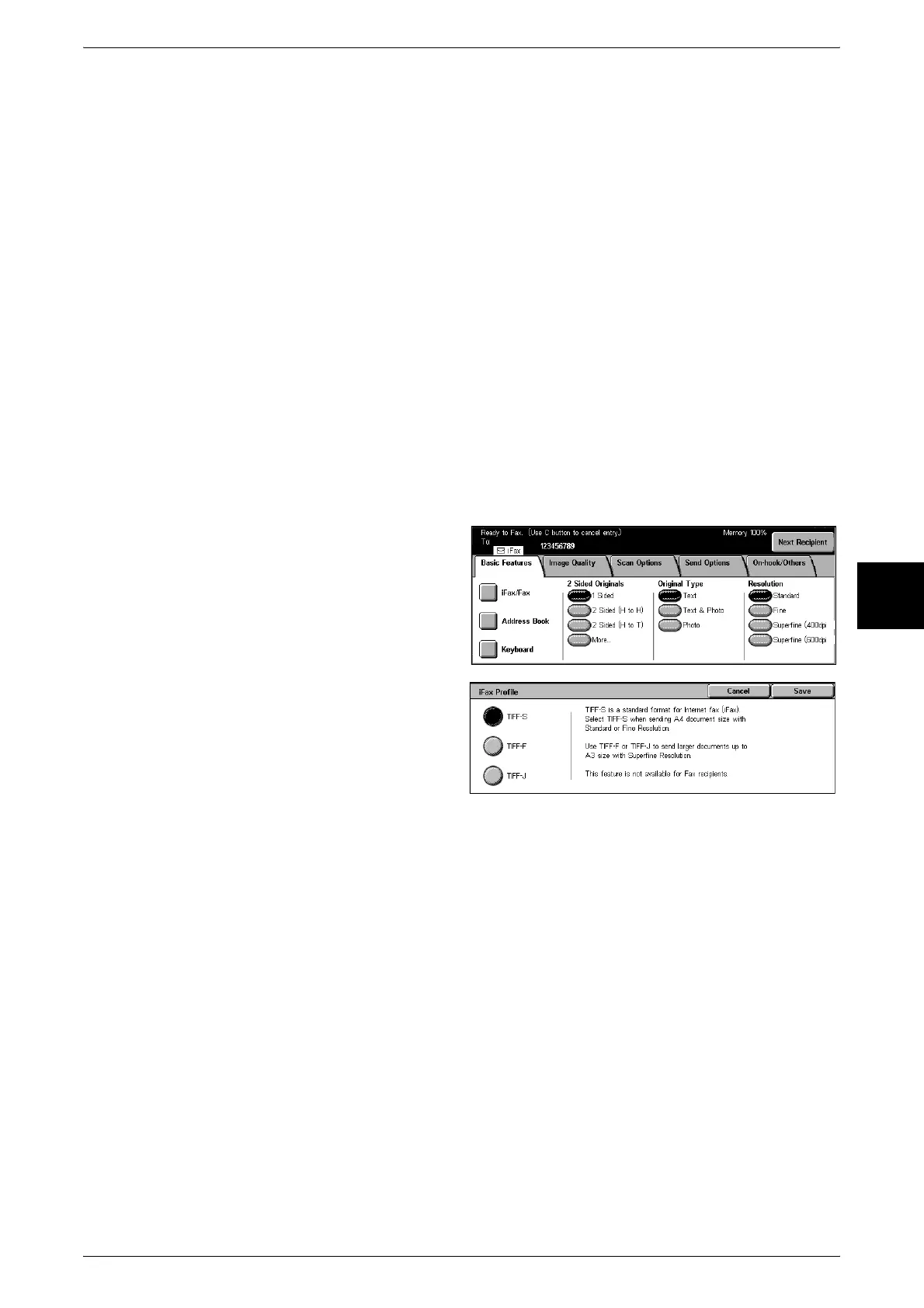
1 Display the [Basic Features] screen
and select [iFax/Fax] several times
to display [iFax] in the recipient
section.
2 Select [iFax Profile] on the [Send
Options] screen.
3 Select the profile.

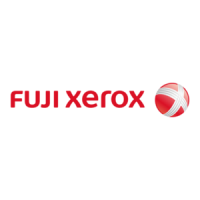

 To Next Page