11 Setups
254
Setups
11
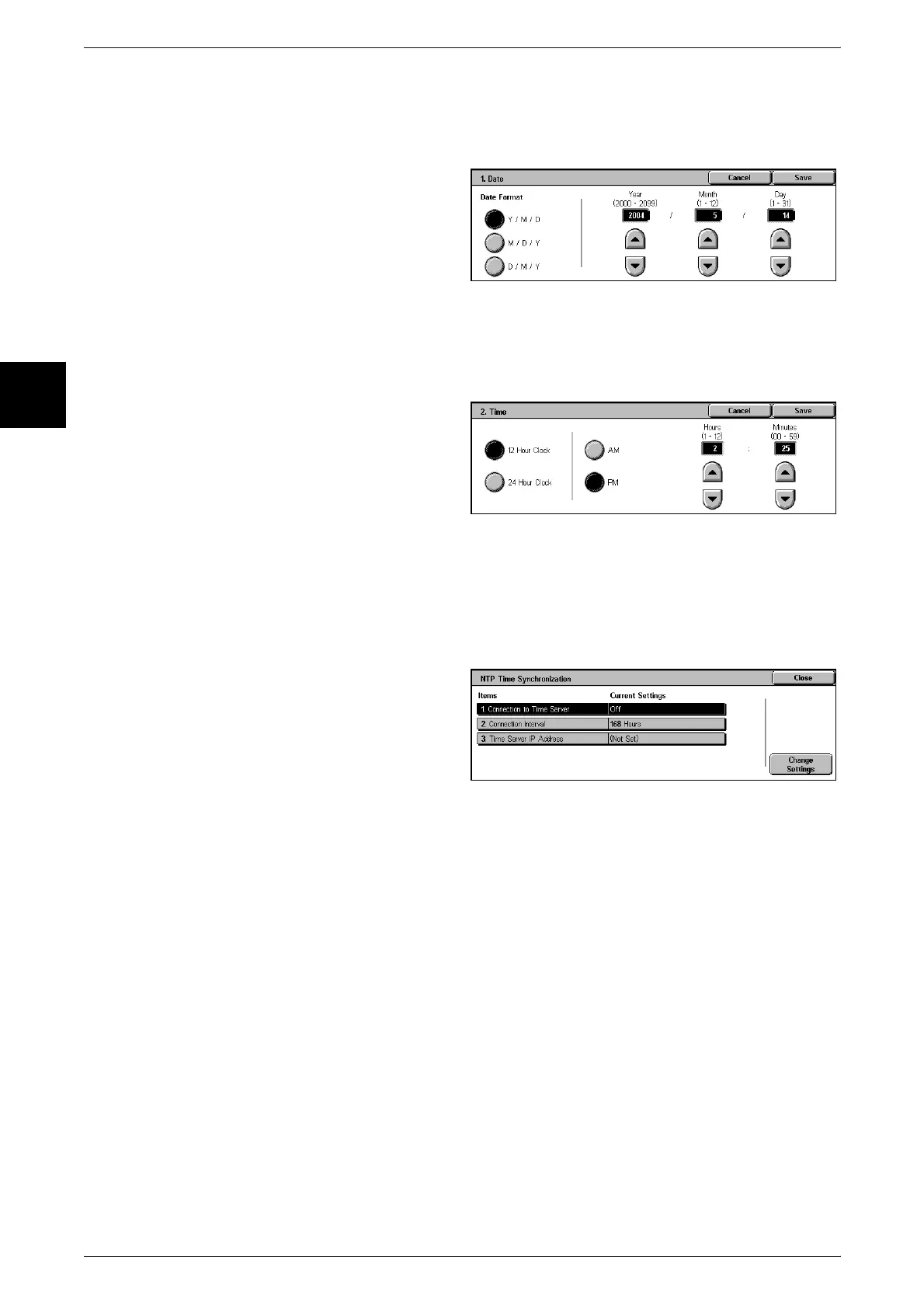
Date
Set the date in the in the system clock of the machine. The date set here is printed on
lists and reports.
1 Select [Date], and select [Change
Settings].
2 Select the date format.
3 Select Year/Month/Day.
Time
Set the time in the system clock of the machine, using 12-hour or 24-hour
representation.
The time set here is printed on lists and reports.
1 Select [Time], and select [Change
Settings].
2 Select the display format.
3 When [12-Hour Clock] is selected,
select [AM] or [PM].
4 Set the hours and minutes.
NTP Time Synchronization
You can get the time from a time server (NTP: Network Time Protocol), to synchronize
the machine to the time server time.
1 Select [NTP Time
Synchronization], and select
[Change Settings].
2 Select any item, and select
[Change Settings].
Connection to Time Server
Select whether to connect to a time server. If you select [No], it is not possible to get
the time from a time server.
Connection Interval
Select the time interval at which a connection is made to the time server.
Select an interval from 1 to 500 hours, in steps of one hour.
Time Server IP Address
Set the IP address of the time server from which the time is obtained, using values 0 to
255.
Note • Addresses 244 to 255.XXX.XXX.XXX and 127.XXX.XXX.XXX cannot be set.












 To Next Page