Login Setup/Auditron Administration
349
Setups
11
Hide User ID
You can set the way in which the UserID is shown as it is being input. Use this for extra
security as required.
Show
As you enter the UserID, the characters are echoed on the screen in the normal way.
Hide
As you enter the UserID, the character string is hidden as a row of asterisks (*****).
Account ID Characters
If required, you can change the indication that appears as AccountID on the [System
Administrator Login] screen when the control panel <Log In/Out> button is pressed to
such as "AccountName" or "Number". The alias can be set to 1 to 15 characters.
Note • This item appears when [Network Access] is selected in "Login Setup/Auditron Mode"
(P.351).
• The value is also reflected in report/list displays, and when accessing from CentreWare
Internet Services.
Hide Account ID
You can set the way in which the AccountID is shown as it is being input. Use this for
extra security as required.
Note • This item appears when [Network Access] is selected in "Login Setup/Auditron Mode"
(P.351).
Show
As you enter the AccountID, the characters are echoed on the screen in the normal
way.
Hide
As you enter the AccountID, the character string is hidden as a row of asterisks (*****).
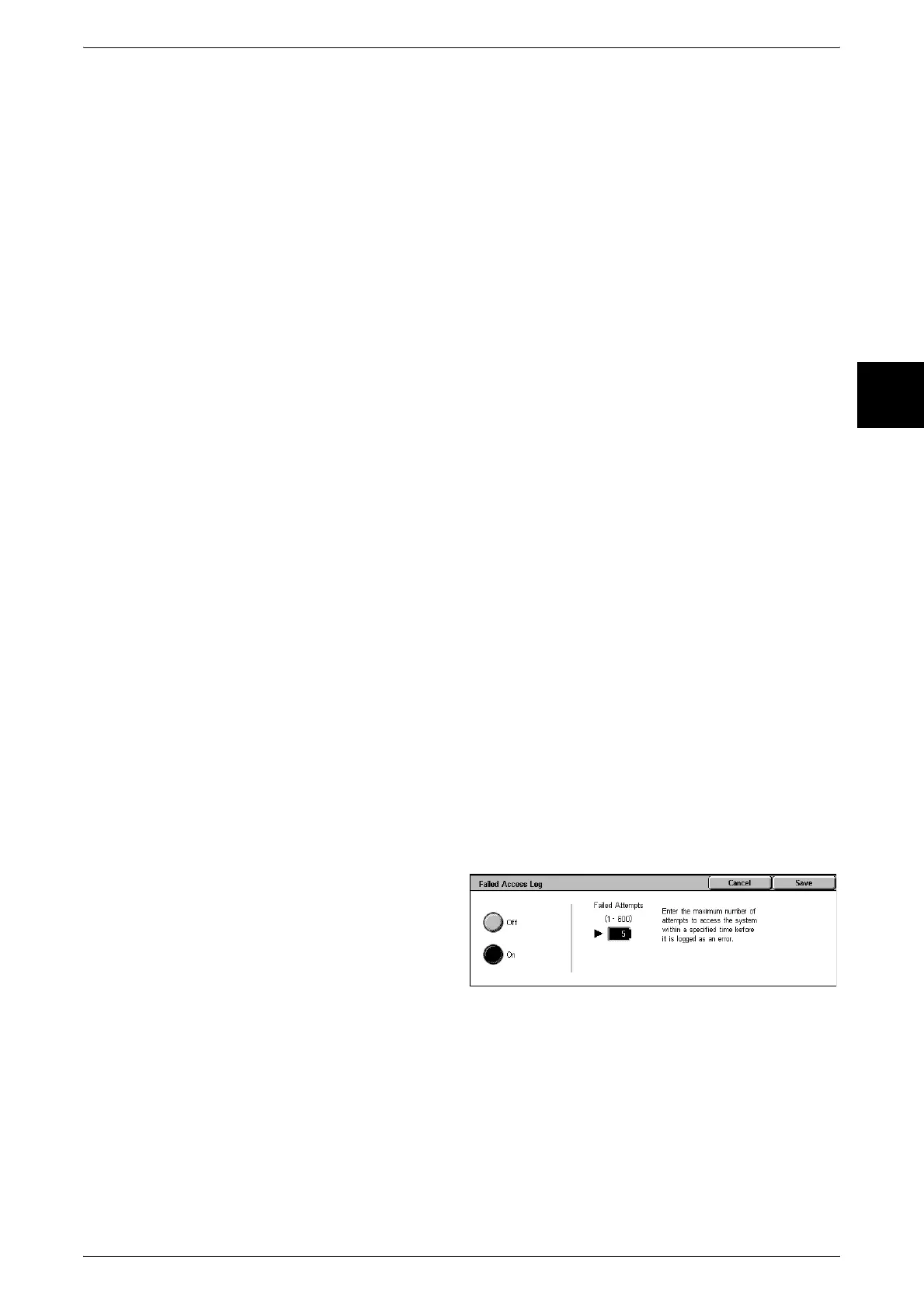
Failed Access Log
In order to detect unauthorized access, if the number of times that authentication fails
within a set time exceeds the [Failed Attempts] value set here, then an error is logged.
1 Select [Failed Access Log].
2 Select [On], and with the numeric
keypad enter the number of
failures.
Store User Details
You can set the destination to save authentication information. Select NVM or hard
disk.
Note • This item appears when [Network Access] is selected in "Login Setup/Auditron Mode"
(P.351).












 To Next Page