4 Fax
138
Fax
4
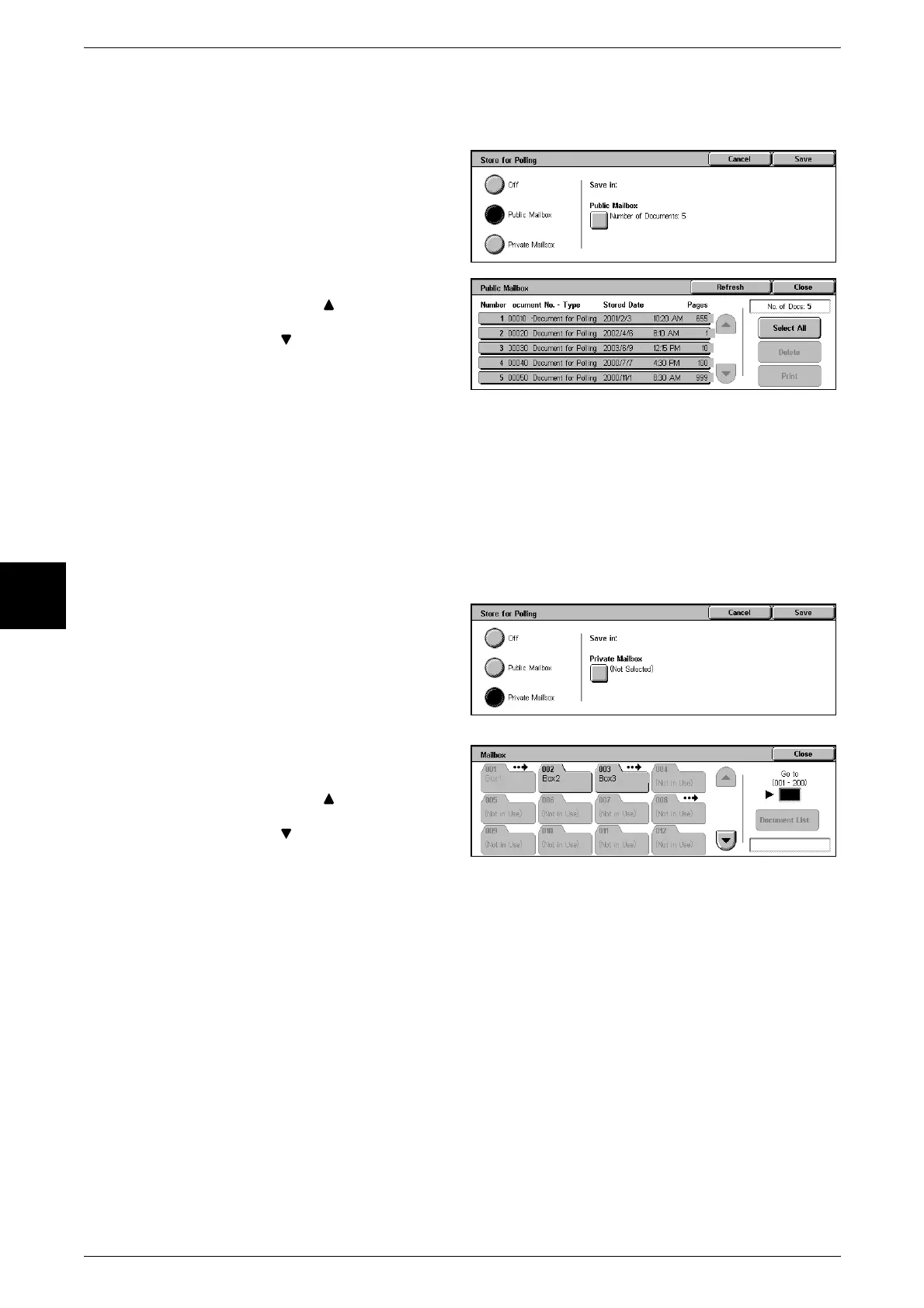
Confirming/Printing/Deleting Documents Stored for Polling
You can confirm, print, and delete documents stored for polling.
1 Select [Store for Polling] on the
[On-hook/Others] screen.
2 Select [Store for Polling].
3 Select [Public Mailbox] of [Save in].
4 Select the document to print/delete.
Note • Select [ ] to display the
previous screen and select
[ ] to display the next
screen.
• If you select [Select All], all
documents in the Public
Mailbox are selected. You can
select either one document or
all documents.
5 To print the document, select
[Print].
To delete the document, select [Delete]. Confirm the contents on the screen that
appears and select [Yes].
Store for Private Polling
1 Select [Store for Polling] on the
[On-hook/Others] screen.
2 Select [Store for Private Polling].
3 Select [Private Mailbox] of [Save
in].
4 Select the Private Mailbox to store
the polling documents.
Note • Select [ ] to display the
previous screen and select
[ ] to display the next
screen. You can also directly
access a Mailbox by entering
a three-digit mailbox number
in [Go to] with the numeric
keypad.
• When a Private Mailbox that contains documents is selected, the number of documents is
indicated in [Number of Documents] on the bottom right of the screen.
• If a password input screen appears, enter the password and select [Confirm].
Confirming/Printing/Deleting Documents Stored for Private Polling
For information about how to confirm/print/delete document for private polling, refer to "Public
Mailboxes" (P.364).
Note • You can set the machine to automatically print documents stored in Private Mailbox. For
information about the setting procedure, refer to "Mailbox" (P.323).
• CentreWare Internet Services allow you to manipulate documents stored in Private
Mailboxes on the machine from your computer. For information about CentreWare Internet
Services, refer to "CentreWare Internet Services" (P.212) and "Network Administrator
Guide."












 To Next Page