10 Paper and Other Media
238
Paper and Other Media
10
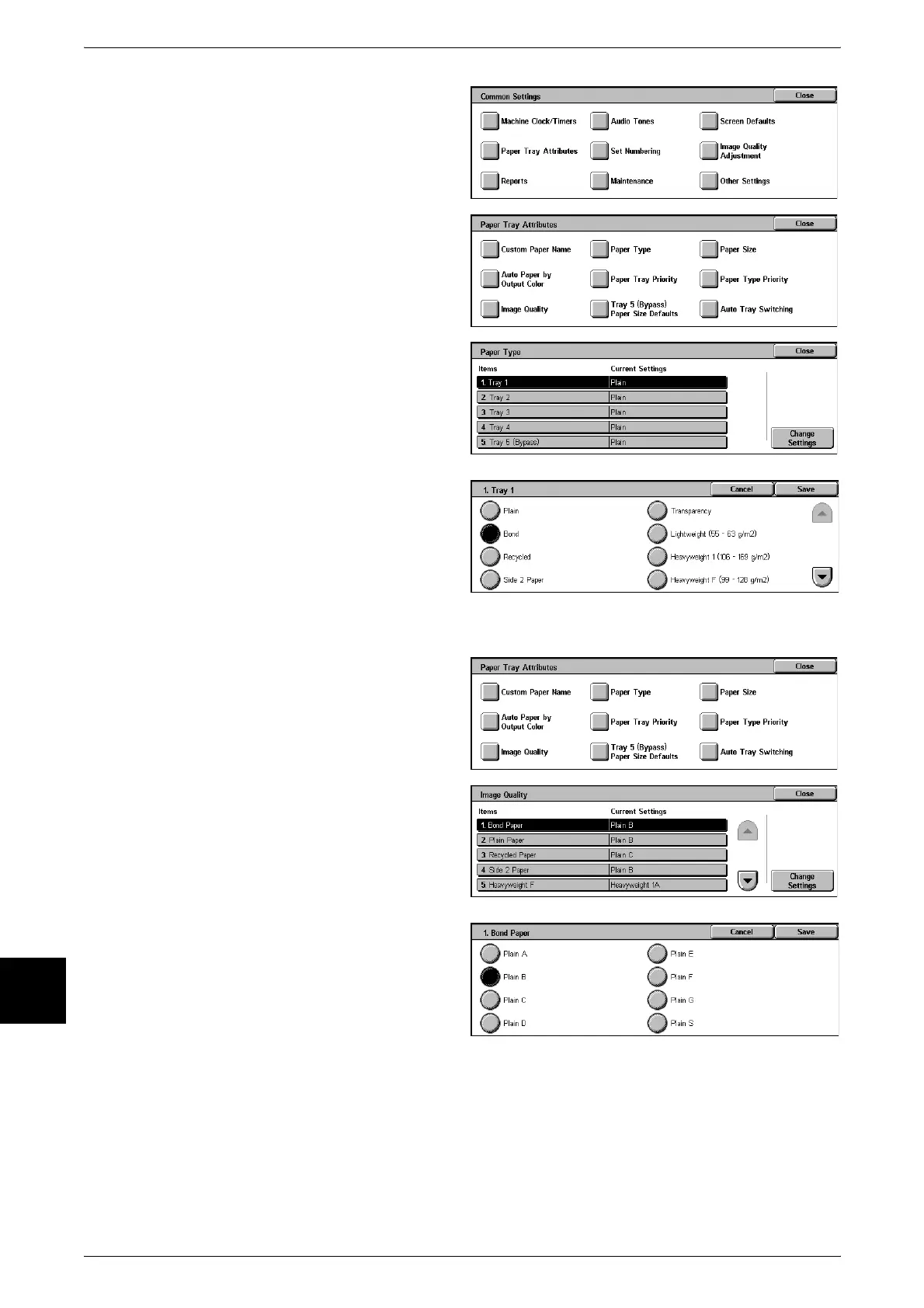
6 Select [Paper Tray Attributes].
7 Select [Paper Type].
8 Select the paper tray whose paper
type setting is to be changed at
[Items], and select [Change
Settings].
9 Select the paper type to change,
and select [Save].
10 Make sure that the [Current Settings] at the [Items] you changed is the newly entered
value, and select [Close].
11 Select [Image Quality].
12 Select the paper type whose image
processing is to be changed at
[Items], and select [Change
Settings].
13 Select the image processing value
to change, and select [Save].
14 Make sure that the [Current Settings] at the [Items] you changed is the newly entered
value, and select [Close].
15 Select [Close] repeatedly until the [System Settings] screen is displayed.
16 Select [Exit] to exit the System Administration mode.












 To Next Page